

¿El escáner se queda sin batería a mitad del turno? ¿Dispositivos dispersos, con poca carga o difíciles de rastrear? Muchos equipos que usan lectores de códigos de barras Android y terminales móviles se enfrentan al mismo problema: la carga es lenta, complicada y fácil de olvidar. Una sencilla configuración de la base de carga puede solucionar la mayoría de estos problemas, proporcionando a cada dispositivo un lugar despejado y una rutina de carga estable.
En esta guía, aprenderá qué es una base de carga , por qué los lectores de códigos de barras y ordenadores móviles Android la utilizan , cómo elegir la base adecuada , cómo crear un flujo de trabajo sin tiempo de inactividad y qué dispositivos Tera admiten la carga mediante base . Todo está diseñado para ayudarle a mantener sus lectores organizados, completamente cargados y listos para usar.
¿Qué es una base de carga? (Y cómo funciona)
Una base de carga es una base con alimentación que sostiene y carga tu escáner de código de barras o computadora portátil con una base estable, una entrada de alimentación y contactos de carga integrados. Le proporciona a tu dispositivo un lugar despejado donde reposar, mantiene tu espacio de trabajo ordenado y comienza a cargarse en cuanto lo colocas en la base.
Así funciona en sencillos pasos. La alimentación se suministra desde el adaptador de pared a la base. Esta pasa la corriente a través de sus contactos de carga, que pueden ser pines pogo, almohadillas magnéticas o un pequeño conector USB C. Al colocar el dispositivo en el compartimento de la base, los contactos se alinean y la batería comienza a cargarse.
Esta configuración le permite guardar el dispositivo rápidamente sin tener que preocuparse por los cables. Además, ayuda a su equipo a saber exactamente dónde se guarda cada escáner o computadora móvil cuando no se usa.
Ahora que la base en sí tiene sentido, quizás te preguntes: ¿Por qué los lectores de códigos de barras y los ordenadores móviles Android la necesitan? Eso es precisamente lo que exploraremos a continuación.
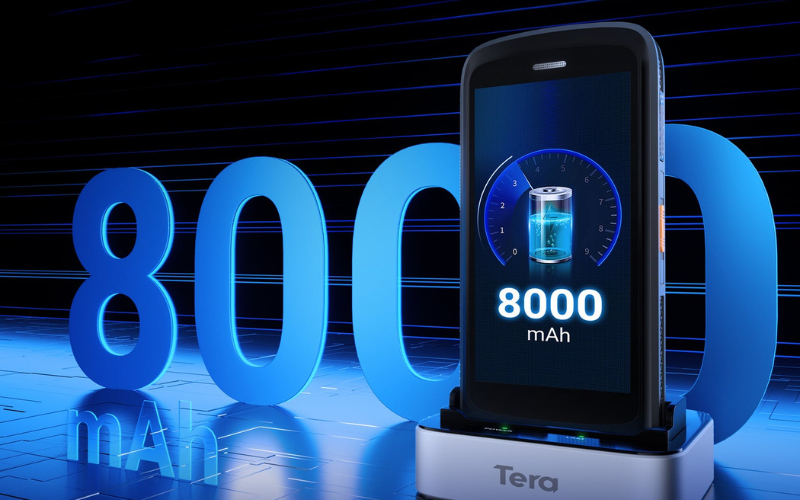
¿Por qué los lectores de códigos de barras y ordenadores móviles Android necesitan bases de carga?
Estos dispositivos necesitan bases de carga porque trabajan muchas horas, consumen mucha energía y deben estar listos para el siguiente turno. Una base garantiza que el dispositivo comience a cargarse y reduce el tiempo de inactividad.
El uso intensivo agota la batería rápidamente. Un escáner de código de barras Android o un ordenador portátil pueden escanear todo el día, y una batería descargada puede retrasar los pedidos o ralentizar al equipo. Una base proporciona una alimentación estable y predecible.
Una base también simplifica la gestión de dispositivos. Actúa como base donde su equipo recoge un dispositivo y lo devuelve posteriormente. Esta rutina reduce la pérdida o extravío de escáneres y mantiene despejada la zona de la estación de acoplamiento.
Las bases de carga también ayudan a proteger el hardware. Conectar y desconectar cables desgasta los puertos USB, mientras que los pines pogo o contactos magnéticos se mantienen firmes y reducen los daños con el tiempo. Es una solución de carga más limpia para el uso diario.
Las distintas industrias dependen de las bases de forma distinta. Los almacenes suelen utilizar bases de múltiples ranuras para equipos grandes. Las cajas de los comercios minoristas utilizan bases de una sola ranura para tener un escáner siempre listo. Los equipos de fabricación colocan bases robustas en las mesas de trabajo para que cada dispositivo permanezca visible y cargado.
No todos los lugares de trabajo son iguales, y las cunas tampoco. Veamos los tipos principales para que puedas adaptarlos a tu día a día.
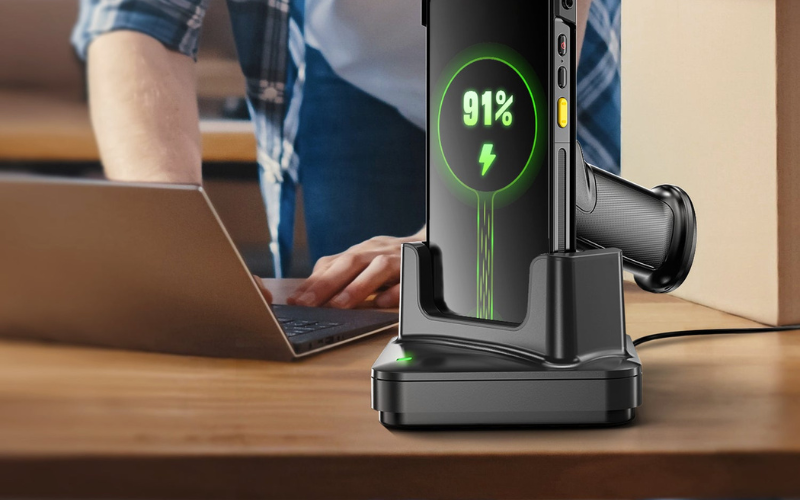
Tipos comunes de bases de carga para escáneres de códigos de barras
Existen varios tipos principales de bases de carga, y cada una se adapta a un uso diferente del escáner de código de barras o del ordenador portátil. Una vez que conozca estos tipos, será más fácil elegir la base que mejor se adapte a su equipo y espacio de trabajo.
Bases de una y varias ranuras
Una base de carga de una sola ranura permite cargar un dispositivo a la vez. Es ideal para un solo usuario, un punto de venta o una pequeña oficina con poco espacio. Se puede colocar un escáner de código de barras Android o un ordenador portátil y tenerlo listo.
Una base de carga multiranura permite alojar varios dispositivos en una sola base. Los tamaños más comunes son una base de 4 ranuras o un cargador de 6 bahías . Son comunes en almacenes y centros de logística donde muchas personas comparten escáneres entre turnos.
Comparación rápida
Tipo de cuna |
Dispositivos por base |
Espacio necesario |
Ideal para el tamaño del equipo |
|---|---|---|---|
Base de carga de una sola ranura |
1 |
Huella muy pequeña |
Un usuario o una estación |
cuna de 4 ranuras |
Hasta 4 |
Espacio de trabajo mediano |
Pequeño equipo compartido |
Cargador de 6 bahías |
Hasta 6 |
Mayor espacio de trabajo |
Equipos de almacén más grandes |
Si su equipo suele pelearse por los cargadores o deja dispositivos en cualquier lugar, una base multiranura puede facilitar el trabajo diario . Si gestiona una caja con un solo escáner, una base de una sola ranura suele ser suficiente .
Bases de escritorio, de pared y para vehículos o montacargas
Una base de carga de escritorio se coloca sobre un mostrador, escritorio o estante. Es común en puntos de venta minoristas, oficinas y áreas de recepción. El personal puede tomar el escáner y volver a colocarlo con un simple movimiento.
Una base de montaje en pared se fija a una pared o a un estante. Esto resulta útil cuando el banco de trabajo está abarrotado o el espacio es limitado. Los dispositivos se mantienen fuera de la mesa, pero son fáciles de ver y alcanzar.
Una base para vehículo o montacargas está diseñada para camiones, furgonetas o montacargas. Este tipo de base de carga para vehículos sostiene un ordenador portátil mientras el vehículo está en movimiento, de modo que el dispositivo pueda cargarse durante los desplazamientos entre paradas o en el almacén.
Comparación rápida
Estilo cuna |
Ubicación típica |
Beneficio principal |
|---|---|---|
Base de carga de escritorio |
Escritorio, mostrador, estante |
Fácil acceso a estaciones de trabajo fijas |
Base de montaje en pared |
Pared, estante, pilar |
Ahorra espacio en el escritorio y mantiene los dispositivos ordenados. |
Cuna para carretilla elevadora o vehículo |
Cabina de camión, furgoneta y carretilla elevadora |
Cargas en movimiento, siempre cerca |
Al pensar en estos tres aspectos, pregúntese dónde quiere que se coloquen sus escáneres cuando nadie los sostiene . La respuesta suele ser el tipo de base adecuado.
Bases Pogo-Pin o magnéticas y bases basadas en USB-C
Algunas bases utilizan pines pogo o contactos magnéticos . Al colocar el dispositivo en la base, los pines o imanes entran en contacto con los contactos. Esto facilita la instalación y reduce el desgaste, ya que no es necesario conectar y desconectar un puerto varias veces al día.
Otras bases utilizan una base de carga USB-C dentro de la base. El dispositivo se desliza sobre un conector USB-C fijo. Esto resulta familiar, ya que el USB-C es un conector común, pero requiere un movimiento cuidadoso para evitar que el puerto se doble.
Comparación rápida
Interfaz de carga |
Cómo colocar el dispositivo |
Principales fortalezas |
Puntos a tener en cuenta |
|---|---|---|---|
Base de carga Pogo-pin |
Coloque hasta que los pines toquen los contactos |
Muy rápido, menor desgaste en los puertos. |
Necesita contactos limpios para obtener mejores resultados. |
Base de carga magnética |
Coloque, los imanes se colocan en su lugar |
Fácil alineación, ideal para áreas de trabajo concurridas. |
Puede recoger polvo metálico en sitios hostiles. |
Base de carga USB-C |
Deslice el puerto sobre el conector USB-C |
Utiliza un conector estándar, fácil de entender. |
Más estrés portuario con taponamiento diario |
No existe una única opción ideal para todos los sitios. Si su equipo busca velocidad y bajo desgaste, los diseños con pines pogo o magnéticos suelen ser la mejor opción. Si prefiere un conector estándar y cables transparentes, una base USB-C también puede funcionar si se usa con cuidado.
Cada tipo de cuna tiene su lugar, pero elegir una depende de algunos detalles clave. Es hora de analizarlos y ver qué es lo más importante al elegir una cuna.
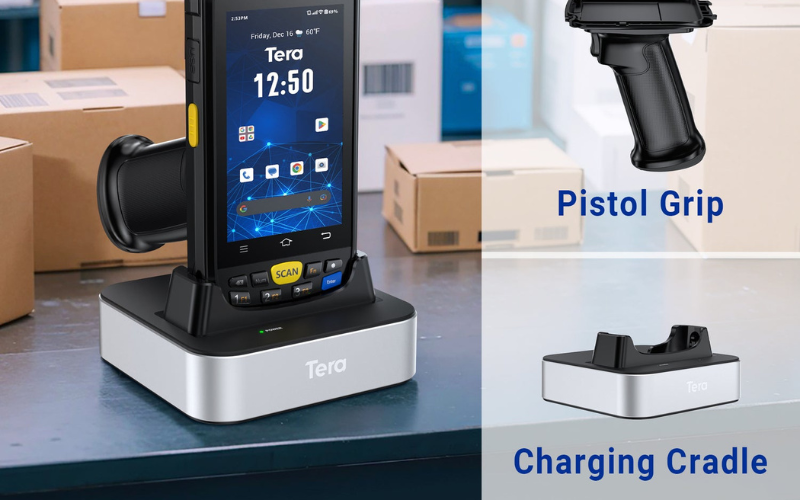
Cómo elegir la base de carga adecuada para lectores de códigos de barras y ordenadores móviles Android
Elegir una base de carga es más fácil si sigues unos sencillos pasos. Solo tienes que revisar tu dispositivo, tu estilo de trabajo y cómo podría crecer tu equipo en el futuro.
Paso 1: Verifique la compatibilidad con su dispositivo
Comience siempre por asegurarse de que la base sea compatible con el modelo exacto de su dispositivo. Fíjese en el nombre completo de su escáner de código de barras o computadora móvil Android, no solo en la serie. Una base de carga compatible está diseñada para esa forma, peso y disposición de conectores.
Comprueba tres cosas sencillas:
Primero, el tipo de conector. Comprueba si tu dispositivo usa pines pogo, contactos magnéticos o un puerto USB C en la parte inferior o lateral.
En segundo lugar, la forma de la carcasa y la base. La base debe ajustarse a la posición del dispositivo, para que no se tambalee ni bloquee ninguna tecla o puerto.
En tercer lugar, la información oficial del dispositivo. Si es posible, consulta la página del producto o una tabla de compatibilidad para confirmar que la base esté listada para tu modelo. Esto evita el ensayo y error y te ayuda a elegir una base para tu marca y modelo específicos.
Paso 2: Adapte la base a su entorno de trabajo
A continuación, piense en cómo y dónde usa sus escáneres a diario. Su entorno suele determinar si necesita una base de una o varias ranuras, y cómo debe montarse.
Si solo usa un dispositivo en la caja o en el mostrador de servicio, una base de carga de una sola ranura en el escritorio suele ser suficiente. Actúa como una pequeña estación de carga para el lector de códigos de barras en ese punto.
Si gestiona un almacén o trastienda donde varias personas comparten dispositivos, una base de carga multiranura podría ser más adecuada. Una base de 4 o 6 ranuras permite cargar un pequeño conjunto de escáneres o terminales móviles en un solo lugar y es compatible con una solución básica de carga para almacén.
Piensa también en cómo quieres montar la base. Una base de escritorio se adapta a un mostrador o una mesa. Una versión de montaje en pared es ideal para espacios de trabajo reducidos. Una base para vehículo permite sujetar un ordenador portátil en una carretilla elevadora o furgoneta para que pueda cargarse mientras se desplaza.
Paso 3: Revise la potencia, la seguridad y la robustez
Después, revise los detalles de alimentación y seguridad, especialmente para lugares de trabajo exigentes. La base debe cumplir con las normas de alimentación de su edificio y proteger tanto a las personas como a los dispositivos.
Revise el voltaje de entrada y las etiquetas o certificaciones de seguridad. Esto ayuda a garantizar que la base funcione de forma segura con la red eléctrica local y esté diseñada para una carga segura durante largos periodos.
Si utiliza escáneres en fábricas, almacenes, cámaras frigoríficas o exteriores, preste atención a su durabilidad. Una base de carga industrial o una base de carga robusta pueden ofrecer carcasas más resistentes, mayor estabilidad en superficies rugosas y protección contra el polvo y la humedad. Esto puede ser importante si la base se ubica cerca de muelles de carga, líneas de producción o zonas de mucho tráfico.
Paso 4: Planificar el crecimiento futuro
Finalmente, considere cómo podría crecer su número de dispositivos y sitios en los próximos años. Elegir una familia de bases más flexible ahora puede ahorrarle costos y esfuerzo en el futuro.
Si su equipo es pequeño actualmente, pero podría expandirse, puede ser útil estandarizar una línea de bases que ofrezca opciones de una, cuatro y seis ranuras. Puede comenzar con unas pocas bases y agregar más a medida que contrate a más personas o incorpore más dispositivos. Esto crea una solución de carga escalable en lugar de una combinación de diferentes bases.
Si gestiona varias ubicaciones, usar el mismo modelo de base en todas ellas también puede facilitar la carga de dispositivos en varias ubicaciones. El personal puede desplazarse entre ubicaciones sin tener que aprender nuevas configuraciones, y la gestión de repuestos y fuentes de alimentación es más sencilla.
Guía de selección rápida
Factor |
Qué comprobar |
Mejor para |
|---|---|---|
Compatibilidad |
Nombre del modelo del dispositivo, tipo de conector, forma de la base |
Cada usuario y cada dispositivo |
Ambiente |
Ranura única o ranura múltiple, escritorio, pared o vehículo |
Almacén, venta minorista, servicio de campo |
| Seguridad |
Voltaje, certificaciones, durabilidad en uso real |
Operaciones industriales o de largas jornadas |
Escalabilidad |
Opciones de familia cuna y posibilidades de expansión |
Equipos en crecimiento y configuraciones de múltiples sitios |
Si sigue estos cuatro pasos, podrá elegir una base de carga que se adapte a su escáner de código de barras Android o computadora móvil hoy y que siga teniendo sentido a medida que su trabajo cambie con el tiempo.
Ya tienes el hardware definido. A continuación, veamos los hábitos y configuraciones de carga que mantienen tus escáneres funcionando sin interrupciones.
Mejores prácticas: Cree un flujo de trabajo de carga sin tiempo de inactividad
Un flujo de trabajo sin tiempo de inactividad significa que sus escáneres se mantienen cargados, fáciles de encontrar y listos para el siguiente turno. Puede lograr este objetivo con algunos hábitos sencillos que se adapten a su rutina diaria de trabajo.

Diseñar estaciones de carga para cada turno o área
Instale estaciones de carga despejadas para que todos sepan exactamente dónde se colocan los dispositivos. Coloque las bases en puntos fijos, como una mesa de empaque, un banco de recepción o una zona de punto de venta. Las etiquetas de color o numeradas ayudan a cada equipo a colocar el dispositivo correcto en la base correcta, lo que mantiene la estación de carga ordenada y fácil de usar.
Establecer reglas claras para la entrega y carga del dispositivo
Establezca reglas sencillas para el traslado de dispositivos entre turnos. Al inicio de un turno, cada persona toma el mismo escáner del mismo soporte. Al final del turno, lo devuelven a ese soporte para que el siguiente equipo tenga un escáner de código de barras listo para el turno.
Monitorear la salud de la batería y los patrones de uso
Vigila el estado de la batería para saber si los dispositivos se están agotando antes de que termine un turno. Puedes registrar la frecuencia con la que un escáner se queda sin batería durante las horas punta o la rapidez con la que se descargan las baterías en los diferentes equipos. Esto te ayuda a ajustar la cantidad de dispositivos o bases y a mantener un alto rendimiento del escáner de código de barras para evitar tiempos de inactividad.
Combine bases de carga con baterías de repuesto (si son compatibles)
Use baterías de repuesto para turnos largos o de alta demanda. Si su computadora portátil o base puede cargar una batería de repuesto, tenga una lista en la ranura para que los trabajadores puedan cambiarla rápidamente. Esto ayuda a los equipos a mantenerse productivos sin tener que esperar a que se recargue un dispositivo y facilita un flujo de trabajo fluido de carga de baterías en zonas concurridas.
Estos hábitos funcionan mejor cuando sus dispositivos están diseñados para usarse en una base. A continuación, veamos los escáneres Tera compatibles con esta configuración.
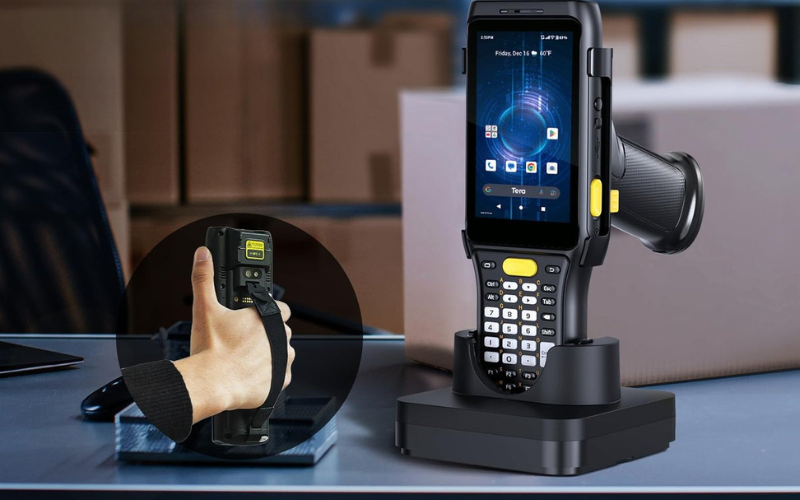
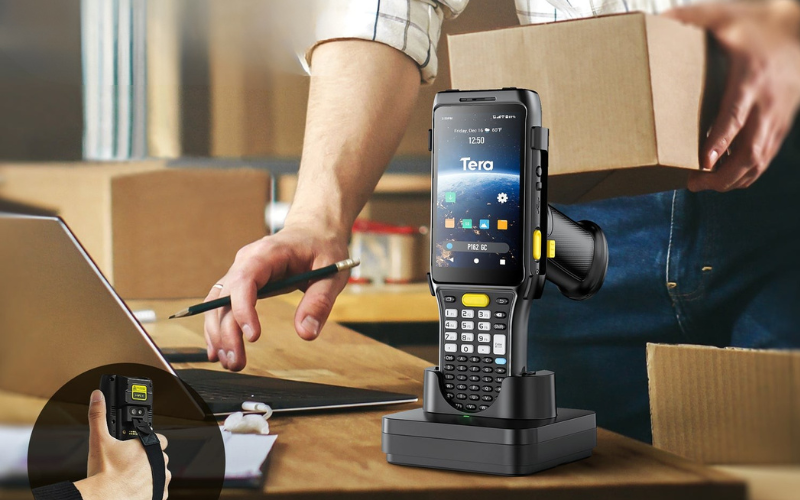
Lectores de códigos de barras y ordenadores móviles Tera Android con base de carga
Estos lectores de códigos de barras y terminales móviles Tera Android están diseñados para largas jornadas de trabajo y son fáciles de usar al conectarlos a una base de carga. Aquí tienes tres modelos clave que ofrecen una configuración de carga sencilla, organizada y lista para usar.
Tera P160 – Escáner de código de barras Android 10 con base de carga
El Tera P160 es un escáner de código de barras portátil con Android 10 diseñado para trabajos industriales y al aire libre.
Funciona con un procesador MediaTek Cortex-A53 de ocho núcleos a 2.0 GHz , con 3 GB de RAM + 32 GB de ROM y admite una expansión de hasta 128 GB mediante tarjeta microSD. El dispositivo incorpora el motor de escaneo 2D Zebra SE4710 , que proporciona lecturas rápidas y precisas de códigos de barras 1D y 2D, incluso a alta velocidad o con iluminación mixta.
La batería de 4200 mAh ofrece hasta 12 horas de uso continuo y un largo tiempo de espera. Con sellado IP65 , resistencia a múltiples caídas desde 2 m (6,56 pies) y un rango de funcionamiento de -20 °C a 50 °C (-4 °F a 122 °F) , la P160 se adapta perfectamente a entornos de almacén, logística y campo.
Cuando se combina con su base de carga, el P160 se vuelve más fácil de manejar:
- Puedes colocarlo en la base al final de un turno y comenzar el día siguiente con la batería llena.
- Cada estación puede mantener un dispositivo y una base como base de operaciones.
- Los equipos pueden devolver los dispositivos al mismo lugar, lo que reduce la pérdida de escáneres y mantiene las áreas de trabajo organizadas.
Tera P166: Ordenador móvil robusto con Android 13 y base de carga
Tera P166 es una computadora móvil robusta que ejecuta Android 13, diseñada para operaciones de almacén, logística y campo.
Utiliza el procesador Qualcomm Snapdragon 450 de ocho núcleos a 1,8 GHz , con opciones de almacenamiento de 3 GB + 32 GB o 4 GB + 64 GB y compatibilidad con microSD. Su pantalla HD de 5,5 pulgadas , cámara de 13 MP con enfoque automático , NFC y un sensor UHF opcional le otorgan gran flexibilidad para flujos de trabajo complejos.
El escáner Zebra SE4710 lee códigos de barras dañados, de baja calidad y densos con rapidez y precisión. Con clasificación IP65 , resistente a múltiples caídas desde 1,8 m (5,91 pies) y hasta 2,4 m (7,87 pies) gracias a su funda de goma, se adapta a entornos industriales exigentes.
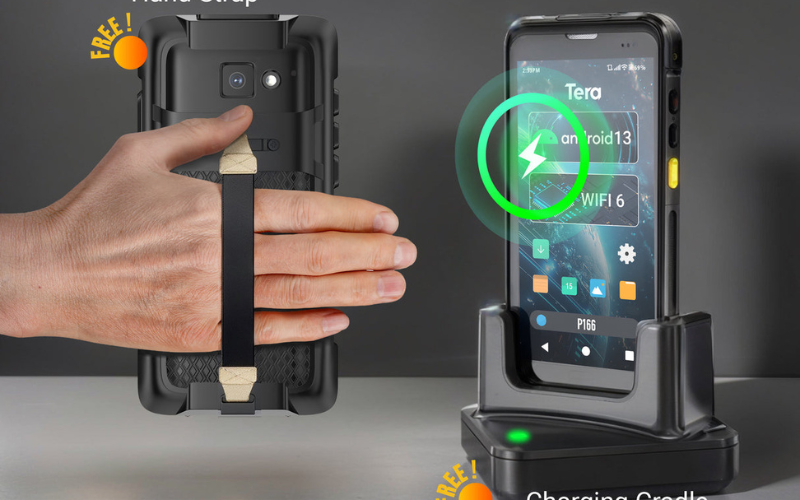
En cuanto a potencia y carga, el P166 incluye una batería de 4300 mAh y una base de carga gratuita :
- La batería dura más de 12 horas de uso continuo en turnos de mucha actividad.
- La base de carga mantiene el dispositivo listo en un punto de acoplamiento fijo.
- En almacenes más grandes, puede utilizar bases de carga para computadoras móviles con múltiples ranuras , como “10 dispositivos en 2 bases de cinco ranuras”, para crear una configuración de carga simple en el área de recepción.
Tera P161: escáner de código de barras Android 11 con batería y base intercambiables en caliente
El Tera P161 es un escáner de código de barras Android 11 diseñado para entornos donde la entrada del teclado, la distancia de escaneo y la duración de la batería son importantes.
Equipado con un procesador Qualcomm Snapdragon 662 de ocho núcleos a 2.0 GHz , ofrece 3 GB de RAM + 32 GB de ROM con expansión microSD. El escáner 2D Zebra SE4750MR admite rangos de escaneo extendidos, lo que lo hace ideal para el escaneo de estanterías, estanterías altas e iluminación mixta en almacenes.
Una ventaja fundamental del P161 es su sistema de batería:
- Batería principal extraíble de 6700 mAh
- Batería de respaldo de 100 mAh para intercambio en caliente
- Más de 12 horas de uso continuo y largo tiempo de espera.
- Viene con una base de carga para facilitar la carga diaria.
El P161 está fabricado según la norma IP65 y resiste múltiples caídas desde 1,5 m (4,9 pies) , ideal para trastiendas de comercios, almacenes y lugares de trabajo industriales. Su teclado numérico permite introducir datos incluso cuando el uso de guantes o la humedad hacen que las pantallas táctiles sean menos fiables.
En combinación con una base de carga, el P161 admite una rutina de energía estable:
- Intercambie baterías sin apagar el dispositivo gracias a la celda de respaldo.
- Mantenga ambos dispositivos y baterías de repuesto cargándose en un solo lugar.
- Utilice etiquetas o bases numeradas para rastrear qué escáner pertenece a cada trabajador o zona.
Preguntas frecuentes: Bases de carga para escáneres de códigos de barras Android
¿Realmente necesito una base de carga para mi escáner de código de barras de Android?
No siempre se necesita una base de carga, pero la mayoría de los equipos se benefician mucho de usar una. Una base le da a su escáner un lugar fijo, facilita la carga diaria y ayuda a evitar que los dispositivos se descarguen al comienzo de un turno. En el caso de los escáneres de códigos de barras Android compartidos, también mantiene la rutina de carga clara y repetible.
¿Puede una base de carga funcionar con varios modelos de escáneres de código de barras?
Sí, una base de carga puede funcionar con varios modelos, pero solo si comparten la misma forma y disposición de conectores. Muchas bases están diseñadas para una familia de dispositivos específica, incluyendo la posición de los contactos y la carcasa. Consulte siempre la lista de modelos compatibles antes de combinar diferentes escáneres en la misma base.
¿Cuál es la diferencia entre una base de carga y un cargador USB simple?
Una base de carga sostiene y carga el escáner, mientras que un cargador USB simple solo envía energía a través de un cable. Con una base, simplemente coloca el dispositivo, lo que reduce el desgaste de los puertos y mantiene su escritorio o mostrador más organizado. Un cable requiere enchufarse y desenchufarse a diario, lo que requiere más tiempo y puede sobrecargar el conector tras meses de uso.
¿Cuánto tiempo se tarda en cargar completamente un escáner de código de barras Tera Android en una base?
La mayoría de los lectores de códigos de barras Tera Android se cargan completamente en pocas horas cuando se conectan correctamente a la base. El tiempo exacto depende del tamaño de la batería y la velocidad de carga de cada modelo, como el P160, el P166 o el P161. Con un uso normal, el dispositivo puede cargarse completamente entre turnos o durante la noche sin necesidad de intervención del equipo.
¿Puedo utilizar el escáner mientras está en la base de carga?
Sí, puedes usar el escáner mientras está en la base para algunas tareas básicas. A menudo, puedes leer la pantalla, revisar mensajes o ejecutar aplicaciones sencillas mientras se carga. Si el dispositivo admite el modo de escaneo automático o de presentación, también puede escanear códigos de barras desde la base como un pequeño escáner fijo.
¿Cuál es la mejor rutina de carga para prolongar la vida útil de la batería?
La mejor rutina es volver a colocar el escáner en su base de carga al finalizar una tarea o un turno, en lugar de esperar a que la batería se descargue por completo. Evite dejar los dispositivos completamente descargados durante largos periodos y guardarlos en lugares muy calurosos. Una carga constante y suave, junto con un lugar de almacenamiento fresco y seco, ayuda a mantener la salud y la vida útil de la batería a largo plazo.
¿Estás listo para construir tu configuración de base de carga?
Si desea que sus lectores de códigos de barras y computadoras móviles Android se mantengan listos, un buen plan de base de carga es el lugar más fácil para comenzar.
El siguiente paso puede ser muy simple : verifique los modelos de escáner de código de barras y computadoras móviles Android de Tera que se envían con bases de carga correspondientes, luego vea cuál se adapta a su almacén, tienda minorista o equipo de campo.
Si no está seguro de qué elegir, comparta la cantidad de dispositivos y su estilo de trabajo con el equipo de Tera para que pueda obtener una configuración de base clara y práctica para su sitio.



