

Slow checkouts and scanning errors cost time. Many teams still retype codes or fix failed scans, and Gartner has estimated that poor data quality costs organizations an average of about $12.9 million per year, underscoring why eliminating manual entry and mis-scans matters.
In this guide, you will learn what a barcode scanner API is, why it matters for business operations, the main API types, how to integrate them, real-world use cases, and how to choose the right option. We also look at future trends and resources. Devices such as Tera Android PDA scanners provide the hardware base that lets these APIs run smoothly in retail, logistics, or healthcare.
What Is a Barcode Scanner API and How It Works
A barcode scanner API is a software interface that lets your app or system receive and use barcode data. It connects the act of scanning with the software where that data is needed.
Here is how it works. When you scan a product, the scanner reads the barcode. The API then sends the numbers or text from that code into your app. The result is instant data transfer without manual typing.
Some APIs are built for cameras on phones or tablets. Others are made for dedicated devices like handheld scanners or Android PDA units. In both cases, the idea is the same: the API makes sure your system gets the data in a format it can understand.
Think of it as a bridge. The scanner collects the information, but the API delivers it safely into your software, whether that is a point of sale system, a warehouse database, or a hospital record tool.
You now know what a barcode scanner API does. Even more important is understanding why it matters for business operations.
Why a Barcode Scanner API Matters for Business Operations
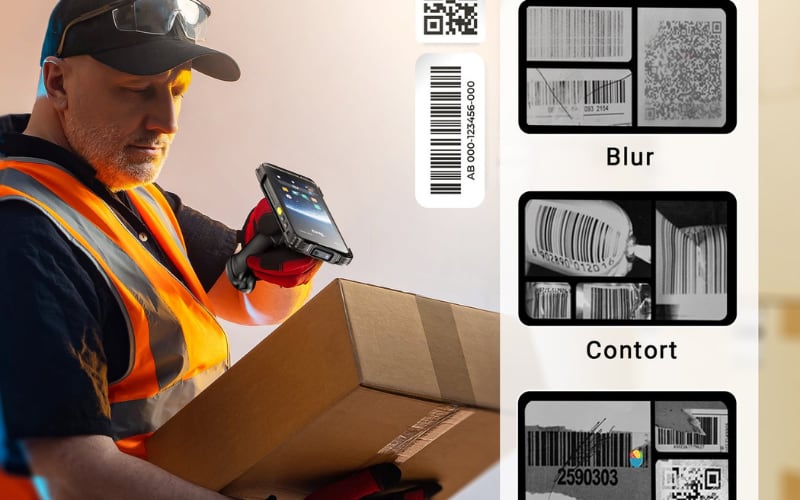
A barcode scanner API matters because it cuts down mistakes and keeps work moving faster. It links scanning to the systems that run daily tasks. Without it, staff may spend more time typing codes or fixing errors.
In retail, the API sends each scanned item directly to the point of sale. This means fewer delays at checkout and more accurate sales data. Customers move faster through lines, and managers get a clear record of what was sold.
In warehouses, the API updates the warehouse management system as soon as a package is scanned. This helps prevent stockouts and reduces shipping mistakes. Workers can track goods in real time, which is key for meeting delivery deadlines.
In healthcare, the API connects wristband scans or medicine barcodes to patient records. This lowers the risk of giving the wrong drug or missing an ID match. Staff save time, and patient safety is better protected.
Devices like Android PDA scanners from Tera and other enterprise brands make these links practical. With long battery life and durable design, they let the API run smoothly across long shifts. The result is steady data flow without extra manual steps.
So if an API is important, what kinds of barcode scanner APIs can you actually choose from?
What Types of Barcode Scanner APIs Can You Use?
There are four common options: native device SDKs, camera-based APIs for phones or browsers, REST capture services, and open source libraries. Each solves a different need.
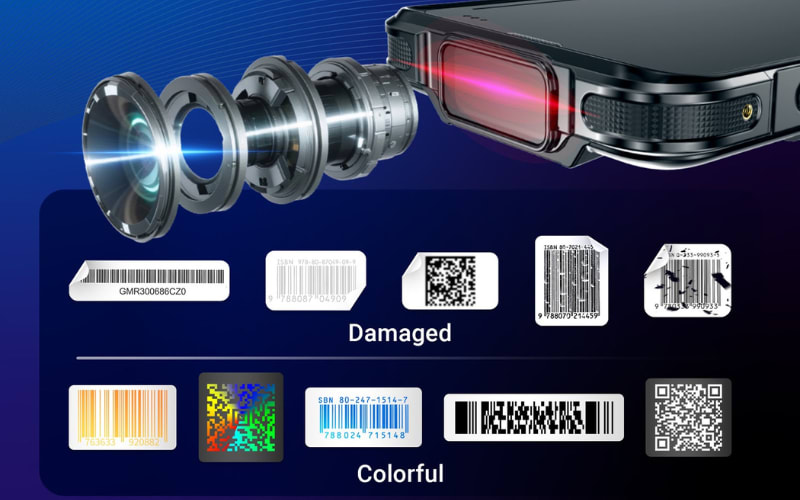
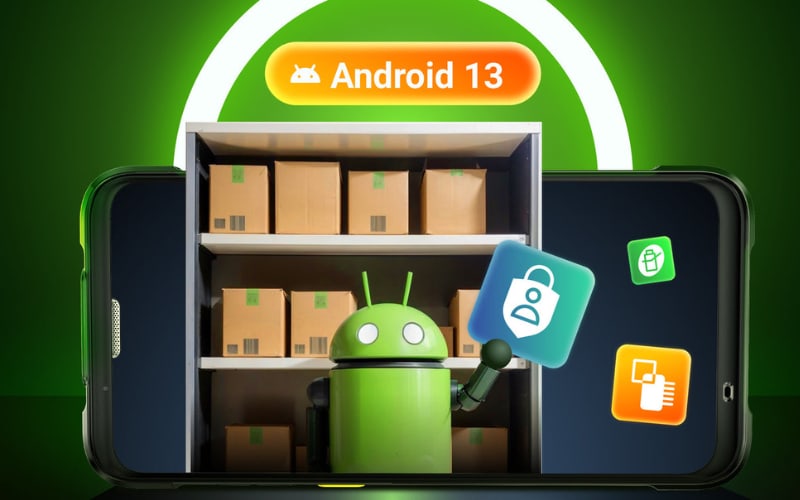
Native device SDKs. These are software kits built by vendors for iOS, Android, or Windows. They deliver high speed and accurate scanning with direct control on the device. Use them for heavy workloads and enterprise apps. Devices such as the Tera P166GC Android 13 PDA can run SDKs natively, combining strong scan engines with system integration.
Camera and Web APIs. Phones and some browsers can scan using the experimental Barcode Detection API (support varies), or via JavaScript/WebAssembly libraries. They are easy to deploy and low cost, good for light to medium scanning. In low light or with damaged codes, results may vary compared with dedicated hardware.
REST capture services. Here scans are sent to a server or cloud by HTTP. This makes it simple to push data into ERP, WMS, or CRM systems. It is ideal when integration and audit trails matter. Devices like the Tera P400 Android 11 scanner can scan offline and sync data later through REST calls once connected.
Open source libraries. Projects like ZXing and ZBar offer flexible tools for developers. They help with prototypes or custom rules, but require your team to manage updates and performance tuning.
For quick reference:
Type |
Strengths |
Considerations |
Native SDKs |
Fast, reliable, deep control |
Licensing and app integration needed |
Camera/Web APIs |
Easy, no extra hardware |
Sensitive to lighting and camera quality |
REST services |
Clean system integration |
Needs stable network or sync design |
Open source |
Low cost, flexible |
Ongoing updates and tuning required |
So once you have chosen an API, how do you actually integrate it into your system?
How to Integrate a Barcode Scanner API Into Your System?
Start small and build in steps. Pick your platform, install the API, map the data, test in real work, then connect to your system. This keeps risk low and results clear.
Choose the platform and device first. iOS, Android, Web, or desktop all work, but workloads differ. Heavy scanning is easier on dedicated hardware. Android PDA units such as the Tera P166GC or P400 can run a native SDK or call REST from the app.
Install and configure the API. With an SDK, set the scan engine and camera settings. With REST, set the endpoint and authentication. Enable only the symbologies you need such as UPC, EAN, Code 128, or QR. Fewer code types can speed up decode time.
Map the data to your system. Decide which fields you capture and where they go in POS, WMS, or CRM. Normalize formats, add timestamps, and store user IDs for traceability. Validate length and checksum before you save.
Plan for offline and errors. Networks fail. Queue scans on the device and retry when online. Show a clear status to the worker. Protect storage so large queues do not fill the device.
Tune performance and user experience. Aim for sub-second scans in normal light. Set a simple reticle. Keep beeps and vibration at a level the team can hear. Test damaged and glossy labels, and codes shown on screens.
Secure the flow. Use TLS in transit and protect data at rest. Limit API keys by role. For health or customer data, check your policy for PII/PHI. Manage devices with MDM so lost units can be locked or wiped.
Pilot, measure, then scale. Start with one team or one aisle. Track scans per hour, error rate, and time to sync. If the numbers meet your goal, roll out to more sites and document the steps for training.
Quick checklist to keep you on track:
- Pick platform and device.
- Install SDK or set REST.
- Map fields and validate.
- Add offline queue and retries.
- Test speed, light, and tough labels.
- Secure keys and data.
- Pilot, measure, deploy.
Small, measured steps make integrations stick. This way the API helps your team from day one and keeps working across long shifts.
Once an API is integrated, it changes how data moves through business systems. This leads to clear benefits in retail, logistics, and healthcare.

Barcode Scanner API Use Cases Across Industries
Retail and POS. A barcode scanner API connects each scan to the point of sale. Prices, discounts, and tax apply at once, so checkout lines move faster. Refunds and returns also match the right item with fewer mistakes.
Warehouse and logistics. The API updates the WMS the moment goods are scanned. Stock levels change in real time, helping prevent stockouts and late shipments. Workers spend less time on manual counts and corrections.
Healthcare and patient safety. By linking wristband or medication scans to the EHR, the API checks records before a dose. This step reduces the risk of errors in treatment and saves staff time.
CRM and Salesforce. Scans can create or update records in systems like Salesforce. Leads, cases, or products get updated without typing. Automation in Flow or Lightning pages means faster follow-up and fewer missed details.
Hardware as the base layer. Android PDA scanners such as the Tera P166GC or handheld models like the Tera 8100 keep scanning steady across long shifts. The API then moves the data into POS, WMS, EHR, or CRM without extra effort.
Different use cases create different demands, and this leads directly to the question of how to pick the right API.
Choosing the Right Barcode Scanner API for Your Needs
There is no single best API. Choose by workload, environment, integration path, and total cost. A clear test plan beats a long feature list.
Workload and accuracy. High volumes need fast decode and a strong first-pass read rate. Test damaged, glossy, and on-screen codes. If speed and reliability are critical, favor SDKs with proven decode performance.
Platform and devices. Match the API to iOS, Android, desktop, or web. Dedicated scanners and Android PDAs handle long shifts better than phones. Devices such as Tera P166GC or P400 can run a native SDK or post scans to REST when needed.
Integration and data flow. Decide where data lands: POS, WMS, CRM, or EHR. Prefer APIs that map fields cleanly and support timestamps, user IDs, and validation. Check that offline queues and retries are built in.
Security and compliance. Use TLS, scoped keys, and least-privilege roles. If you touch PII or PHI, confirm your policy and logging needs before rollout. Ask for audit trails and key rotation options.
Cost and licensing. Combine license, device, support, and maintenance into one budget. Free or open source lowers fees but shifts tuning and updates to your team. Commercial SDKs add support and SLAs.
Documentation and support. Strong docs, code samples, and quick answers save time. Run a pilot with real users before you buy at scale. Measure time-to-first-scan, scans per hour, first-pass rate, error rate, and offline sync success.
Simple rule of thumb. Heavy, all-day scanning with tough labels favors native SDKs on dedicated hardware. Light or pilot use leans to camera or web APIs. Complex back-end links benefit from REST services.
You now know how to choose an API that fits your workflow. But should you rely on software alone, or pair it with dedicated hardware for long shifts and tough labels?
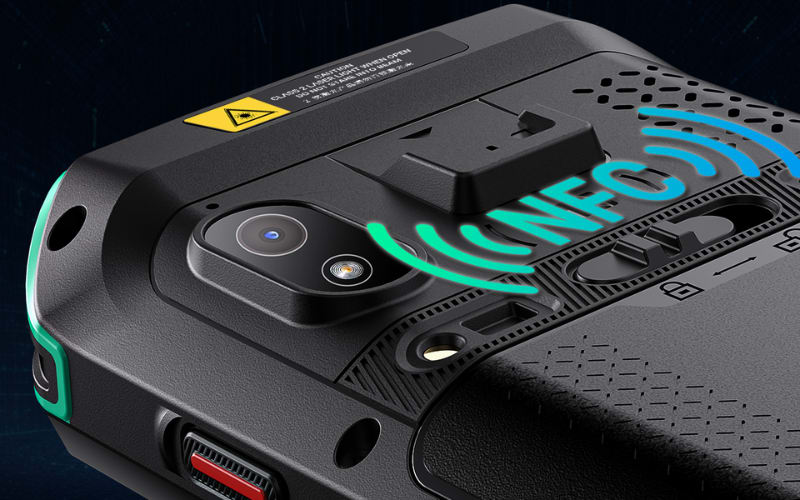
Barcode Scanner API vs Dedicated Hardware Scanners
Both software APIs and dedicated scanners rely on the same principle: scan, decode, send. The difference lies in the sensor, the body, and the way they hold up in daily use.
Factor |
Camera / Web API |
Dedicated Hardware Scanner |
Work setting |
Best in clean light and short tasks |
Handles poor light, damaged or glossy codes |
Accuracy |
Variable first-pass rate |
High success across tough labels |
Ergonomics |
Phones and tablets get heavy |
Gun grip and trigger reduce fatigue |
Battery |
Shared with other apps, drains faster |
Large packs swap fast, last a full shift |
Durability |
Sensitive to drops and dust |
Rugged housings, IP65/IP67 sealed |
Integration |
SDK or REST to POS/CRM works |
Same API routes, more stable in fleets |
Cost |
Low entry cost, easy pilots |
Higher unit price, lower TCO at scale |
The takeaway is simple. Camera APIs fit light use and quick pilots, while dedicated scanners suit long shifts and high volume. Total cost includes rescans, downtime, and device failure, not just price.
Devices such as the Tera P166GC Android PDA or the Tera 8100 handheld model combine rugged design with SDK or REST support. This way the API stays the same, but the hardware keeps pace in rougher work.
You now see the strengths of both software and hardware. The next step is looking at the trends shaping barcode scanner APIs in the years ahead.
Future Trends in Barcode Scanner APIs
The next wave of barcode scanner APIs is about speed, intelligence, and easier links to business systems. These trends reflect how scanning fits deeper into daily operations.
AI and computer vision. APIs are starting to use AI models that can read blurred, angled, or partly hidden codes. This raises first-pass success and cuts rescans. Some APIs also detect multiple codes in one frame.
Cloud and SaaS APIs. Instead of storing data only on the device, APIs connect to cloud lookup services. A scan can return product details, stock levels, or even compliance checks in real time. This makes remote audits and fleet-wide updates easier.
Low-code and no-code tools. Platforms now offer drag-and-drop ways to add scanning. Non-developers can build workflows where a scan updates CRM or triggers a shipping task. This shortens project timelines.
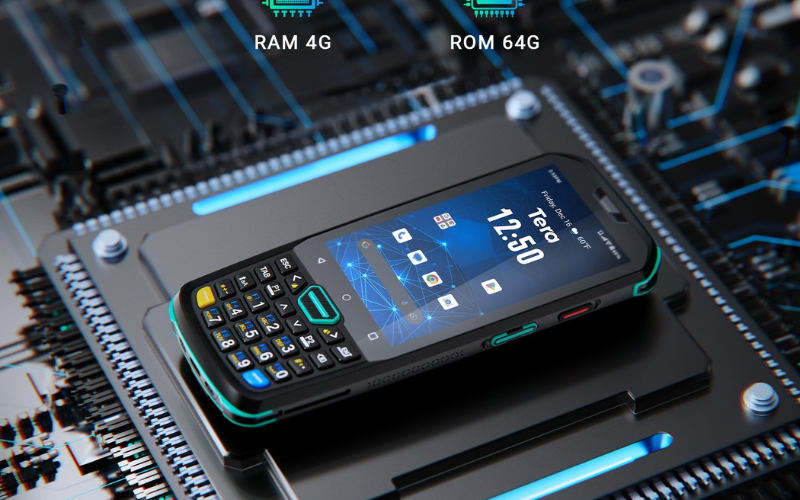
Hardware and software convergence. APIs will not only live in apps but also ship with devices. Enterprise scanners like Tera PDA models combine rugged design with built-in SDK and REST options. This blend reduces setup time and keeps data steady in long shifts.
In short, the future is about smarter detection, instant access, and simpler integration. Businesses that prepare for these shifts can scale scanning without adding extra burden to staff.
Future trends highlight what is coming, yet every project begins with solid references. Reliable documentation is where most teams start.
Where Can You Find Reliable Barcode Scanner API Resources and Docs?
Start with official documentation and a small sample app. Vendor SDK portals explain install steps and code paths. Web resources cover camera APIs in browsers. Open source pages show how libraries are wired in real projects. You can compare notes across sources to see what fits your stack.
Useful sources include three groups.
Official SDK sites from vendors such as Scandit, Scanbot, or Zebra. Web and platform guides like MDN for browser APIs, Android and iOS developer docs, and .NET MAUI guides. Open source hubs for ZXing or ZBar that share code and issues from real users.
What to check in any doc before you build:
- Quick start and sample app so you can scan in minutes.
- Supported symbologies and settings such as Code 128, QR, exposure, and focus.
- Performance notes on first pass rates, low light, and damaged labels.
- Offline and retry behavior for unstable networks.
- Security and licensing for keys, roles, and usage limits.
Validate with a short pilot. Run the sample on a phone or on an Android PDA. Devices such as Tera P166GC or Tera P400 can host a native SDK or send scans by REST to your ERP or CRM. Keep logs, measure scan time and error rate, and pick the path that meets your targets.
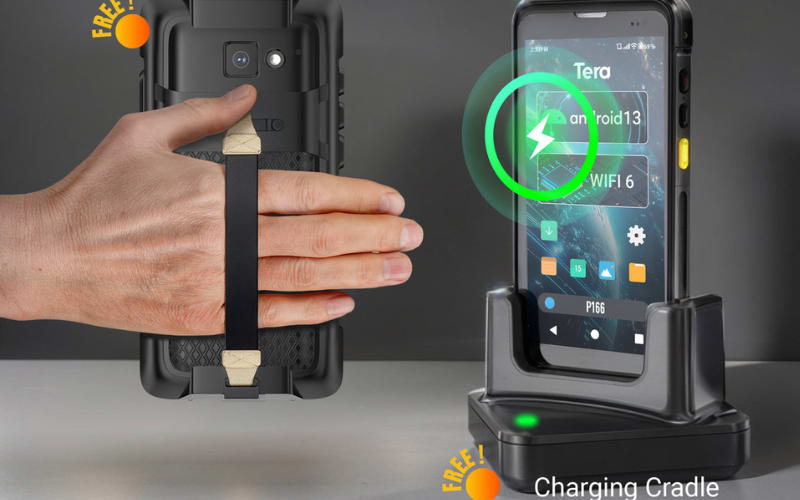
Connect APIs with Reliable Scanning Hardware
A barcode scanner API makes data flow into your system. The next step is pairing that API with hardware built to last. This keeps scans steady, even in long shifts or rough sites.
Tera offers Android PDA units and handheld models that run SDKs locally or post scans by REST. They act as the stable base while your API handles the data. If you are planning pilots, rollouts, or full fleet upgrades, choosing devices ready for integration saves time and keeps work smooth.
Explore how Tera hardware can support your API strategy and give your team reliable tools for daily use.



