

Barcode scanner software is no longer optional—it’s the engine behind faster, smarter, and more accurate workflows. Struggling with slow checkouts, manual errors, or expensive hardware? You’re not alone. Studies and industry benchmarks report manual entry error rates around 1 in ~300 characters/items, while barcode scanning can reduce errors to ~1 in 3,000,000 (or better) - a dramatic reduction.
In this guide, we’ll cover what barcode scanner software is, how it differs from traditional scanners, and the key features that improve speed, accuracy, and compliance. You’ll also see real-world use cases, top solutions for 2025, and tips to choose the right software—whether you run a retail shop, warehouse, or healthcare facility.

What Is Barcode Scanning Software and Why It Matters
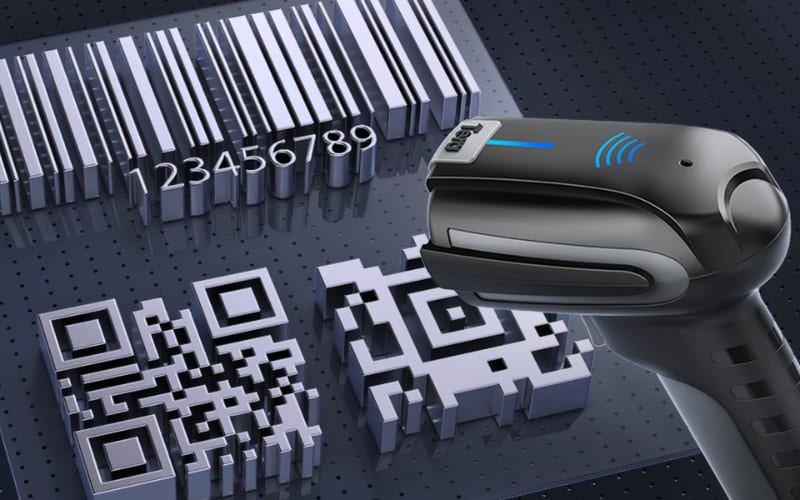
Barcode scanning software is a digital tool that lets you use devices you already own—like smartphones, tablets, or PCs—to scan and decode barcodes. It supports 1D codes (EAN-13, UPC, Code 128) and 2D codes (QR, PDF417, Data Matrix), delivering fast, accurate, and real-time data capture without manual entry.
Unlike traditional barcode scanners, which are dedicated hardware limited to aiming, triggering, and transferring data, software solutions are flexible and customizable:
- Lower cost – no need for extra hardware, just install on Android, iOS, or Windows.
- Workflow integration – export data to CSV, Excel, or connect directly with POS/ERP systems.
- Smart features – batch scanning, prefix/suffix customization, and multi-barcode recognition in one session.
- Compliance-ready - built-in encryption and access controls, plus features that can support HIPAA compliance (with a BAA where applicable) and GDPR obligations when properly configured.
In short, hardware scanners are fast but fixed, while barcode scanner software is smarter, more adaptable, and future-ready. It’s the foundation for digital-first workflows in retail, logistics, healthcare, and manufacturing, helping businesses reduce errors, cut costs, and scale operations with confidence.
How Can Barcode Scanner Software Boost Speed, Compatibility, and Workflow?
Modern barcode scanner software is designed to deliver fast, accurate, and flexible performance. Advanced algorithms ensure reliable decoding of both 1D barcodes (EAN-13, UPC-A, Code 128) and 2D formats (QR, Data Matrix, PDF417)—even on damaged or low-contrast labels. This directly reduces errors and speeds up processes at checkout, in warehouses, or in healthcare settings.
Beyond speed, leading solutions provide broad compatibility across Windows, MacOS, Android, and iOS. This means businesses can turn smartphones, tablets, or PCs into scanners, or pair the software with dedicated hardware from trusted brands like Tera, Zebra, and Honeywell for enterprise use.
Equally important is workflow integration. The best software lets you export scan data to CSV, Excel, or cloud systems, eliminating manual entry. Features such as batch scanning, keyboard wedge mode, and customizable parsing rules allow businesses to adapt scanning to real-world needs. Developers can also use SDKs or APIs for deeper integration with ERP or POS systems.
In short, barcode scanner software improves speed and accuracy while ensuring device flexibility and seamless workflow integration—helping businesses scan smarter and operate more efficiently.

What Features Make Barcode Scanning Software Easy and Smart to Use?
The best barcode scanning software is easy to use when it needs no training and smart when it fixes errors automatically.
That means an intuitive interface with real-time feedback, so staff can scan right away without confusion. It also includes AI-powered decoding to handle blurry or damaged codes, automatic detection of barcode types, and even OCR for text capture. These smart tools reduce mistakes and eliminate rescans.
For high-volume tasks, batch or continuous scanning modes speed up workflows by processing multiple items at once. Paired with context-aware automation, such as routing loyalty codes to POS or inventory IDs to stock systems, scanning becomes faster and smarter.
And when this software is combined with hardware like Android barcode scanners or Tera handheld devices, businesses get the best of both worlds: simple to operate, powerful enough to scale, and reliable across retail, warehouse, or healthcare environments.
Where Is Barcode Scanner Software Most Valuable in Real-World Industries?
Barcode scanner software is essential wherever speed and accuracy define business success. The most common use cases are retail, logistics, healthcare, and manufacturing, where mobile data capture directly improves workflows and customer outcomes.
Retail & E-Commerce
Struggling with slow checkout or pricing errors? Retail barcode scanner software speeds up POS transactions, supports mobile payments, and keeps inventory synced in real time.
Logistics & Warehousing
Lost shipments or mismatched stock? Warehouse barcode scanning apps enable batch scanning, real-time CSV export, and supply chain traceability—cutting errors at every stage.
Healthcare & Dental
Patient safety is non-negotiable. Healthcare barcode scanner software ensures accurate patient ID checks, prescription tracking, and equipment control, all while staying HIPAA/GDPR compliant. Dental clinics use it to track inventory and digital records.
Manufacturing
Production bottlenecks and quality issues? Barcode software for manufacturing integrates with ERP to track raw materials, monitor assembly lines, and guarantee defect traceability.
Ticketing & Events
Long entry lines ruin experiences. Event barcode scanning software validates QR or PDF417 tickets in real time, speeds up attendee check-in, and prevents fraud.
Education & Libraries
Overloaded with manual records? Library barcode scanning software automates book check-in/out, student ID management, and digital resource tracking—reducing paperwork.
Industry Use Cases for Barcode Scanner Software
Industry |
Key Use Cases |
Supported Barcode Types |
Core Value |
Retail & E-Commerce |
Checkout, returns, loyalty apps, mobile payment |
EAN-13, UPC-A, QR, DataMatrix |
Faster checkout, error-free pricing |
Logistics |
Inbound/outbound tracking, traceability |
Code 128, ITF-14, QR, MaxiCode |
Real-time tracking, reduced bottlenecks |
Warehousing |
Stock audits, WMS integration, batch scanning |
EAN-13, Code 39, QR, PDF417 |
Accurate stock control, faster audits |
Healthcare |
Patient IDs, prescriptions, compliance |
PDF417, DataMatrix (GS1 DataMatrix), GS1-128, GS1 DataBar, QR |
Patient safety, HIPAA/GDPR compliance |
Dental Clinics |
Patient files, consumables, inventory |
Code 39, QR, DataMatrix |
Affordable, secure, compliance-ready |
Ticketing & Events |
Fast entry, fraud prevention, real-time data |
QR, Aztec, PDF417 |
Smooth check-ins, fraud-proof tickets |
Education & Libraries |
Book lending, asset tracking, resource audits |
EAN-13 (Bookland/ISBN-13), optional EAN-5 add-on, QR |
Seamless borrowing, fewer errors |
Manufacturing |
Material tracking, batch control, inspections |
Code 128, ITF-14, QR, DataMatrix, PDF417 |
Real-time production visibility, quality control |
Tera’s scanning solutions are built to support these industries with cross-platform compatibility, customizable workflows, and reliable high-volume performance. This ensures businesses scan smarter—whether at the checkout, in a warehouse aisle, or on a production line.

How Does Barcode Scanner Software Ensure Security and Compliance?
Modern barcode scanner software safeguards sensitive business and customer data with built-in security tools and strict compliance support. These features protect product, inventory, and healthcare information during capture, transfer, and storage.
Key Security Features
- Encryption secures data in transit and at rest, blocking interception or tampering.
- Authentication methods, including multi-factor login, ensure only approved users can scan or export data.
- Access control lets admins define permissions by role, limiting who can scan, edit, or share barcode data.
- Privacy by design reduces unnecessary exposure of personal or product data, with options for anonymization or local storage.
- Audit logs create detailed activity records, showing who accessed data, when, and from which device.
- Real-time monitoring and alerts are typically delivered by EMM/MDM platforms or vendor enterprise suites; scanning apps often provide audit logs and role-based access, which you can combine with device-level monitoring.
Compliance in Practice
Businesses handling regulated data must meet standards like GDPR in Europe and HIPAA in the U.S. Barcode scanning software supports compliance with features such as secure export (CSV), configurable permissions, and automated audit trails. This ensures accountability, reduces legal risks, and builds customer trust.
By combining encryption, authentication, access control, and compliance-ready reporting, barcode scanner software provides secure, regulation-ready workflows. Leading providers design solutions with compliance-first architecture so businesses can scan smarter while protecting sensitive information.

Which Type of Barcode Scanner Software Fits Your Business Best?
Not all barcode scanner software works the same. The best choice depends on your business size, scan volume, and integration needs. Here’s a quick comparison:
Type |
Pros |
Cons |
Best For |
Mobile Apps (Android/iOS) |
Low cost, easy to download, run on existing phones |
Slower and less accurate for high-volume scanning |
Startups, small shops, quick product lookups |
Handheld Scanner Software |
Fast and accurate, works with USB/Bluetooth scanners |
Requires hardware purchase and setup |
POS counters, warehouses, daily retail checkout |
Web-Based Tools |
No install needed, works in any browser |
Needs stable internet, may lag in speed |
Remote teams, quick ad-hoc scanning |
SDKs & APIs |
Deep customization, integrate with ERP/POS, support multiple formats |
Needs developer resources, higher cost |
Businesses building custom apps or workflows |
Cloud & Enterprise Platforms |
Automation, security, multi-device sync, compliance support (GDPR/HIPAA) |
Higher cost, longer deployment |
Large enterprises, healthcare, logistics, regulated industries |
Free apps work well for startups, paid tools fit SMBs, and enterprise platforms are essential for large organizations. Match the type to your workflow to scan faster, cut errors, and integrate smoothly with your business systems.
What Factors Should You Consider to Choose the Best Barcode Scanner Software?
When selecting barcode scanner software, the right choice depends on how well it fits your workflow—not just features on paper. Here are the essentials to check:
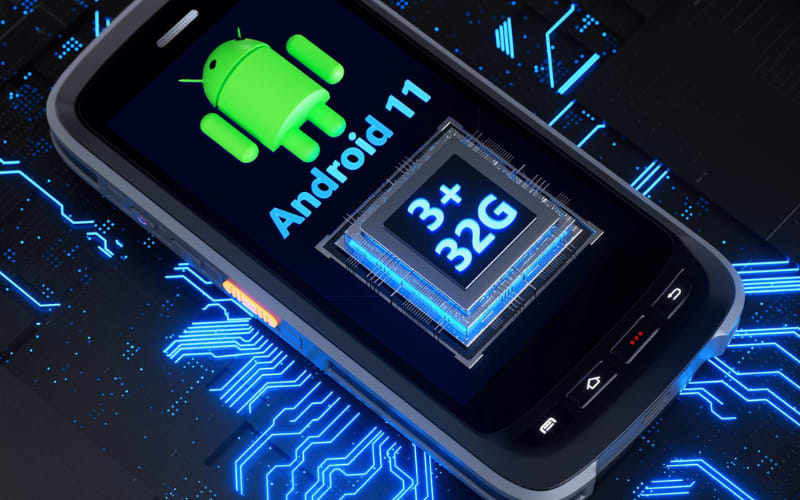
- Compatibility first: Make sure the software works smoothly with your existing devices—whether that’s an Android barcode scanner, iOS tablet, or Windows-based POS.
- Barcode type support: Look for reliable recognition of both 1D and 2D barcodes (QR, PDF417, EAN-13) to cover current and future needs.
- Ease of use: An intuitive interface and clear feedback reduce training time and scanning errors, especially in retail or warehouse environments.
- Workflow integration: The best solutions connect directly with POS, ERP, or inventory systems, supporting batch scans, CSV export, and automated updates.
- Security & compliance: Ensure encryption, access controls, and GDPR/HIPAA-ready features if you’re handling sensitive product or patient data.
- Scalability & support: Don’t just compare price—check if the vendor offers reliable updates, SDKs for custom use cases, and multilingual customer support.
Pro tip: Start with your top workflow bottlenecks. If speed at checkout is critical, prioritize fast batch scanning. If compliance is your challenge, focus on security features. Providers like Tera are trusted for offering configurable, future-proof solutions that adapt as your business grows.
What Are the Best Barcode Scanner Software Solutions in 2025?
Choosing the right barcode scanner software in 2025 depends on your workflow—whether you need mobile flexibility, enterprise-grade integration, or developer-level customization. Here are the standout options:
- Scandit – Best for AR & Analytics
Augmented reality overlays, real-time analytics, and broad device compatibility. Ideal for retailers and logistics providers wanting to scan smarter with smartphones and tablets. - Zebra DataWedge/DataCapture DNA – Best for Zebra mobile computers/scanners
Optimized for Zebra handhelds and POS systems, offering powerful SDKs, high-volume performance, and seamless workflow automation. Best when you are standardizing on Zebra hardware and want deep integration/management. - Honeywell Mobility SDK – Best for Honeywell mobile computers/scanners
Reliable scanning in pharmacy, healthcare, and high-traffic retail, with excellent security and compliance support. Built to leverage Honeywell device features and security controls. - Cognex Mobile Barcode SDK – iOS/Android devices (or Cognex sleds) Best for Industrial Scenarios
Excels in manufacturing and logistics with robust algorithms for damaged or low-contrast codes. Best for high-performance camera-based scanning.
Commercial Barcode Scanner Software
Leading providers like Scandit, Zebra, Honeywell, and Cognex offer commercial barcode scanner software designed for enterprise use. These solutions are typically available through official websites, authorized distributors, or global resellers. Instead of a one-size-fits-all model, licensing can be per device, per user, or enterprise-wide, with trials or demos often provided.
Compared with free or open-source tools, commercial software ensures dedicated support, regular updates, and compliance with standards like GDPR and HIPAA—making it the safer choice for industries such as retail, logistics, and healthcare.
But remember: software performance depends on the hardware you pair it with. Businesses often choose Tera scanners to unlock the full value of these platforms. For example:
- Tera 8100 Industrial 2D Scanner – IP66-rated, drop-resistant, and built for extreme durability in warehouses or factories.
- Tera D5100 Wireless Scanner – Ergonomic design with anti-shock silicone and 328 ft. wireless range, perfect for retail or healthcare.
- Tera HW0009 Scanner with Display – Unique screen for easy settings, plus powerful CMOS imaging to read reflective or curved barcodes.
- Tera D6100 Pro with Stand – Hands-free scanning with a wall-mountable stand, 3-in-1 connectivity, and global shutter CMOS imaging.
By combining enterprise-grade software (like Scandit or Zebra) with Tera’s rugged, flexible scanners, businesses get a future-proof setup: accurate decoding, long battery life, wireless mobility, and durable designs that thrive in real-world retail, warehouse, and healthcare environments.
Best Software–Hardware Combinations for 2025
Software Solution |
Best For |
Matching Tera Scanner |
Why This Combo Works |
Scandit |
AR overlays, mobile inventory, real-time analytics |
Tera HW0009 with Display |
HW0009’s screen + CMOS imaging makes AR workflows and reflective barcode scanning effortless. |
Zebra DataCapture |
High-volume POS, enterprise-grade integration |
Tera D6100 Pro with Stand |
Hands-free stand + 3-in-1 connectivity extends Zebra’s software power to retail counters. |
Honeywell Mobility SDK |
Pharmacy, healthcare, compliance workflows |
Tera D5100 Wireless |
Ergonomic design + long wireless range ensures reliable patient ID and medication scanning. |
Cognex Mobile Barcode |
Industrial tracking, logistics, damaged codes |
Tera 8100 Industrial 2D |
IP66 housing + extreme durability fit demanding factory/warehouse conditions. |
How to Set Up and Deploy Barcode Scanner Software Successfully
Getting started with barcode scanner software is straightforward—and the right setup ensures you get value from day one. Most businesses can go from install to scanning in under an hour.
1. Install and connect
Download the software for Android, iOS, or Windows, or deploy via SDK for enterprise use. Connect your device of choice: smartphone camera, USB scanner, or Bluetooth barcode reader. Make sure permissions are enabled for camera and storage on mobile devices.
2. Configure settings
Select which barcode types you’ll scan (EAN-13, Code 128, QR, PDF417), choose your export format (CSV, Excel), and enable features such as batch scanning or keyboard wedge mode. Many platforms also let you assign user roles and access permissions for better security.
3. Pilot test in real conditions
Run trial scans at checkout counters, warehouses, or healthcare stations. Confirm data flows correctly into your POS, ERP, or inventory system. This step ensures smooth integration before full rollout.
4. Optimize for compliance and security
Set encryption, authentication, and GDPR/HIPAA compliance options if you handle sensitive product or patient data. Proper safeguards prevent errors and protect your business.
5. Train and scale
Provide quick staff training so users know how to scan efficiently and troubleshoot basics. Once workflows are stable, expand deployment across departments, and schedule periodic updates to maintain accuracy and compatibility.
With the right setup and deployment strategy, barcode scanner software transforms your workflow—reducing manual entry, automating data capture, and ensuring reliable, real-time insights across your business.
Can Barcode Scanner Software Integrate with POS or ERP Systems?
Absolutely. Leading solutions allow CSV/Excel export for quick data handling and also provide SDKs or APIs for direct integration into POS, ERP, or inventory management systems. This means scan data flows seamlessly into your business applications without manual entry.
Is Barcode Scanner Software Secure Enough for Business Use?
Yes. Reputable software includes end-to-end encryption, user authentication, and role-based access controls. Many solutions comply with GDPR (for personal data in the EU) and HIPAA (for healthcare data in the US), ensuring both security and regulatory adherence.
Free vs. Paid Software: Which Is Better for My Business?
- Free apps: Best for startups or small teams, offering basic 1D/2D scanning and simple CSV export.
- Paid solutions: Ideal for SMBs that need batch scanning, workflow automation, and ERP/POS integration.
- Enterprise platforms: Designed for high-volume operations, with advanced security, customization, and dedicated support.
The right choice depends on your scale, budget, and integration needs.
Can You Use Barcode Scanning Without an App?
Yes for QR codes - iOS and Android cameras can scan them natively. For enterprise workflows or non-QR symbologies, you'll still want a dedicated app or web app.
Are QR Codes Still Useful Today?
Yes. QR codes remain widely used in payments, marketing, ticketing, and healthcare. Modern barcode scanner software supports both 1D barcodes (like EAN-13, Code 128) and 2D codes (like QR and PDF417), ensuring compatibility for current and future needs.

Ready to Scan Smarter with the Right Tools?
Choosing the right barcode scanner software is only part of the journey—the hardware you pair it with determines your real-world results. That’s where Tera’s professional barcode scanners come in. Built for speed, durability, and accuracy, Tera devices ensure your software performs at its best, whether in retail, logistics, or healthcare.
If you’re ready to reduce errors, boost efficiency, and future-proof your workflows, explore Tera’s scanner lineup. Pairing the right software with Tera hardware means you scan smarter, work faster, and stay competitive in 2025 and beyond.



