

A barcode scanner alone rarely delivers its full potential. Without the right accessories, devices lose power mid-shift, break under pressure, or fail to connect when you need them most. Research shows that adding the right accessories like charging docks or rugged cases and using them properly can extend scanner uptime by more than 40%.
This guide explains everything you need to know about barcode scanner accessories in 2025. You’ll see which add-ons deliver real value, how to choose the right ones for your workflow, what leading brands like Zebra and Tera offer, and which new trends—such as wireless charging and AI-enabled batteries—are shaping the future. Ready to scan smarter? Let’s dive in.
Which Barcode Scanner Accessories Deliver the Most Value Across Industries?
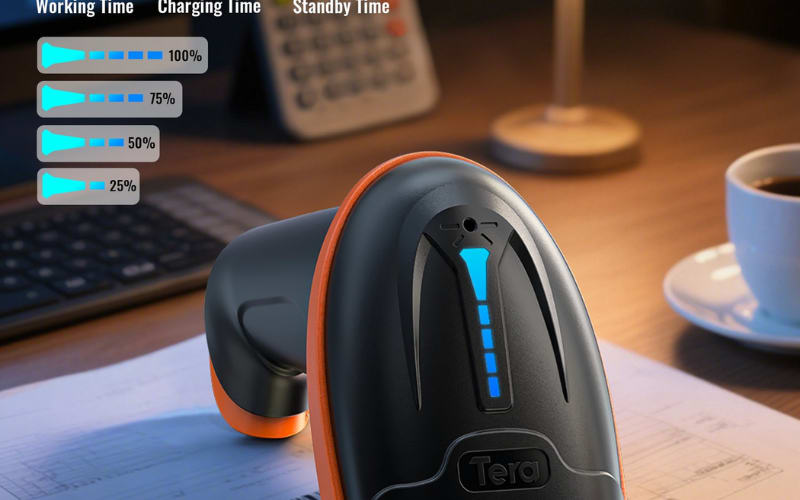
The right accessories make a scanner faster, more reliable, and easier to use. Key add-ons like charging cradles, extended batteries, protective cases, mounts, and wireless adapters prevent downtime, extend device life, and adapt scanners to any workflow.
Core Accessories That Boost Performance
- Charging cradles and battery packs keep devices powered for long shifts and reduce interruptions.
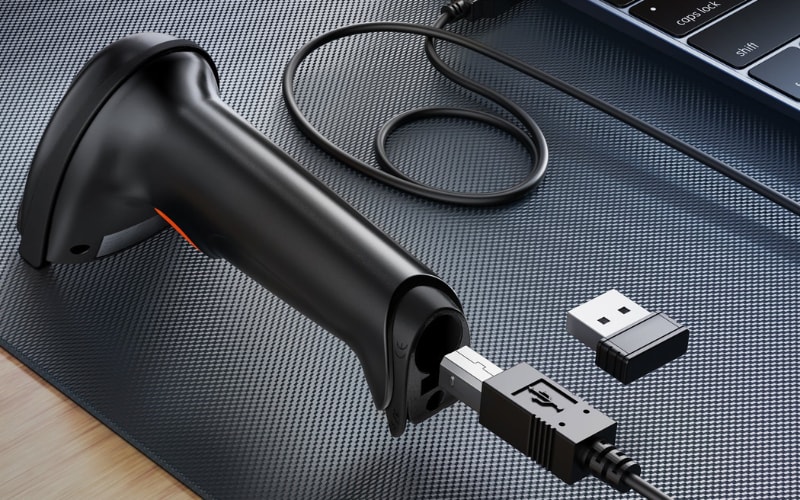
- Cables and adapters ensure stable, fast connections to POS, ERP, or mobile terminals.
- Protective cases and holsters shield scanners from drops, dust, and spills in rugged settings.
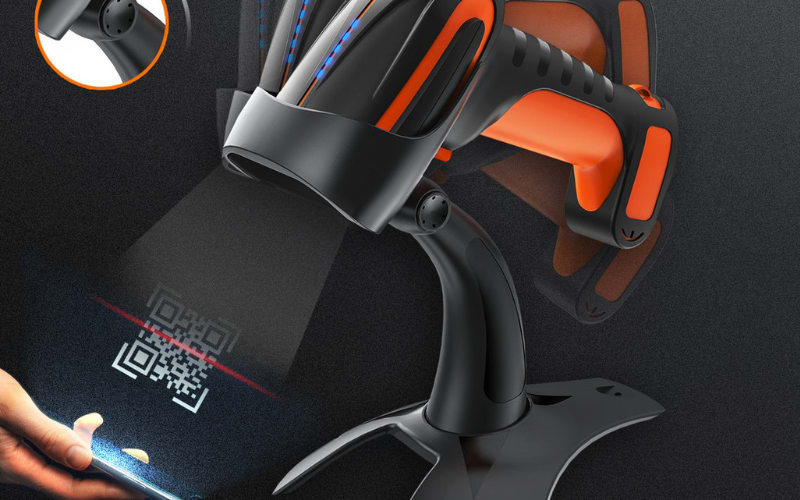
- Mounts and stands support hands-free scanning at checkouts, kiosks, or packing lines.
- Wireless and Bluetooth modules add mobility and seamless real-time data sync.
Best Matches by Industry
Industry |
Recommended Accessories |
Why It Matters |
Retail & Self-Checkout |
Quick-release stands, USB cables, charging cradles |
Speeds up checkout, keeps scanners ready during peak hours |
Warehousing & Logistics |
Rugged cases, long-life batteries, vehicle mounts, multi-bay chargers |
Withstands harsh use, supports long shifts, enables forklift scanning |
Healthcare |
Disinfectant-ready housings (and on some models, antimicrobial-treated enclosures), sealed seams/connectors, and healthcare-focused disinfectant-ready cradles |
Maintains hygiene, withstands disinfection, ensures accurate patient ID |
Manufacturing |
Magnetic mounts, cable management kits, holsters, spare adapters |
Provides safe stowing, stable power, and quick access on production lines |
Field Service & Mobile Teams |
Bluetooth adapters, lanyards, vehicle mounts, wireless sync kits |
Maximizes mobility and enables real-time data capture on the move |
Education & Government |
Tamper-proof cases, basic adapter kits, simple USB accessories |
Protects devices, ensures easy setup across diverse fleets |
In short, invest in accessories that both boost core performance and fit your industry’s daily demands. Brands like Zebra and Tera deliver proven ecosystems of cradles, batteries, and mounts that are tested for compatibility and durability to support long-term value.
What Types of Barcode Scanner Accessories Exist Today?
Barcode scanner accessories come in many forms. Each type serves a different purpose, from keeping devices powered to adding new capabilities.
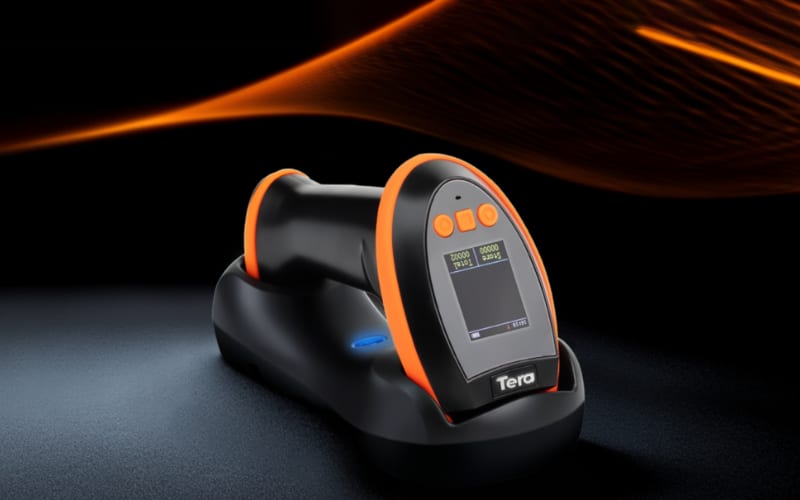
- Cradles and Charging Bases – power supply and sometimes data sync
- Cables and USB Adapters – stable connection to POS, PC, or mobile devices
- Batteries and Battery Packs – replacement or extended uptime solutions
- Protective Cases and Covers – protection against drops, dust, and spills
- Mounts and Holders – fixed or hands-free use in counters, kiosks, or vehicles
- Wireless and Bluetooth Modules – enable cordless operation and wider range
- Specialized Add-ons – RFID is typically offered via dedicated readers or mobile-computer sleds (or integrated in certain models), plus decoders and other industry-specific tools.
Bottom line: knowing the full range of accessories helps you decide which ones are essential for your daily operations, and which are optional extras.
How Do You Choose the Right Accessories for Your Barcode Scanner?
The right accessories are compatible, match your workflow, and prevent costly downtime. Start with these three simple steps.
Step 1: Check Compatibility
Always confirm brand and model before purchase. Accessories from Zebra, Honeywell, or Tera are designed for exact scanner series, ensuring best fit. Universal cables may work, but brand-specific chargers or mounts deliver higher reliability.
Step 2: Match to Your Workflow
Think about where and how you scan. Warehouses and field teams need rugged cases, long-life battery packs, or wireless adapters. Retailers may prefer quick-release stands for faster checkout.
Step 3: Avoid Common Mistakes
Non-certified accessories can shorten scanner life or cause downtime. For example, one logistics company reduced failures by switching to high-capacity batteries and rugged mounts designed for their model.
Pro Tips: Advanced Factors for Professionals
Expert buyers look beyond the basics. These advanced checks improve long-term ROI and reduce operational risk.
- Total Cost of Ownership (TCO): A low-cost battery replaced every 3 months ends up costing more than a premium, long-life pack.
- Firmware and Software Support: Some cradles or wireless modules ship with SDKs, ensuring future ERP/WMS compatibility.
- Environmental Certification: Choose accessories rated for harsh environments like cold chain or resistant to hospital disinfectants.
- Ergonomics: Small details—weight, grip, stand angle—reduce operator fatigue and errors over long shifts.
- Brand Ecosystem: Accessories from brands like Zebra, Honeywell, or Tera scale with your business, from multi-bay chargers to modular mounts.
- Security and Compliance: Wireless add-ons should support encryption and remote management in sensitive industries.
- After-Sales and Spare Parts: Pick brands that guarantee long-term replacement parts and global service support.
Bottom line: start with compatibility and workflow fit, but evaluate long-term factors like TCO, compliance, and ergonomics to make a professional-grade choice.
What Do Leading Brands Like Zebra and Tera Offer in Barcode Scanner Accessories?
Buying barcode scanner accessories is not just about price. Brand reputation directly impacts performance, safety, and long-term reliability. Genuine parts from leaders like Zebra, Honeywell, Datalogic, and Tera are tested to match specific scanner models, while non-certified accessories often lead to poor fit, shorter lifespan, or even device damage.
What Buyers Should Know
- Compatibility matters: Always confirm brand and model. Genuine Zebra or Tera chargers, cradles, and cables are designed for exact series fit.
- Reliability vs risk: Non-certified batteries or adapters may look cheaper but can shorten scanner life or cause downtime.
- Long-term value: Top brands test accessories for durability, compliance, and seamless integration with POS, ERP, and WMS systems.
Key Accessories by Brand
Brand |
Essential Accessories |
Distinct Strengths |
Zebra |
Series-specific chargers, modular docking stations, high-capacity batteries, rugged holsters |
Industry leader in durability, wide accessory ecosystem for retail & warehouse |
Honeywell |
Ergonomic handles, smart charging docks, Bluetooth modules |
Strong in healthcare and industrial workflows, excels at wireless mobility |
Datalogic |
Cable management kits, ergonomic mounts, service kits |
Reliable in retail checkout and distribution centers, known for “Green Spot” scan confirmation |
Tera |
USB charging docks/cradles, stands/holsters, spare/replaceable batteries on select models, protective cases and multi-bay chargers for mobile computers; a practical, cost-effective ecosystem for retail/logistics |
Flexible, cost-effective accessories with proven compatibility across retail, logistics, and manufacturing |
Bottom line: trusted brands like Zebra, Honeywell, Datalogic, and Tera ensure accessories that not only fit but also extend device life, improve uptime, and guarantee compliance. Prioritizing brand-proven accessories is the fastest way to protect your scanner investment and maximize ROI.
How Do You Know If an Accessory Fits Your Barcode Scanner?
The quickest way is to check compatibility lists. Every major brand, from Zebra to Tera, publishes documentation showing which cables, cradles, or batteries match specific scanner models.
Step 1. Confirm the model and series
Look at the exact scanner model number and match it with the accessory’s product listing. Even small differences in series can affect fit.
Step 2. Check physical connections
USB, power adapters, or mounts must align with your scanner’s ports and power specs. For mobile scanners, confirm Bluetooth or wireless modules are supported.
Step 3. Review special parts
Batteries, docking stations, and rugged cases often fit only a single product line. Using the wrong one can reduce performance or damage the device.
Step 4. Use brand-certified support
Brands like Tera provide detailed compatibility notes for each accessory, so you know exactly which model it works with. This removes guesswork and ensures reliable performance.
Bottom line: the right fit means fewer failures, longer accessory life, and smoother scanning every day. Treat accessory choice as an investment, not just an add-on.
How Do You Install and Use Barcode Scanner Accessories?
Installation is simple if you follow the right steps. Always start by checking compatibility with your scanner model. Using non-matching parts often causes errors later.
1. Plug-and-play setup
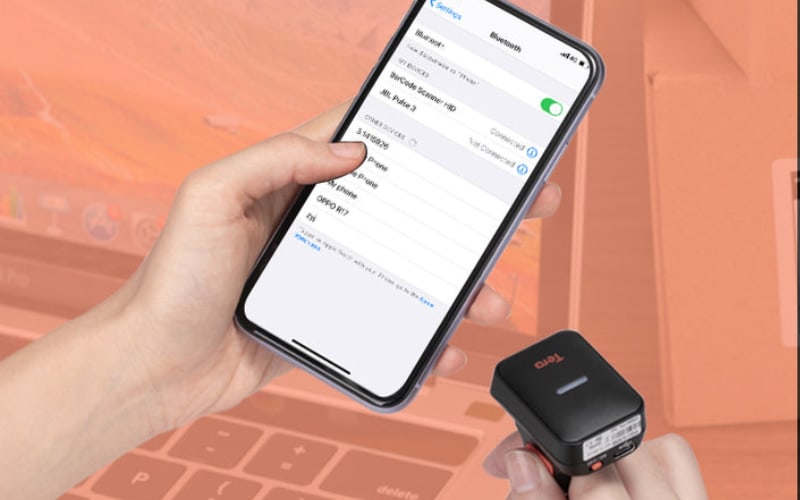
Most accessories, like USB cables, charging docks, and mounts, connect directly. Plug the USB cable into your POS or computer, or place the scanner into its cradle. For Bluetooth adapters, put the scanner in pairing mode and confirm the connection on your device.
2. Secure physical connections
Attach mounts, holders, or holsters firmly. A loose fit increases the risk of drops and unstable performance. Insert batteries fully and confirm indicator lights show correct charging.
3. Use accessories as intended
Keep power supplies in dry, ventilated areas. Place scanners on docks regularly to keep batteries healthy. Use protective cases or holsters in mobile and warehouse settings to reduce damage from drops or dust.
4. Adjust for efficiency
Position mounts and stands at the right height for quick scanning. For high-traffic checkout or packing stations, keep accessories within easy reach to reduce operator fatigue.
Bottom line: installing and using accessories correctly ensures your barcode scanner works smoothly from day one. Leading brands like Zebra and Tera design plug-and-play accessories that save setup time, protect your devices, and keep operations running without interruption.
How Do You Maintain and Replace Barcode Scanner Accessories Effectively?
Neglecting accessories often leads to scanner downtime. Simple maintenance and timely replacements keep devices reliable and extend their service life.
1. Inspect regularly
Check cables for frays, batteries for weak capacity, and holsters or mounts for cracks. A quick monthly inspection prevents small issues from becoming failures.
2. Clean properly
Wipe cases, cradles, and holders with lint-free cloths and alcohol wipes. In healthcare or retail, regular cleaning also prevents hygiene risks.
3. Manage batteries smartly
Recharge before they run flat, avoid deep discharges, and replace after the recommended cycle limit. Keep spare packs ready for long shifts.
4. Replace worn parts early
Swap damaged cables, loose mounts, or depleted batteries before they interrupt daily tasks. Always choose certified parts from brands like Zebra or Tera to ensure safety and performance.
5. Store accessories correctly
Keep spares in a dry, dust-free area. Avoid stacking heavy items on cables or batteries.
Bottom line: routine care and brand-certified replacements protect your investment, reduce unexpected failures, and keep barcode scanners running at peak performance.
Troubleshooting Barcode Scanner Accessories: Common Issues and Quick Fixes
Even high-quality accessories fail at times. Knowing how to act fast saves hours of downtime.
1. Charging failures
- Symptom: scanner won’t power on or charge in the cradle.
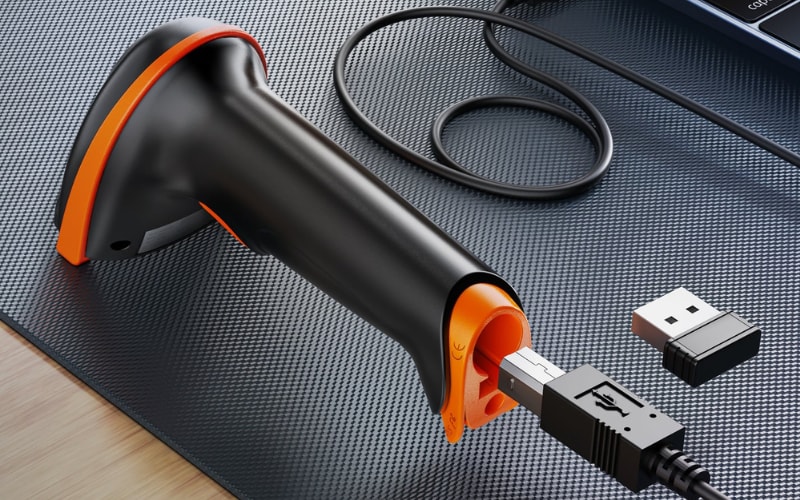
- Quick fix: reseat the battery, check the cable, and try a different power outlet. If the cradle light is off, replace the adapter.
2. Connection drops
- Symptom: Bluetooth or USB links keep breaking.
- Quick fix: reset the connection, re-pair Bluetooth devices, or use a new USB port. Update drivers or firmware if disconnects continue.
3. Recognition errors
- Symptom: scanner accessory is not detected by the system.
- Quick fix: confirm the accessory matches the scanner model, then restart both devices. If issues persist, test with a certified Zebra or Tera accessory to rule out compatibility.
Extra help: Most leading brands, including Zebra and Tera, provide online tutorials, configuration guides, and firmware updates. These resources often solve problems faster than trial and error.
Bottom line: troubleshoot with simple checks first—cables, batteries, pairing. If that fails, rely on brand-certified support to restore performance quickly.
What Are the Latest Barcode Scanner Accessory Trends in 2025?
In 2025, accessories are no longer just add-ons—they shape the way barcode scanners perform in every industry. The focus is on mobility, uptime, and sustainability.
1. Wireless/Inductive Charging Adoption Is Growing (not universal)
Seen on models like Zebra CS60 (Qi) and Honeywell Xenon Ultra contactless bases-while many fleets still use contact charging cradles.
2. Modular Power Systems
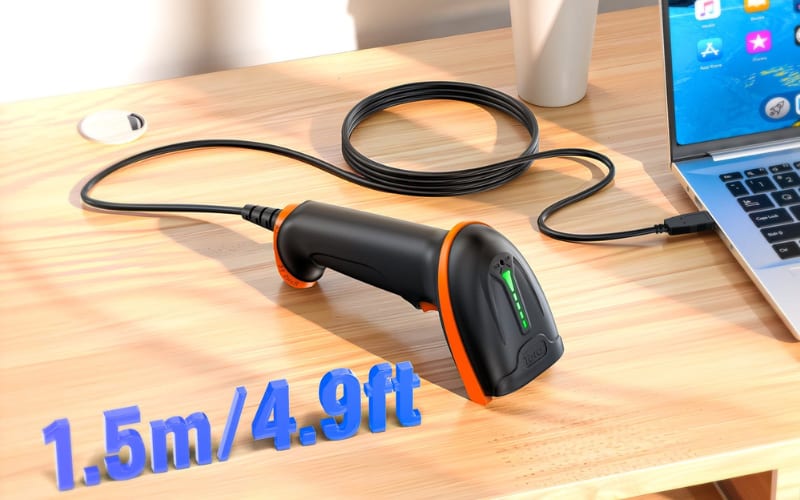
Hot-swap batteries, detachable USB adapters, and flexible mounts let businesses adapt scanners to changing workflows without buying new devices.
3. Smart Batteries with AI Monitoring
New battery packs include chips that track health, predict replacement cycles, and prevent sudden failures. This is critical in healthcare and warehousing where downtime is costly.
4. Advanced Connectivity
Many cordless scanners use Bluetooth 4.2/5.0 (model-dependent); Etherenet network cradles are common for host connectivity; and cloud dashboards come from vendor's device-management software (e.g., battery/telemetry platforms), while cradles provide power and host connectivity.
5. Sustainable Materials
Leading brands like Zebra and Tera now release accessories built with recyclable plastics and energy-efficient components. For example, Zebra's materials policies and battery/label programs, and Tera's note of recyclable materials on select devices.
6. Multi-Function Accessories
Hybrid products—like holsters that double as drop protection or mounts that also charge—are gaining traction, reducing the need for multiple parts.
Bottom line: in 2025, the best barcode scanner accessories don’t just support devices, they extend their lifespan, improve mobility, and integrate with business systems. Brands like Zebra and Tera lead the market with wireless charging docks, AI-enabled battery packs, and rugged sustainable designs that keep scanners efficient and future-ready.
Boost Uptime and Reliability with Tera Accessories
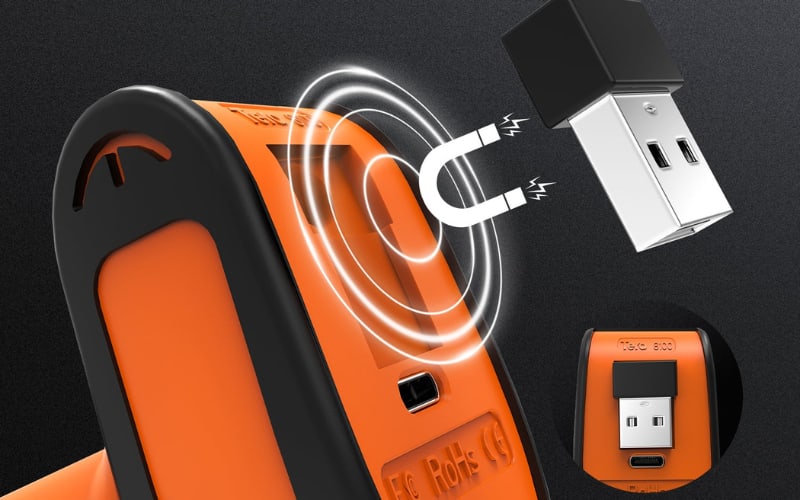
Barcode scanner accessories are more than extras—they’re essential for performance, uptime, and long-term ROI. If you want proven solutions built for retail, logistics, and healthcare, explore Tera’s ecosystem of chargers, cases, batteries, and wireless modules. Designed for compatibility and reliability, they keep your scanners working at peak efficiency every day.



