

Struggling to pick the right barcode scanner hardware? Many businesses waste time and money with devices that scan too slowly, break too often, or fail to integrate with their POS or WMS. Industry studies show average retail inventory accuracy is often around ~65%, and many warehouses are investing in barcode and RFID technologies to improve visibility and accuracy.
This guide explains exactly what barcode scanner hardware is and why it matters, compares types of devices and scanning technologies, shows how they connect with business systems, reviews essential accessories and leading brands like Zebra, Honeywell, Cognex, and Tera, and shares key factors to evaluate before buying. By the end, you will know which scanner fits your workflow, budget, and growth goals.
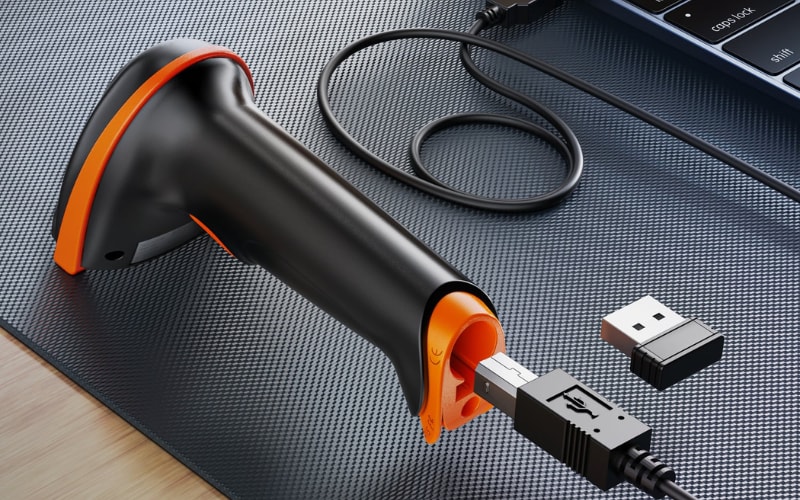
Barcode Scanner Hardware vs. Barcode Scanner: What’s the Difference?
Barcode scanner hardware is the physical device that reads barcodes and sends the data to a system. It is not software or an app. It is the actual unit you hold or install, built with a scanning engine, housing, trigger, battery, and connection interface such as USB, Bluetooth, or Wi-Fi.
The term barcode scanner is broader. People often use it to describe the function or the idea of scanning, which could include apps on a phone. Hardware refers only to the engineered equipment that does the job: handheld scanners, fixed-mount units, presentation scanners, or mobile computers.
Why focus on hardware? Because the quality of the hardware decides how fast, how accurate, and how durable your scanning process will be. Software can interpret codes, but only solid hardware guarantees consistent performance in retail, healthcare, logistics, or manufacturing. In other words, hardware is the backbone that makes barcode scanning reliable.
Main Barcode Scanner Hardware Types and Best Environments
The main types are handheld, presentation, fixed-mount, mobile computers, and rugged or healthcare models. Each type works best in a different setting—from retail counters to warehouses, conveyors, field work, and hospitals.
Handheld Barcode Scanners
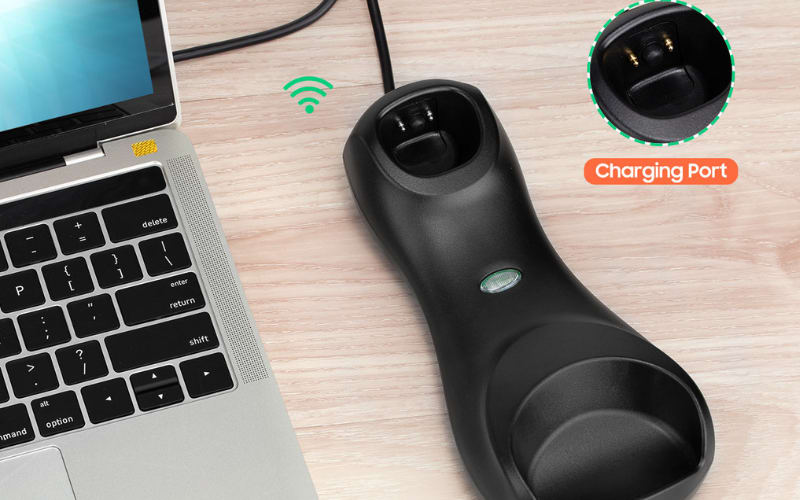
Handheld barcode scanner are the most common. Corded handhelds connect by USB and stay at counters or back offices. Cordless handhelds, using Bluetooth or 2.4G, give staff freedom to move through aisles or warehouse shelves. They are flexible and affordable, ideal for retail and warehouse tasks. The trade-off is speed. Holding and aiming for every scan can slow things down in very high-volume operations.
Presentation / Hands-Free Scanners
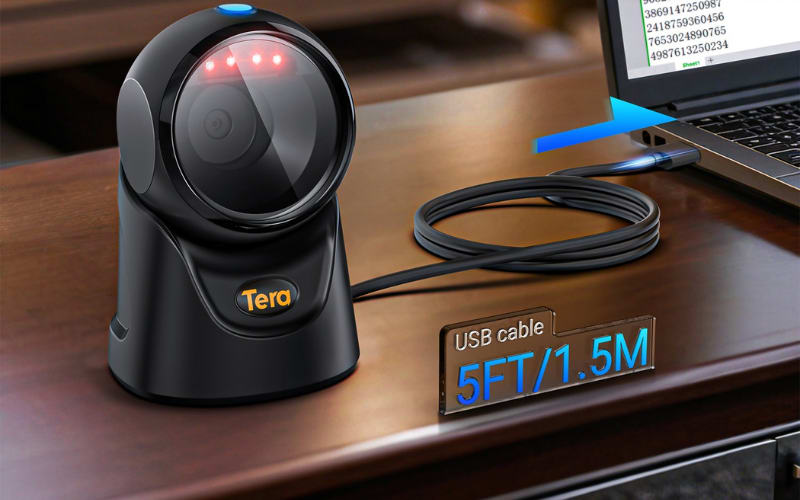
Here the presentation scanner stays on a stand and the product moves. This design is perfect for POS counters, pharmacies, and libraries. It speeds up checkout and reduces fatigue because staff do not need to pull a trigger. The range is short, so you must bring items close, but the efficiency at counters is unmatched.
Fixed-Mount Scanners
Fixed scanners are installed on conveyors, kiosks, or production lines. They scan automatically as items pass, giving continuous and reliable capture. For logistics, packaging, or automated assembly, they are the right fit. The limitation is clear: once installed, they cannot be moved around for other tasks.
Mobile Computers (Scanner + Computer in One Device)
A mobile computer combines a barcode scanner with a full Android-based computer. Staff can scan, enter data, and run WMS or ERP apps on the same unit. These devices shine in large warehouses, delivery fleets, and healthcare teams. They are heavier and more expensive than handhelds, but they replace multiple devices and keep workers connected.
Rugged and Healthcare-Specific Models
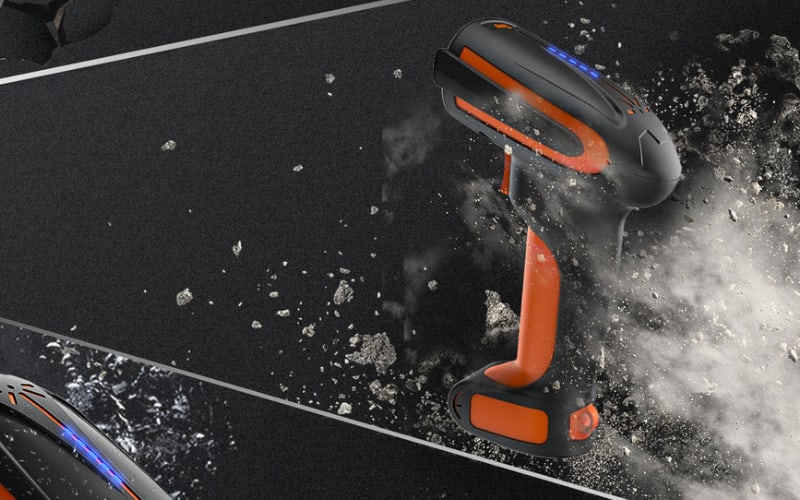
Some scanners are built for extremes. Rugged models carry IP65–IP67 ratings, resist drops, dust, and water, making them reliable in manufacturing and logistics. Healthcare models use disinfectant-ready housings for infection control in hospitals and labs. These are niche devices, but in tough environments, they are the only way to guarantee uptime.
In short: handheld for flexible everyday use, presentation for fast counters, fixed-mount for automation, mobile computers for all-in-one mobility, and rugged or healthcare models for demanding conditions.
What Scanning Engine Technologies Power Barcode Scanner Hardware?
Barcode scanner hardware mainly relies on laser scanners, CCD or linear imagers, and 2D imagers. Each works differently, and each is best for specific environments.
Laser Scanners (Best for High-Speed 1D Codes)
Laser scanners sweep a narrow beam across a barcode and detect reflected light. They are fast and accurate for 1D codes like UPC or Code 128. Typical scan distances can reach several feet. They also handle high volumes well, which makes them useful in shipping and warehouse lines. The limitation is flexibility. Lasers struggle with barcodes displayed on screens, curved surfaces, or damaged labels.
CCD / Linear Imagers (Best for Printed Codes at Short Range)
CCD scanners use rows of sensors to capture the barcode image. Linear imagers extend this ability to slightly longer ranges. These devices are durable, energy efficient, and read poorly printed or faded labels better than lasers. They work well at retail counters or in healthcare where barcodes are printed on paper or labels. However, effective scan distance for modern linear imagers often extends to roughly 20-30 inches on common 13-mil UPC labels, though they remain shorter-range than many extended-range 2D imagers.
2D Area Imagers (Best for Multi-Format and Mobile Scanning)
2D imagers use a camera-like sensor to capture the full code image. They can read both 1D and 2D codes such as QR and Data Matrix. They also handle damaged labels, curved packaging, and codes on phone screens. Motion tolerance is high, which means they can scan moving items on a line. Modern 2D imagers also support longer ranges, making them suitable for large warehouses. They cost more, but their versatility and future-proof design make them the leading choice for logistics, healthcare, and omnichannel retail.
Comparison at a Glance
Technology |
Strengths |
Limitations |
Best Environments |
Laser |
Very fast; accurate for 1D; longer range |
Cannot read 2D or screen codes; poor with damaged labels |
Warehousing, shipping, high-volume 1D tasks |
CCD / Linear Imager |
Durable; low power; good with faded or printed labels |
Short range; weaker motion tolerance |
Retail counters, healthcare |
2D Imager |
Reads 1D + 2D; supports screens; works on damaged or curved codes; high motion tolerance |
Higher cost |
Logistics, healthcare, modern retail, manufacturing |
In summary, use laser for fast, long-range 1D scanning, CCD for reliable short-range use with printed codes, and 2D imagers if you need the flexibility to scan anything, anywhere.
How Does Barcode Scanner Hardware Connect and Integrate With Business Systems?
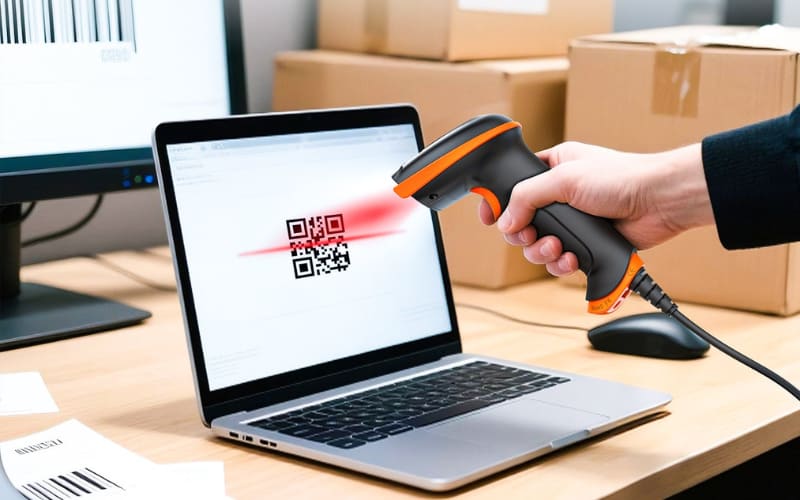
Barcode scanner hardware connects through wired ports, wireless links, and software integration. The right choice depends on your workflow and systems.
Wired connections are the foundation. USB-HID works like a keyboard and needs no drivers. It fits Windows, macOS, and Android. USB-COM creates a virtual serial port for apps that expect serial input. Cradles often add USB or Ethernet so cordless scanners can dock for charging and data.
Wireless links add mobility. Bluetooth HID sends keystrokes directly to POS or tablets. Bluetooth SPP and BLE GATT can stream data to custom apps (note: iOS does not support SPP; use BLE/GATT or MFi/iAP on iOS). Wi-Fi works with mobile computers and some fixed units, pushing data over the network to APIs or message queues.
Two main data paths exist. Keyboard wedge injects text into any active field. It is quick to deploy and supports web forms. SDK or API capture hands data directly to your app. That path unlocks extra features such as symbology IDs, battery status, and error handling.
Match the method to the workflow. For simple browser or desktop input, USB-HID or Bluetooth HID is enough. If you need validation, offline queuing, or custom parsing, SDK integration is the better fit.
Configuration impacts accuracy. Enable only the needed symbologies. Add prefixes or suffixes to separate fields. Use AIM codes or symbology IDs to route data. On 2D imagers, adjust exposure and illumination for glossy labels. Save and share profiles to keep behavior consistent across sites.
Security must be planned. Enforce authenticated Bluetooth pairing and prefer encrypted links. On mobile computers, manage devices with MDM so firmware and certificates stay current. In healthcare, sanitize housings and disable unneeded radios to cut risks.
Reliability comes from small details. Dedicate USB ports and use industrial-grade cables. For cordless scanners, keep spare batteries and follow a clear charging routine. For fixed-mount units, control ambient light and stabilize mounts.
Integration patterns vary by system. POS often works with HID directly. WMS and ERP benefit from SDK or REST ingestion, which supports item validation and location checks. High-volume lines may need socket or MQTT bridges for real-time throughput.
Always test in real conditions. Try clean and damaged codes. Include curved and reflective surfaces. Measure scan-to-record latency. Log failures by symbology and distance. Use those logs to tune engines and guide procurement.
Bottom line: start with HID if you only need text input. Move to SDK when you require control, validation, and scale. The right integration reduces errors, speeds workflows, and ensures predictable throughput.
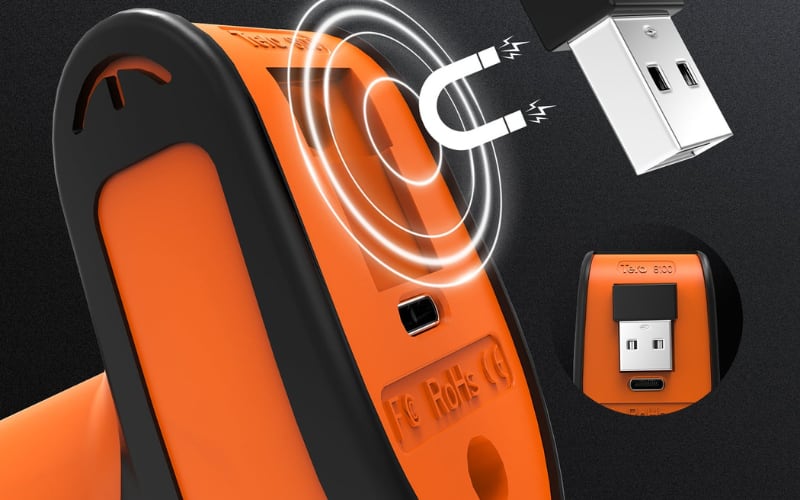
What Accessories Extend the Functionality of Barcode Scanner Hardware?
The most common accessories are stands, cradles, spare batteries, protective gear, cables, and mounts. Each plays a role in improving efficiency and reliability.
Stands and Holders
They enable hands-free scanning at checkout or pharmacy counters. Good stands use auto-sense triggers and stable bases. The result is faster service and less operator fatigue.
Charging Cradles
Cradles supply power and often double as a data hub. Some connect over USB or Ethernet to sync settings. They are essential for keeping cordless scanners available through long shifts.
Spare Batteries
Extra packs prevent downtime. Hot-swap designs let staff replace power in seconds. Track cycle life to avoid sudden failures during peak hours.
Protective Cases and Holsters
Cases shield devices from drops and scratches. Holsters keep scanners close at hand for warehouse or retail staff. Both extend device life and reduce replacement costs.
Cables and Connectivity
High-quality cables maintain stable data transfer. Industrial-grade jackets resist wear in demanding environments. The right interface—USB-C, USB-A, or RS-232—ensures smooth integration.
Vehicle and Cart Mounts
Mounts secure scanners to forklifts, trolleys, or mobile carts. They stabilize devices on the move and improve ergonomics in large warehouses.
Healthcare-Ready Accessories
Medical environments require disinfectant-safe cradles and stands. Chemical-resistant materials ensure compliance and safety.
In summary, accessories are not optional extras. They are practical tools that extend scanner uptime, improve workflow, and protect your investment. Choosing the right ones depends on your industry and how intensively your teams scan.
What Hardware Factors Should You Evaluate Before Purchasing Barcode Scanner Devices?
When choosing barcode scanner hardware, focus on performance, durability, compatibility, battery life, and ergonomics. Each factor has measurable standards that help you compare devices before investing.
Performance Metrics
A scanner must capture codes quickly and accurately. Look for scan speed in scans per second or frames per second for imagers. Check accuracy in reading damaged, dirty, or low-contrast codes. Test with your actual labels, including glossy or curved surfaces. Consistent first-pass reads matter more than lab specs.
Durability and Rugged Ratings
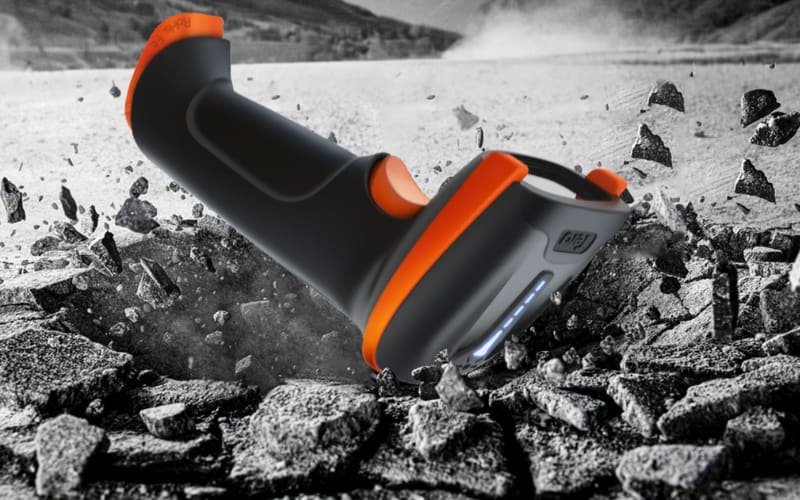
Durability is defined by IP rating and drop resistance. IP65 or IP67 models resist dust and water. Drop tests specify the height a device can survive, often 1.5 to 2 meters onto concrete. In healthcare, disinfectant-ready housings are critical. Match rugged ratings to your environment rather than overpaying for specs you will never need.
Compatibility and Connectivity
The right scanner must fit your systems. Confirm support for both 1D and 2D codes if required. Check OS compatibility, especially with Android or iOS mobile apps. Review interface options such as USB, Bluetooth, and Wi-Fi. Also verify available SDKs or APIs for deeper integration with POS, ERP, or WMS software.
Battery Life and Power Options
Cordless scanners and mobile computers live or die by battery design. All-day operation usually means at least 10 to 12 hours of scanning. Hot-swap batteries keep devices running through double shifts. Ask for rated cycles, charging time, and whether cradles support fast charging. For critical sites, plan a spare battery pool.
Ergonomics and Ease of Use
Comfort matters in high-volume scanning. A well-balanced device reduces fatigue during long shifts. Weight should match the user’s role: lighter for retail counters, heavier but rugged for warehouses. Grip design and trigger sensitivity affect speed. Consider also whether the device supports left- and right-handed use equally well.
In summary, evaluate barcode scanners with the same care as any industrial tool. Performance defines speed, ruggedness defines survival, compatibility defines integration, battery life defines uptime, and ergonomics defines human efficiency. Together, these factors decide whether your investment pays off in daily operations.
How Do Leading Barcode Scanner Hardware Brands and Models Compare?
The global leaders in barcode scanner hardware include Zebra, Honeywell, Datalogic, Cognex, and Tera. Each brings different strengths in performance, durability, and ecosystem support.
Brand |
Key Strengths |
Best Use Cases |
Zebra |
Wide portfolio, strong Android integration, extensive accessory ecosystem |
Large warehouses, multi-site rollouts, fleet management |
Honeywell |
Excellent decoding on low-quality labels, disinfectant-ready healthcare models, strong power systems |
Healthcare, manufacturing quality checks, demanding shift work |
Datalogic |
Fast presentation scanning, reliable fixed-mount units, strong feedback features |
Retail checkout, packing stations, conveyor operations |
Cognex |
Advanced vision systems, strong 2D and direct part mark decoding |
Electronics, automotive, high-density industrial codes |
Tera |
High value for core features, easy setup with Windows, macOS, and Android, growing accessory support |
Retail back rooms, SME warehouses, teams moving from phone apps to dedicated hardware |
Zebra and Honeywell dominate large-scale deployments where fleets and enterprise integration matter most. Datalogic specializes in speed and ergonomics at counters and lines. Cognex leads in advanced vision and industrial traceability. Tera stands out by combining accurate scanning with ease of integration and affordability, making it a strong option for small to medium businesses and for organizations upgrading from software-based scanning to purpose-built hardware.
Bottom line. Always test scanners with your own labels and systems. The best brand for your team is the one that balances performance, integration, and long-term operating cost in your environment.
Why Does Choosing the Right Barcode Scanner Hardware Determine Business Efficiency?
The right hardware drives measurable business outcomes.
Factor |
Right Choice |
Wrong Choice |
Speed |
High throughput, fewer overtime hours |
Slow lines, backlog, higher labor cost |
Accuracy |
Clean data, fewer returns, stable stock counts |
Misreads, inventory errors, customer complaints |
Reliability |
Full-shift uptime, predictable delivery |
Frequent downtime, workarounds, broken promises |
ROI |
Gains outweigh purchase price within months |
Hidden costs exceed savings |
Bottom line: picking the right scanner is not about features alone. It is about how hardware shapes productivity, cost, and customer trust.
Ready to Choose the Right Barcode Scanner Hardware?
The right hardware decides speed, accuracy, and reliability. Choosing well means lower costs and smoother operations.
Tera offers scanners that are fast to deploy, easy to integrate, and built for real business needs.
Explore Tera solutions today and see how the right device can lift your retail, warehouse, or logistics performance.
FAQs
1. How long does barcode scanner hardware typically last before replacement?
Most quality scanners last 3 to 5 years in standard retail use. Rugged industrial models can last up to 7 years if maintained properly. Usage intensity, environment, and battery health all affect lifespan.
2. Can one scanner handle both printed labels and digital barcodes on screens?
Yes, but only scanners with imaging engines can read from screens. Laser-only models cannot capture codes displayed on phones or tablets.
3. What maintenance is required to keep barcode scanner hardware reliable?
Basic steps include cleaning the lens regularly, updating firmware, and replacing worn cables or batteries. In dusty or healthcare environments, daily wipe-downs are also recommended.
4. Are there scanners designed for cold storage or outdoor use?
Yes. Specialized cold-storage models operate reliably in sub-zero environments. Outdoor-ready scanners often come with sealed housings and higher IP ratings for water and dust protection.
5. How do barcode scanners support multilingual or regional code formats?
Many devices support global symbologies out of the box. For specialized local codes, configuration sheets or firmware updates can enable the required formats.
6. What warranty coverage is standard for barcode scanner hardware?
Most leading brands offer one- to three-year warranties. Rugged or enterprise models often include extended service contracts that cover repairs, spare parts, and on-site support.
7. Can barcode scanner hardware be upgraded after purchase?
The scanning engine itself is not upgradeable. However, firmware updates can improve performance, and accessories such as new cradles, batteries, or stands can extend usability.



