

Presentation barcode scanners speed up checkout. Unlike handheld models, they offer hands-free, fast, and accurate scanning—solving the pain of long lines, misreads, and staff fatigue. Research shows retailers lose up to 60% of customers when queues move too slowly, making efficiency critical.
In this guide, you’ll learn what a presentation scanner is, why it’s faster, and how top models from Zebra, Honeywell, Datalogic, and Tera compare. We’ll cover key features and specs, industry applications, buying tips, and budget ranges so you can choose the right scanner and boost both speed and customer satisfaction.
What Is a Presentation Scanner and How Does It Differ From Handheld Barcode Scanners?
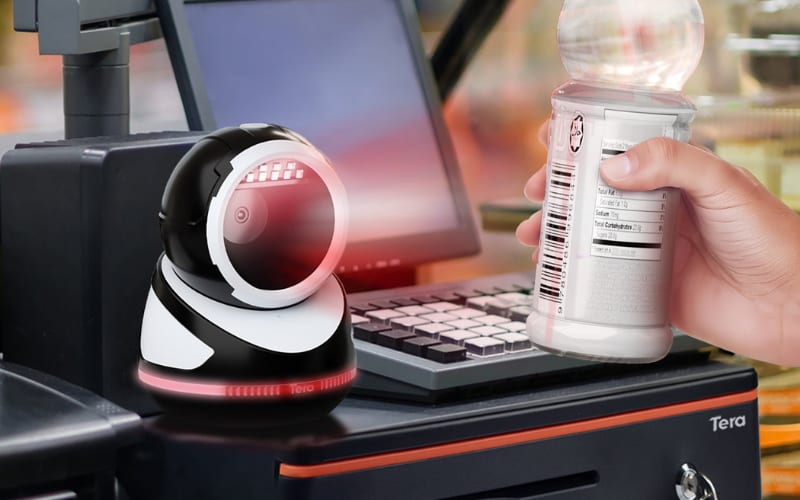
A presentation scanner is a stationary, hands-free barcode scanner. You place it on the POS counter and present items in front of the window. It reads instantly. For busy retail or pharmacy checkouts, this cuts motions and speeds throughput.
A handheld scanner is different. You aim and pull the trigger for each scan. That extra step slows you down in high-traffic lanes.
Modern presentation scanners use 2D imagers with an omnidirectional field of view. They capture 1D and 2D barcodes from labels and phone screens with ease. This supports mobile payments and loyalty apps, including typical barcode scanner Android use cases.
Integration is simple. Most models connect via USB or RS232 to your POS. They also pair cleanly with an Android mobile computer, giving you a consistent workflow at the counter and on the sales floor. You keep the scanner fixed, and staff focus on moving items, not handling hardware.
Choose a presentation scanner when you need speed, less fatigue, and reliable reads from any angle. Keep a handheld for mobile tasks away from the counter. Used together, they cover both fixed POS and roaming jobs, while staying compatible with android barcode scanner apps and existing systems.
What Makes a Presentation Barcode Scanner Faster and More Reliable?
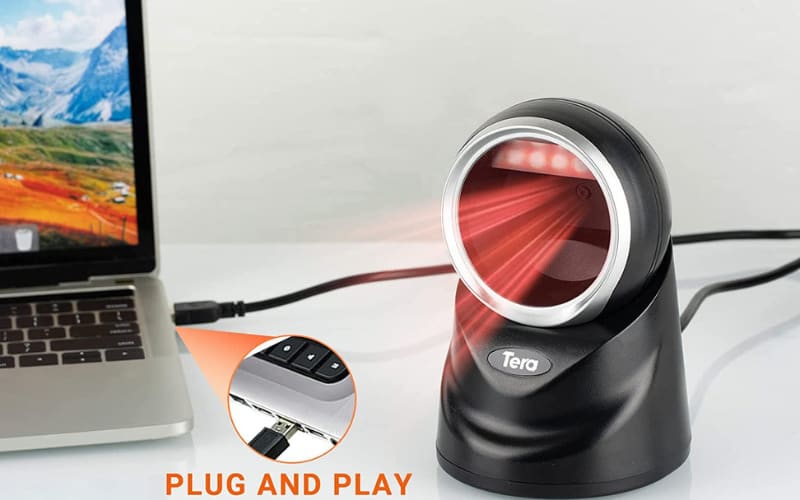
If you’ve ever struggled with long checkout lines or frustrated customers, you know how much a slow scanner can hurt business. A presentation barcode scanner solves this by offering hands-free, high-speed, and highly accurate scanning. Instead of holding and aiming the scanner, you simply move items across its field of view. This small change makes a huge difference in speed, accuracy, and staff efficiency.
Key advantages you’ll notice immediately include:
- Exceptional accuracy and speed: Quickly reads both 1D and 2D barcodes, including those shown on mobile phones for loyalty or payment.
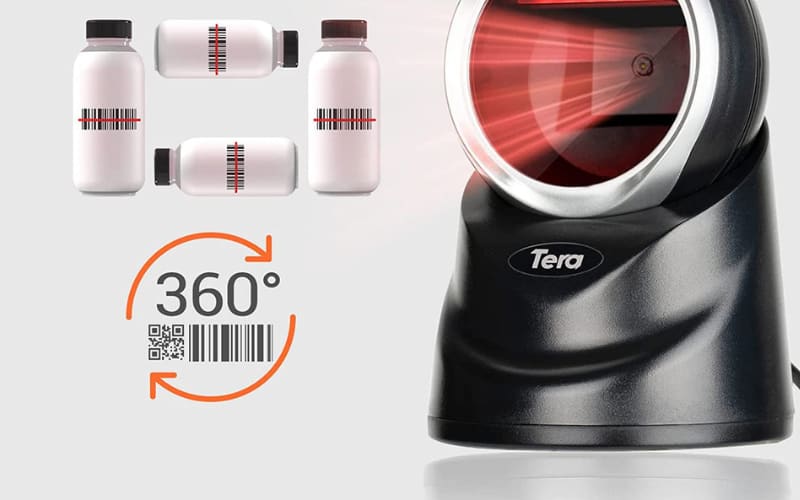
- Omnidirectional scanning: No need to align products—codes are captured from any angle, cutting down waiting times.
- Hands-free convenience: Cashiers scan faster with less effort, reducing fatigue in busy shifts.
- Handles tough codes: Reads damaged, poorly printed, or digital codes with ease.
- Durability: Often IP52-rated, built to resist dust and spills in demanding retail or pharmacy settings.
- Seamless integration: Works with POS systems, warehouse tools, or healthcare software via USB or RS232.
- Compact footprint: Saves counterspace without sacrificing performance.
Trusted brands like Zebra, Datalogic, and Honeywell provide presentation scanners that combine all these features with long-term reliability and support.
In short, if your goal is faster checkout, fewer errors, and a better customer experience, a presentation scanner is the smarter choice over a handheld device.
What Are the Leading Presentation Scanner Models and Brands?
If you are comparing presentation scanners, you want more than just names—you need to see what makes each model different. The market is led by Zebra, Honeywell, Datalogic, and Tera, each offering scanners that fit specific industries and workflows.
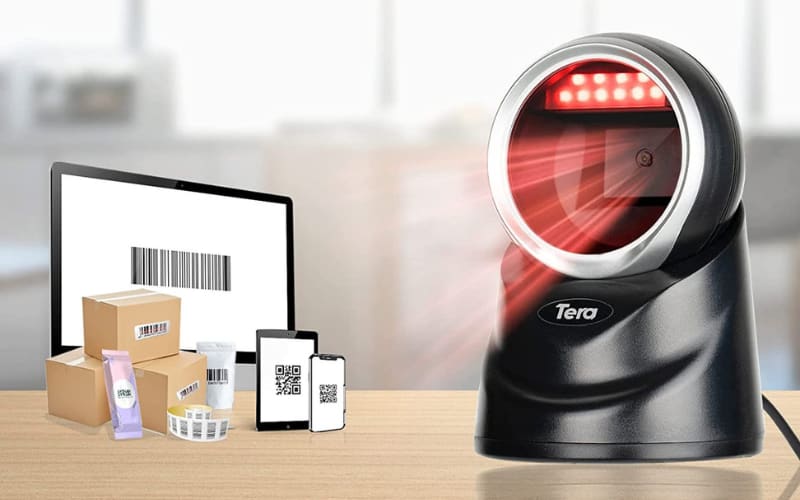
Tera 9800 Presentation Scanner is designed for businesses that want both performance and modern design. With 360° omnidirectional CMOS imaging, it reads even challenging barcodes like PDF417 on driver’s licenses or codes on reflective packaging. A stable adjustable base and USB-wired host connectivity (scanner uses an RJ45 modular jack for the detachable cable) make it flexible for retail, healthcare, or logistics workflows.
Zebra DS9308 is a compact and durable option built for tight counters. It captures 1D and 2D barcodes from both paper labels and phone screens, making it a favorite in retail stores that rely on loyalty programs or mobile payments.
Datalogic Magellan 1500i stands out in pharmacies and healthcare. It has a wide field of view and delivers high-volume scanning speed, ensuring accurate reads even for small labels on medication or curved surfaces.
Honeywell Genesis XP provides powerful 2D imaging and can scan damaged or low-quality barcodes reliably. Built with a sturdy housing, it is made for high-traffic retail environments where speed and accuracy are critical.
Honeywell Orbit 7120 is one of the most widely recognized models in small retail and convenience stores. It uses omnidirectional laser scanning for 1D codes, offering affordability and proven performance where basic barcode capture is sufficient.
Leading Models at a Glance
Model |
Supported Codes |
Technology |
Connectivity |
Durability |
Best For |
Key Feature |
Zebra DS9308 |
1D/2D, QR, PDF417 |
2D Imager |
USB, RS232 |
IP52 |
Retail checkout, loyalty apps |
Compact size, scans from mobile screens |
Datalogic Magellan 1500i |
1D/2D |
2D Imager |
USB, RS232 |
IP52 |
Pharmacies, healthcare |
Wide field of view, high-volume speed |
Honeywell Genesis XP |
1D/2D |
2D Imager |
USB, RS232 |
IP52 |
High-traffic POS |
Handles damaged or low-quality barcodes |
Honeywell Orbit 7120 |
1D only |
Omnidirectional Laser |
USB, RS232 |
Robust housing |
Small retail, convenience stores |
Affordable, classic Orbit design |
Tera 9800 |
1D/2D, PDF417, QR, Data Matrix |
CMOS Imaging |
USB, RJ45 |
IP52, stable base |
Retail, healthcare, logistics |
360° omnidirectional, reflective code reading |
Quick Takeaway
- Zebra, Honeywell, and Datalogic dominate in retail and healthcare with proven reliability.
- Tera 9800 goes further: it combines premium performance with flexibility, reading hard-to-capture codes and offering modern connectivity for global POS setups.
How to Choose the Right Presentation Scanner for Your Needs
Choosing the right presentation scanner depends on matching its features to your daily workflow. Start by asking: What types of barcodes will you scan most often? Do you need to capture codes from phones? How much space do you have at the checkout counter?
Core selection criteria:
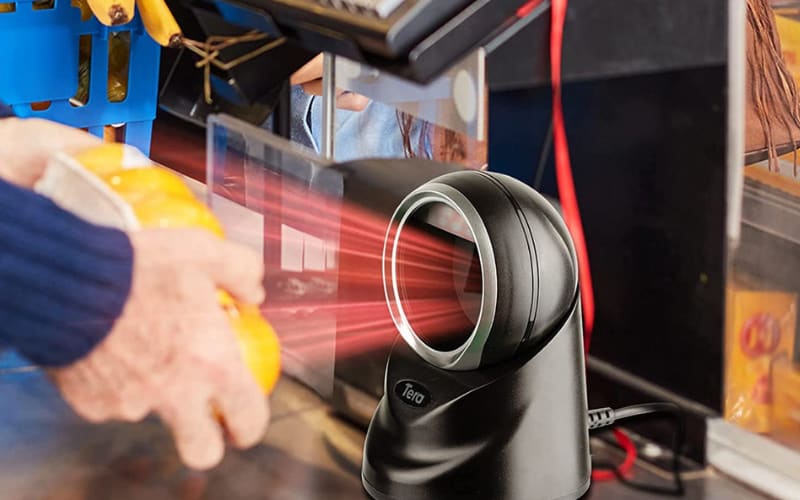
- Speed and accuracy: The scanner must read 1D and 2D barcodes instantly, including damaged labels and codes on phone screens.
- Integration: Look for simple connections to your POS or ERP system through USB or RS232.
- Durability: IP52-rated housings protect against dust and spills, critical for retail counters, pharmacies, and warehouses.
- Footprint: Compact designs save counter space without sacrificing throughput.
Match features to your industry:
- Retail and hospitality: Hands-free, omnidirectional scanning speeds up checkout lines and supports mobile loyalty codes.
- Pharmacy and healthcare: Accuracy is non-negotiable—scanners must capture tiny labels and patient IDs reliably.
- Warehousing and logistics: Rugged builds and continuous scanning help with high-volume, fast-moving inventory tasks.
Think ahead. Your scanner should handle future barcode formats, software updates, and POS upgrades. Warranty and long-term support reduce downtime and protect your investment.
Brands and models to consider: Zebra, Honeywell, and Datalogic lead the market with proven reliability. Tera’s 9800 2D desktop scanner is also a strong choice: it offers 360° omnidirectional scanning, superior CMOS imaging, and an adjustable head for flexible use. With its plug-and-play setup and stable base, it’s well-suited for both retail counters and industrial workflows.
Bottom line: The best presentation scanner is the one that fits your codes, environment, and throughput goals. Choose with these criteria in mind, and you’ll boost speed, accuracy, and efficiency across your business.
How Can Presentation Scanners Solve Industry-Specific Challenges?
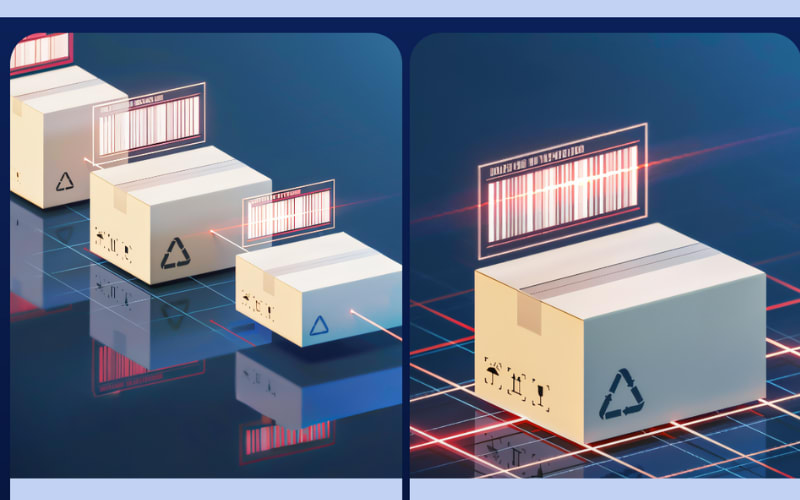
Hands-free barcode scanning transforms how businesses operate. Instead of focusing only on faster checkout, the real value lies in reducing errors, supporting compliance, and handling complex scanning tasks across different industries.
In retail and hospitality, presentation scanners process loyalty codes, mobile coupons, and digital tickets in seconds. A high-performance scanner like the Tera 9800 goes further by handling reflective packaging and barcodes on glossy labels, reducing frustrating rescans that often slow down checkout lines.
In healthcare and pharmacy, accuracy is critical for patient safety. The Tera 9800’s global CMOS imaging makes it reliable for small prescription labels and high-density 2D codes, even when printed on curved bottles. With fewer misreads, pharmacies maintain compliance while improving efficiency.
In warehousing and logistics, presentation scanners enable continuous scanning for inventory and order verification. The 30° adjustable head on the Tera 9800 helps staff align scanning angles without moving bulky items, improving throughput in fast-paced shipping environments.
In manufacturing, product traceability depends on capturing every code, no matter how difficult. The Tera 9800 reads challenging codes like PDF417 on driver’s licenses or codes on silver and reflective materials, supporting strict quality control processes that generic scanners often miss.
The customer benefits are tangible. Retailers reduce queues and boost satisfaction, healthcare providers cut down on prescription errors, logistics teams improve accuracy in shipment tracking, and manufacturers ensure compliance with industry standards.
Where established brands like Zebra or Honeywell deliver proven speed, Tera stands out by tackling the “hard-to-read” codes others struggle with. That difference often defines whether a business experiences seamless workflows—or costly interruptions.
What Are the Key Specs, Accessories, and Support for Presentation Scanners?
Choosing a presentation scanner is not just about speed—it’s about how well the device fits into a busy checkout counter or pharmacy station. The right specs, accessories, and support determine whether your investment will deliver long-term efficiency.
Technical Specifications That Matter
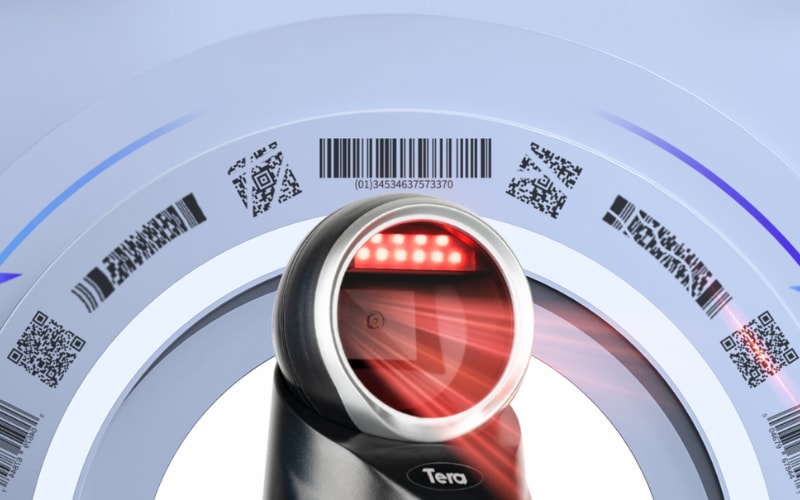
A presentation scanner must combine 360° omnidirectional scanning with fast imaging to capture 1D and 2D barcodes in any direction. The Tera 9800, for example, uses global CMOS imaging to read even high-density or reflective codes—perfect for driver’s licenses, loyalty cards, or damaged labels. Its compact housing and IP52 protection make it durable for constant use on retail or healthcare counters, while USB and RJ45 connectivity ensures seamless POS integration.
Accessories That Improve Workflow
Unlike handheld scanners, presentation scanners remain fixed. Accessories such as stable bases and adjustable stands help optimize scanning angles in tight spaces. The Tera 9800 adds flexibility with its 30° adjustable head and plug-and-play USB setup, so staff can adapt it to different counter layouts without downtime.
Support That Protects Your Investment
High-volume businesses can’t afford scanner failures. Leading brands, including Tera, provide firmware updates, SDKs for POS/ERP integration, and multilingual support resources. Warranty coverage and responsive service teams reduce downtime, while easy-to-replace cables and mounts extend device life.
In short, the best presentation scanners are built not only with powerful imaging, but also with the right accessories and dependable support to ensure consistent, hands-free scanning in demanding retail and healthcare environments.
What Are the Latest Innovations in Presentation Scanners?
Presentation scanners have evolved quickly, and today’s models are smarter, faster, and easier to integrate into your daily workflow. Here are the most important innovations you should know:
AI-Powered Decoding
New algorithms read damaged, low-contrast, or curved barcodes with high accuracy. This means fewer rescans at checkout and faster service for your customers.
360° Omnidirectional Capture
You no longer need to align products perfectly. Modern presentation scanners read barcodes from any angle, cutting seconds off every transaction.
Mobile and Digital Readability
Scanning from phone screens, tablets, or loyalty apps is now standard. This supports mobile payments and customer rewards with no extra setup.
Compact, Counter-Friendly Design
Retailers and pharmacies benefit from scanners with small footprints, adjustable heads, and IP52-rated durability. They fit easily onto crowded counters and withstand heavy daily use.
Seamless Integration and Updates
Interfaces like USB and RS232 make setup plug-and-play. Regular firmware updates keep devices compatible with new barcodes and secure for POS and ERP systems.
Tera Example: The 9800 Model
The Tera 9800 Presentation Scanner combines global CMOS imaging with 360° scanning, so it reads everything from high-density PDF417 driver’s license codes to reflective labels. Its adjustable head and stable base make it ideal for fast-moving counters, while firmware updates and multilingual support ensure long-term reliability.
These upgrades mean less downtime, faster checkouts, and more accurate data capture. Whether you run a supermarket, a pharmacy, or a warehouse, modern presentation scanners transform what used to be a slow process into a seamless, customer-friendly experience.
Can presentation scanners integrate with POS or ERP systems?
Yes. Most leading models support USB and RS232 interfaces, and many come with SDKs for deeper POS or ERP integration. This ensures your scanner works smoothly with existing workflows and scales with your business.
Do brands provide long-term software updates?
Yes. Zebra, Honeywell, and Datalogic publish regular scanner firmware and tools; Tera offers manuals/drivers and configuration utilities, with firmware availability varying by model.
What Related Products and Solutions Work with Presentation Scanners?
A presentation scanner is often just one part of a complete scanning solution. To unlock its full value, businesses usually combine it with other devices and software that extend speed and accuracy across different workflows.
Complementary Devices
- Handheld Scanners: Useful for items too large or heavy to bring to the counter. They add flexibility while the presentation scanner manages most day-to-day checkouts.
- 2D Imagers and RFID Scanners: These support advanced applications such as digital ticketing, loyalty program management, and item-level tracking in warehouses.
- Mobile Computers: Rugged Android barcode scanners or data terminals allow staff to manage inventory, verify pricing, and capture data in aisles or stockrooms, keeping the process connected to the POS.
Integrated Solutions
Modern businesses increasingly use end-to-end systems where presentation scanners link directly with POS, self-checkout kiosks, and ERP software. This ensures seamless barcode capture, loyalty program updates, and even real-time order fulfillment.
Industry Example
In retail, pairing a presentation scanner with RFID improves checkout speed and back-end stock accuracy. In logistics, combining hands-free scanning with mobile computers helps track goods at both the counter and in the warehouse. Healthcare providers use a mix of stationary and mobile scanners to ensure patient safety and compliance.
Tera’s Advantage
Tera supports this ecosystem with presentation scanners designed for fast, hands-free use, plus accessories and companion products that fit into retail, warehouse, and healthcare environments. The result is not just faster scanning, but a complete solution that boosts accuracy, productivity, and customer satisfaction.
A presentation scanner works best when part of a broader solution. By combining it with handheld devices, RFID, or mobile computers, businesses achieve higher efficiency and future-proof workflows.
How Do You Maintain and Maximize the Value of a Presentation Scanner?
To get the most from your presentation scanner, it’s not just about how it works today—it’s about keeping it reliable for years. Consistent care and smart use practices turn a one-time purchase into a long-term investment.
Simple maintenance habits:
- Wipe the lens and housing with a microfiber cloth to prevent dust from lowering read accuracy.
- Check cables or ports weekly, especially in high-traffic POS environments, to avoid connection failures.
- Keep firmware updated—many upgrades improve decoding speed and compatibility with new code formats.
- Schedule routine functionality tests to catch issues before they affect your workflow.
Ways to maximize ROI:
- Position scanners with adjustable mounts or stands to improve operator comfort and reduce mis-scans.
- Integrate directly with POS or ERP systems for automated reporting and inventory updates.
- Train staff to use hands-free scanning effectively to shorten checkout lines and minimize device stress.
- Review usage data to decide when accessories or software upgrades could further improve efficiency.
Tera advantage for long-term value:
Tera’s 9800 series presentation scanners are designed with durability and lifecycle savings in mind. Instead of focusing only on raw scanning power, they offer:
- Stable base and anti-slip design to minimize physical strain and damage from constant use.
- RJ45 interface support for secure, low-maintenance data transfer in demanding environments.
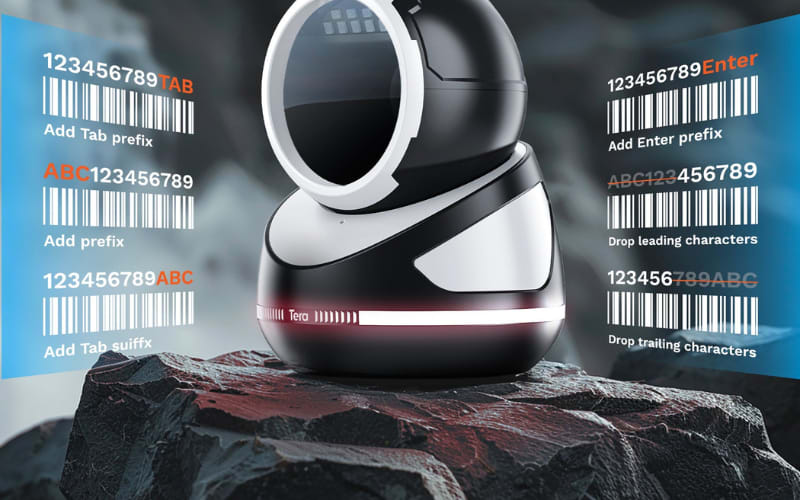
- Customizable prefix/suffix functions that reduce reliance on external software adjustments, lowering IT overhead.
- Multilingual configuration options, which cut training time and make deployment seamless across global teams.
By combining hardware resilience with low-maintenance usability, Tera helps businesses reduce downtime, avoid frequent replacements, and maximize the lifetime value of every scanner.
Where to Buy Presentation Scanners and How Much Budget to Plan
When you’re ready to buy a presentation scanner, two questions matter most: where to buy and how much budget to plan.
Where to Buy
- Authorized Retailers: Best for single units or small stores. Brands like Zebra, Honeywell, Datalogic, and Tera are all available through global distributors and e-commerce platforms.
- Wholesale Suppliers: Ideal for pharmacies, chains, or warehouses that need multiple units. Wholesale channels often provide better budget options and official warranty coverage.
- Direct from Manufacturer: Buying directly from the brand ensures access to full product catalogs, technical support, and reseller programs. Tera Digital, for example, offers both retail and wholesale access with official documentation and long-term service.
Budget Considerations
- Entry-Level Models: Affordable, suited for small retail counters and light daily scanning.
- Mid-Range 2D Scanners: Higher cost, but support omnidirectional scanning and digital barcodes—great for stores running loyalty apps and mobile payments.
- High-Performance Scanners: Premium investment designed for high-volume retail, logistics, and healthcare where downtime is not an option.
If you’re aiming for advanced features without overspending, the Tera 9800 Presentation Scanner is a strong choice. It combines 360° omnidirectional scanning, global CMOS imaging, and an adjustable head—while staying accessible for both single-store buyers and wholesale partners.
To explore wholesale opportunities or get official purchase details, visit Tera Digital’s official website or contact an authorized distributor.
How to Scan Without a Barcode?
Presentation scanners only read barcodes. To scan text or images, use OCR software or a document scanner.
Are Scanners Obsolete?
No. Scanners remain vital in retail, logistics, and healthcare. Presentation scanners are still growing in demand.
Is There a Free Presentation Scanner?
No free hardware exists. Some brands offer free demo software or SDKs for testing.



