

Tired of barcode scans slowing you down? Many teams still lose time and money to misreads, damaged labels, or scanners that can’t handle modern 2D codes. Retailers are preparing POS systems to scan 2D codes by the end of 2027 under GS1's Sunrise 2027 initiative - a shift that generally requires 2D-imager capable scanners.
In this guide, you’ll learn what an imager barcode scanner is, how it compares to laser and CCD models, the key features and types to know, industry use cases, and a side-by-side look at popular models, specs, and prices. We’ll also cover setup, troubleshooting, and enterprise-level benefits. Whether you’re in retail, warehousing, healthcare, or manufacturing, you’ll see why brands like Tera, Zebra, and Honeywell are shaping the future of barcode scanning.
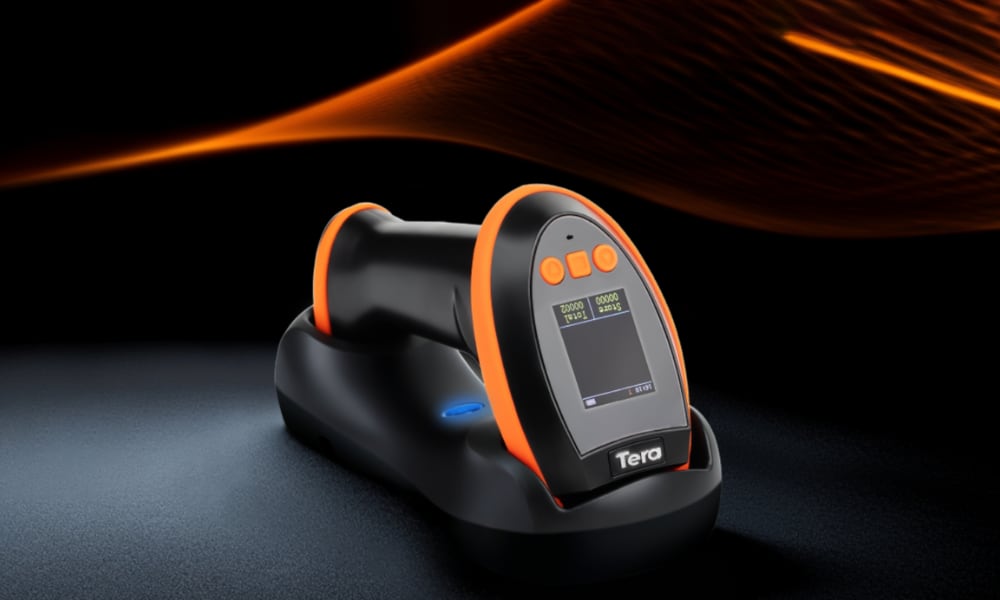
What Is an Imager Barcode Scanner and Why It’s Popular
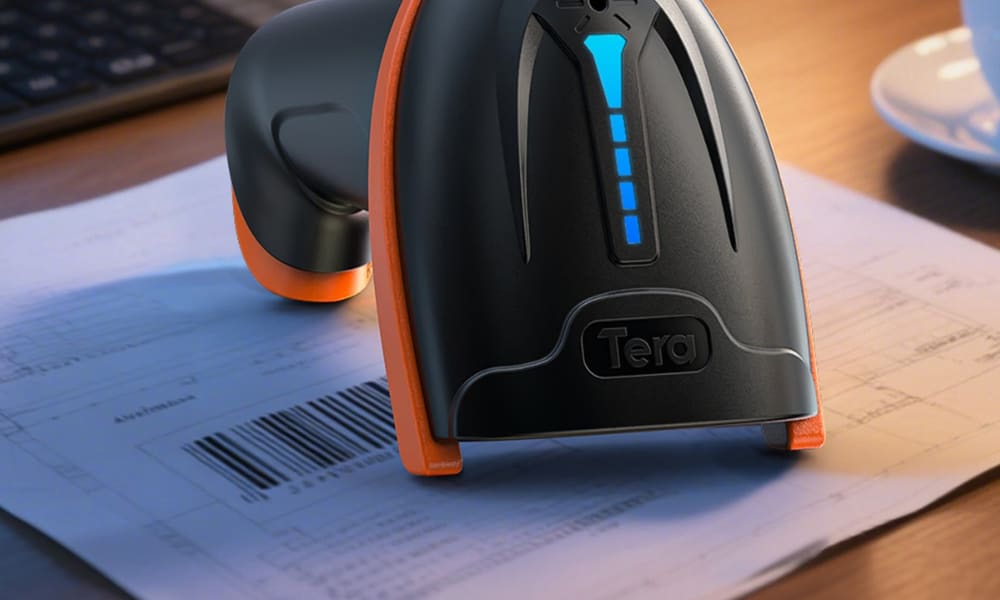
An imager barcode scanner is a camera-based barcode reader that captures an image and decodes it with software. It can read both 1D barcodes (like UPC, EAN, Code 128) and 2D codes (such as QR, PDF417, Data Matrix).
You may also see it called a 2D barcode scanner, area imager, or camera-based scanner. All of these refer to the same imaging technology that goes beyond the limits of laser or CCD models.
Unlike lasers that only read 1D lines, imagers process full patterns. This means they can handle damaged, low-contrast, curved, or on-screen codes with high accuracy. As a result, they are now the industry standard in retail, warehousing, healthcare, and manufacturing.
In short: an imager scanner is the modern, flexible choice for fast and reliable data capture across mixed barcode types and environments.
What Features and Types of Imager Barcode Scanners Should You Know?
An imager barcode scanner uses a camera and software to read barcodes, not a laser. This lets you capture both 1D and 2D codes, even when they are damaged, on screens, or printed poorly. For you, it means faster scans, fewer errors, and more reliable data in daily operations.
Key Features That Matter
Modern imagers are built for performance and flexibility. You’ll notice:
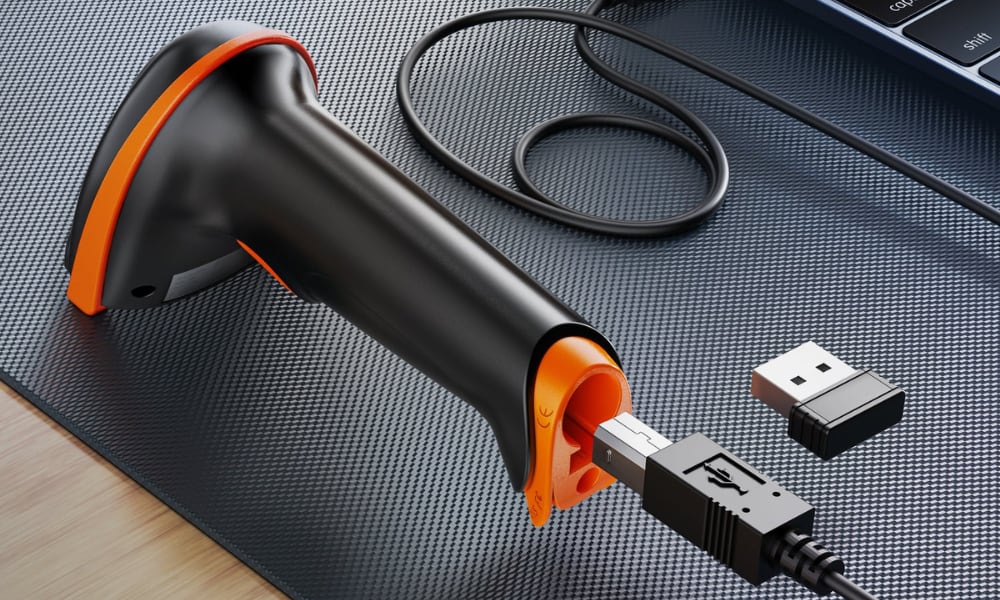
- Multiple connections: USB for desktops, Bluetooth or 2.4GHz wireless for cordless use.
- Rugged design: Many are IP67 waterproof, dustproof, and shockproof, ready for tough sites.
- Mobility: Compact handheld or mini Bluetooth scanners with long battery life.
- Easy setup: Smart base cradles, plug-and-play with PC, Android, or iOS.
Main Types You Can Choose
- 1D Imager Scanners: Best if you only need simple codes like UPC or EAN.
- 2D Imager Scanners: Handle QR, PDF417, Data Matrix, and read from phone screens.
- Hybrid Models: Some use CMOS+CCD dual modules for extra accuracy.
- Form Factors: Handheld, cordless, desktop, or rugged industrial, depending on your workflow.
Why They Outperform Laser and CCD
Laser scanners only read 1D. CCD scanners often struggle with damaged or curved labels. Imager scanners do it all—1D, 2D, paper, or screen. That’s why they are now the standard for retail, warehouses, healthcare, and manufacturing.
In short, one imager scanner can replace several older models, saving you time and boosting productivity.
How Do Imager Barcode Scanners Compare to Laser and CCD Models?
Before choosing a scanner, you need to know the real differences. Here’s a quick side-by-side view:
Scanner Type |
What It Reads |
Strengths |
Limitations |
Best For |
Imager |
1D and 2D (QR, PDF417, Data Matrix), paper and screen codes |
Reads damaged, low-contrast, or screen barcodes. Works at angles. Versatile for modern codes. |
Sometimes higher upfront cost than basic laser |
Retail, warehouse, healthcare, manufacturing |
Only 1D linear codes |
Fast for simple UPC/EAN; low cost |
Cannot read 2D or screen codes; poor with damaged labels |
Basic retail checkout, simple inventory |
|
Mainly 1D at close range |
Durable, no moving parts, cheaper than imagers |
Limited distance; struggles with poor print quality; no 2D support |
Low-volume scanning, libraries, small shops |
If you only deal with simple 1D barcodes, a laser or CCD may still work. But if you want flexibility, accuracy, and future-proof scanning, an imager scanner is the smart choice.
What Are the Core Technologies and Trends in Imager Barcode Scanners?
Modern imager barcode scanners are no longer just checkout tools. They combine advanced imaging, wireless connectivity, and rugged design to deliver speed, accuracy, and reliability across industries.
Core Imaging Technology
2D digital imaging (CMOS and CCD) lets scanners read both 1D and 2D codes, including QR and PDF417. They also handle damaged labels, reflective surfaces, and on-screen codes. For you, this means fewer errors and more flexibility in daily operations.
Wireless and Mobile Integration
Most handheld imagers support Bluetooth and/or 2.4 GHz proprietary wireless. You get cordless mobility, long transmission ranges, and hands-free use with smart bases. USB is still popular for stable desktop or POS setups.
Rugged and Reliable Design
Leading imager models from Zebra, Tera, and Unitech are built tough: IP54–IP67 waterproof, dustproof, and shockproof. Anti-drop housings reduce downtime, keeping scanners working in warehouses, factories, and retail floors.
Performance Upgrades
Expect faster scans, higher accuracy, and longer battery life. Compact batteries with fast charging keep devices running through long shifts. Features like vibration feedback, smart lights, and programmable alerts improve operator efficiency.
Seamless Platform Integration
Modern imagers connect easily with Android, iOS, Windows, and POS systems. Many come with apps or SDKs for enterprise customization. This makes real-time data exchange and device management simple.
Emerging Innovations
New imagers now include dual CMOS+CCD modules, built-in RFID, and advanced error correction. These upgrades boost traceability in manufacturing, speed up retail checkout, and support smarter logistics.
Bottom line: If you need accuracy, durability, and mobility in one device, a modern imager barcode scanner gives you the edge. It keeps your workflows faster, your data cleaner, and your business ready for future demands.
Why Do So Many Industries Struggle with Scanning—and How Can Imager Barcode Scanners Help?
Barcode scanning is at the heart of daily operations, yet many businesses still face the same challenges: misreads, damaged labels, slow checkouts, and compliance risks. These issues waste time, increase costs, and frustrate both staff and customers. Imager barcode scanners are designed to remove these obstacles.
Industry |
Typical Challenge |
How Imager Scanners Help |
Warehousing |
Inaccurate stock counts |
Fast, accurate scans of 1D/2D codes—even when damaged or low contrast |
Retail |
Long checkout lines |
Quick POS and digital wallet scans; wireless models support mobile checkout |
Healthcare |
Patient safety risks |
Secure, precise ID and medication verification under strict protocols |
Manufacturing |
Poor traceability |
Cordless Bluetooth models improve mobility and enable real-time tracking |
Beyond these examples, imagers also improve workflows in education, government, and logistics, where reliability and integration matter most. By replacing older laser or CCD models, you gain faster operations, higher accuracy, and better compliance—making imagers a smart investment for the future.
How Do You Choose the Right Imager Barcode Scanner for Your Business?
The right imager barcode scanner is the one that matches your barcodes, your work environment, and your workflow. Once you know what you scan, where you scan, and how you scan, the decision becomes much clearer.
Step 1: Define What You Need to Scan
- If you only use 1D barcodes such as UPC or EAN, a standard 1D imager will work.
- If you also need 2D codes like QR, Data Matrix, or PDF417, choose a 2D imager. This future-proofs your setup as digital payments and mobile codes keep growing.
Step 2: Match the Scanner to Your Environment
- Retail and POS: Compact handheld or desktop imagers for fast checkouts and digital wallets.
- Warehousing and Manufacturing: Rugged IP67-rated scanners with cordless options, built to survive dust, drops, and long shifts.
- Healthcare and Government: Precision scanning with disinfectant-ready housings, ensuring safety and compliance.
- Field Work and Education: Portable Bluetooth imagers that connect easily to tablets, phones, or laptops.
Step 3: Focus on Features That Drive Productivity
- Connectivity: USB for stable desktop setups, Bluetooth or 2.4GHz for mobility.
- Power and Mobility: Long battery life, cradle charging, and fast recharge for continuous use.
- Performance: Ability to read damaged, low-contrast, or on-screen codes quickly.
- User Experience: Comfortable grip, light weight, and feedback options like vibration or LED indicators.
- Integration: SDK or app support for ERP, WMS, or POS systems.
Extra Buying Tips Professionals Use
- Think Total Cost of Ownership: Cheaper models may fail sooner. Consider durability, battery replacement, and downtime.
- Plan for Scalability: Even if you use 1D today, 2D capability is a safer investment for the next few years.
- Test Wireless Stability: Bluetooth is great for mobile pairing, while 2.4GHz fits fixed stations but may suffer interference.
- Check After-Sales Support: Global brands like Zebra offer extensive service networks, while Tera and Inateck provide strong value for SMBs.
Handheld vs. Desktop in Warehouses
Handheld imagers give staff mobility for shelf and pallet scanning, making them ideal for high-volume operations. Desktop scanners excel at fixed stations such as packing or QC lines, where items flow to the scanner. Many businesses use both for maximum efficiency.
Brand Highlights
- Zebra: Known for industrial-grade, ultra-rugged scanners with long service life, built for the most demanding warehouse and manufacturing environments.
- Honeywell: Offers enterprise-level barcode imagers widely used in retail, logistics, and healthcare, combining strong performance with advanced software integration.
- Tera: Provides a balance of performance and affordability, making it the practical choice for SMBs, field operations, and businesses seeking reliable scanning without premium costs.
Start with your barcode types, adapt to your environment, then refine by features and brand. This way, you will choose a scanner that improves today’s productivity and supports tomorrow’s growth.
Popular Imager Barcode Scanner Models and Specs
When evaluating imager barcode scanners, it helps to compare real models side by side. Below is a comparison of Tera’s latest models alongside leading scanners from Zebra and Honeywell.
Model Comparison Table
Brand / Model |
Barcode Support |
Connectivity |
Battery & Power |
Durability |
Best Use Case |
Tera D5100 |
1D + 2D (QR, PDF417, Data Matrix, Aztec) |
2.4GHz wireless + USB wired |
2000mAh, battery indicator, long standby |
IP54, anti-shock silicone |
Retail, office, inventory |
Tera 8100 |
1D + 2D, customizable symbologies |
Bluetooth, 2.4GHz, USB |
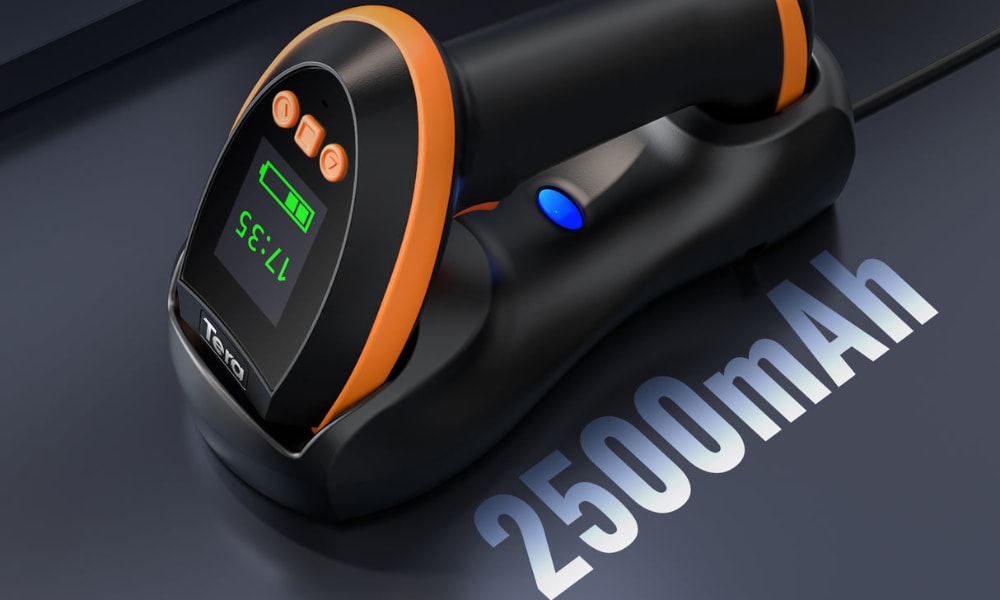
2500mAh, 35 hrs continuous, 170-day standby |
IP66, drop resistant, vibration alert |
Industrial, warehouse, logistics |
Tera HW0009 |
1D + 2D including high-density & driver’s license PDF417 |
Bluetooth, 2.4GHz, USB |
2500mAh, cradle charging, display screen for settings |
Rugged, reflective & on-screen scanning |
Healthcare, enterprise, advanced tracking |
Zebra DS2278 |
1D + 2D |
Bluetooth + USB |
2400mAh, ~14 hrs continuous |
Retail-grade durability |
POS, retail checkout |
Honeywell Xenon 1952g |
1D + 2D including stacked & digital codes |
Bluetooth + USB |
2400mAh, swappable battery |
IP41–IP52 depending on model |
Healthcare, enterprise, government |
- Tera D5100: Best balance of affordability and performance. The battery indicator is unique in this price range, reducing downtime anxiety.
- Tera 8100: Built for rugged industrial use. Strong IP66 rating, advanced vibration alert, and customizable symbology make it highly flexible in warehouses.
- Tera HW0009: Premium enterprise option with a built-in display screen for easy configuration, long-life battery, and superior CMOS imaging for challenging barcodes.
- Zebra DS2278: A mainstream retail model widely adopted at checkout counters, reliable but priced higher than Tera’s equivalent.
- Honeywell Xenon 1952g: Strong reputation in healthcare, often chosen for compliance-heavy environments. Higher cost, but backed by Honeywell’s enterprise service network.
Where to Buy Imager Barcode Scanners and Compare Prices
Once you know which features matter most, the next step is choosing where to buy and what price range to expect. Imager barcode scanners are widely available through:
- Official Websites: Direct from Tera, Zebra, or Honeywell for guaranteed authenticity and support.
- E-commerce Platforms: Amazon and other online marketplaces offer fast shipping and bulk options.
- Authorized Distributors: Recommended for large businesses that need bulk orders, setup support, and after-sales service.
Here’s a quick price comparison of popular models:
Brand & Model |
Type |
Price (USD) |
Best Fit |
Tera D5100 |
2D Wireless Scanner |
$34.39 |
SMBs, retail, entry-level use |
Tera 8100 |
Industrial 2D Handheld |
$69.99 |
Warehousing, logistics |
Tera HW0009 |
2D Scanner with Display |
$74.99 |
Field work, healthcare, POS |
Zebra DS2278 |
2D Cordless Imager |
$249.99 |
Enterprise retail, higher-volume scanning |
Honeywell Xenon 1952g |
2D Industrial Imager |
$900 |
Healthcare, manufacturing, compliance-driven sectors |
Buying Advice:
If you are an SMB, retailer, or field operator, Tera scanners give you the best balance of price and performance. They cover both 1D and 2D scanning, support multiple connections, and remain rugged enough for daily use—all at a fraction of the cost of enterprise models.
For large enterprises, healthcare, or compliance-heavy industries, Zebra and Honeywell remain strong options thanks to their proven durability, service networks, and enterprise-grade support. However, their price points are significantly higher.
How Do You Set Up and Troubleshoot an Imager Barcode Scanner Effectively?
Setting up an imager barcode scanner is simple once you understand the steps. The process always starts with connection, continues with system configuration, and ends with testing. Troubleshooting then focuses on checking power, connectivity, and code quality before moving to advanced fixes.
Setting Up Your Scanner
Connection and Power
Start by connecting the scanner via USB, Bluetooth, or a 2.4GHz wireless dongle. Cordless models need to be fully charged before first use. Place them on a cradle or connect them to a charging cable to avoid interruptions.
System Configuration
On Windows and macOS, most scanners work as plug-and-play devices and appear as keyboard input. Advanced models may require drivers or configuration utilities. On Android and iOS, pairing is done through Bluetooth, and some models also provide companion apps or SDKs for integration. POS systems often require scanning a setup barcode from the manual to configure return/line feed settings.
Testing and Calibration
Once connected, open a text editor or inventory app and scan a sample barcode. Make sure the data appears correctly. If the scanner supports multiple symbologies, you can fine-tune by disabling unused ones or adjusting sensitivity with configuration barcodes.
Troubleshooting Common Issues
Even the best scanners may encounter issues. The table below summarizes frequent problems and their solutions:
Problem |
Likely Cause |
Solution |
Scanner not responding |
Loose USB cable, dead battery, or unpaired device |
Reconnect cable, recharge, or re-pair Bluetooth connection |
Misreads or failed scans |
Dirty lens, damaged barcode, or wrong symbology settings |
Clean the lens, test with a clear barcode, enable needed symbologies |
Bluetooth or wireless dropouts |
Interference or distance beyond range |
Stay within recommended range, re-pair device, check for wireless interference |
Poor accuracy in warehouses or industrial sites |
Dust, moisture, or blocked sensors |
Inspect housing and seals, clean lens, ensure IP-rated protection is intact |
Best Practices for Smooth Operation
- Keep the scanner lens clean to maintain accuracy.
- Update drivers and firmware regularly for compatibility.
- Use vibration or LED feedback in noisy environments to confirm scans quickly.
- For enterprise operations, choose models with SDK support to integrate smoothly with ERP or WMS systems.
A successful setup depends on correct connection, configuration, and testing. Most issues are solved by checking power, cables, or pairing settings. With durable models such as Tera’s handheld and wireless imagers, setup is fast, and troubleshooting is minimal.
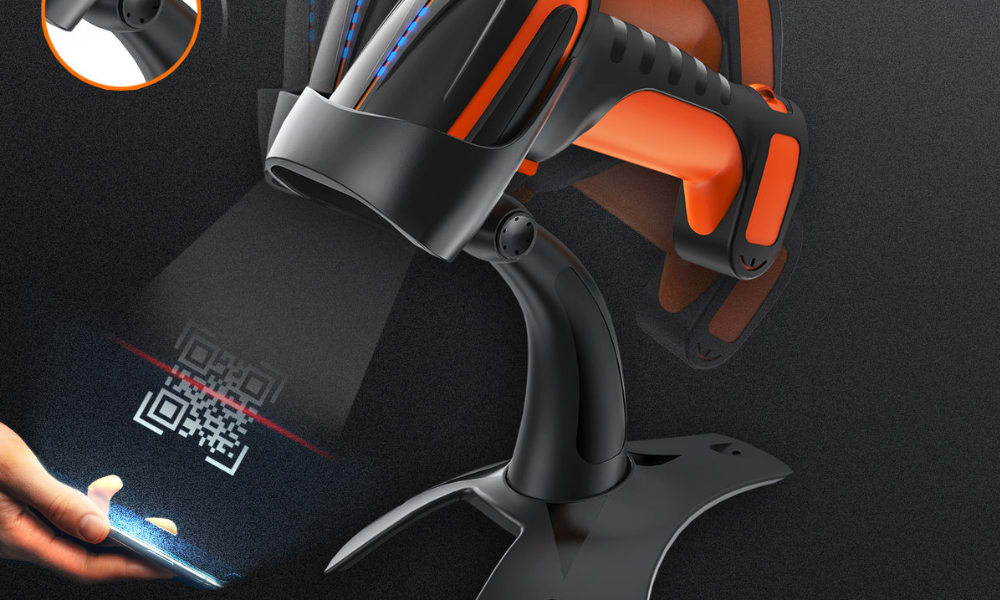
How Do Label Customization, Asset Tracking, and Value-Added Services Extend the Value of Imager Barcode Scanners in Enterprises?
Enterprises extend the value of their barcode systems by going beyond scanning: customizing labels for clarity and compliance, integrating asset tracking for real-time visibility, and adding value-added services that support digital transformation.
Label Customization for Compliance and Efficiency
Modern imagers allow companies to design barcode labels that fit specific regulatory and logistics requirements. With 2D and imager technology, more data can be stored in smaller codes such as QR or PDF417. This means clearer product identification, faster scanning, and easier compliance with industry standards in healthcare, retail, and manufacturing.
Asset Tracking with Enterprise Integration
By linking barcode scanners to RFID, ERP, and cloud platforms, enterprises gain real-time visibility of inventory and assets. Bluetooth and wireless imagers extend coverage across warehouses, hospitals, or factories without the limits of corded devices. This integration cuts losses, improves audit accuracy, and strengthens traceability across large operations.
Value-Added Services that Drive Transformation
Beyond hardware, scanners now connect with SDKs, mobile apps, and digital asset systems. This enables advanced features like anti-counterfeiting verification, automated compliance reporting, and cross-platform data management. Vendors such as Tera provide rugged IP67-rated imagers that pair with enterprise apps on Android, iOS, and desktop systems—ensuring both durability and seamless integration.
In short: Label customization makes your data smarter, asset tracking makes it visible, and value-added services make it actionable. Together, they turn barcode scanning from a simple tool into a foundation for enterprise digital growth.
Can I just use my phone instead of a barcode scanner?
Yes, most smartphones can scan QR codes and simple barcodes using the built-in camera or a free app. But for fast, high-volume, and industrial-grade scanning, an imager barcode scanner is far more accurate and reliable.
Will a barcode still scan if it’s just a screenshot?
In most cases, yes. Imager barcode scanners and phone cameras can both read barcodes from digital screens, including screenshots, as long as the code is clear and not distorted.
How do you scan barcodes using a phone camera?
On modern phones, open the camera and point it at the code. Many devices automatically detect barcodes. For advanced scanning, you can install a barcode app—but performance is limited compared to dedicated imagers.
Do all phones have a built-in QR scanner?
Most new iPhone and Android models include QR scanning in the default camera app. However, older phones may require a third-party app, while enterprise users still prefer imagers for speed and accuracy.
Are there free barcode scanner options available?
Yes, many free apps let you scan barcodes with your phone. But these are for casual use. Businesses that need fast, precise, and continuous scanning rely on imager barcode scanners.
What app should I use to scan barcodes on my phone?
Popular free apps can handle basic barcode and QR scanning. If you need to integrate scanning into inventory or POS systems, choose professional hardware or an imager scanner with SDK support.
Is there a universal barcode reader?
No single app or device reads absolutely everything. However, 2D imager barcode scanners come close—they support most 1D and 2D codes, including QR, Data Matrix, and PDF417, making them the most versatile choice.
Why are premium brands like Zebra so expensive?
Zebra scanners are priced higher because they target enterprise buyers with rugged builds, extended warranties, and advanced system integration. Tera offers a more affordable balance for SMBs while covering core scanning needs.
Is a UPC code the same as a barcode?
A UPC is one specific type of barcode, widely used in retail. All UPCs are barcodes, but not all barcodes are UPCs—there are many other formats, including QR codes and Data Matrix.
What’s the difference between free QR apps and an imager barcode scanner?
Free QR apps work for casual, occasional scanning. An imager barcode scanner is a dedicated device built for speed, durability, and accuracy, making it essential for retail, warehouses, and healthcare.
Ready to Choose the Right Imager Barcode Scanner for Your Business?
Selecting the right imager barcode scanner is more than a technical choice—it directly impacts your speed, accuracy, and overall efficiency. Throughout this guide, we’ve explored what imagers are, how they compare to older scanners, which models deliver the best value, and where they fit in retail, warehousing, healthcare, and enterprise workflows.
Now it’s your turn to take the next step. If you’re looking for scanners that balance performance, durability, and affordability, Tera’s lineup gives you a practical edge without the premium cost. From entry-level wireless models to rugged industrial imagers, you’ll find the right fit for your operations today and the flexibility to grow tomorrow.
Don’t let outdated scanning tools hold your business back. Explore Tera’s imager barcode scanners now and see how the right device can streamline your workflow, cut errors, and prepare you for the future of 2D and beyond.



