

The line at checkout is moving too slowly. A cashier struggles with a faded barcode, a customer fumbles to open a payment app, and the frustration builds. In a warehouse, an urgent order is delayed because the scanner can’t read a smudged label. In healthcare, a nurse wastes precious minutes re-entering patient data. These everyday bottlenecks have one simple fix, a USB 2D barcode scanner that works instantly, every time.
In this guide, you’ll learn what a USB 2D barcode scanner is and the barcode types it can read, along with how it outperforms traditional models. We’ll break down the main types and form factors, explore real-world applications across retail, logistics, healthcare, and events, and walk through how to choose the right scanner for your needs. You’ll see how leading brands like Tera compare, which accessories and integrations can boost efficiency, and setup and maintenance tips to keep your scanner running at peak performance. By the end, you’ll know exactly how to integrate the right scanner into your workflow — and why the upgrade pays off from day one.
What is a USB 2D Barcode Scanner and Why It Matters
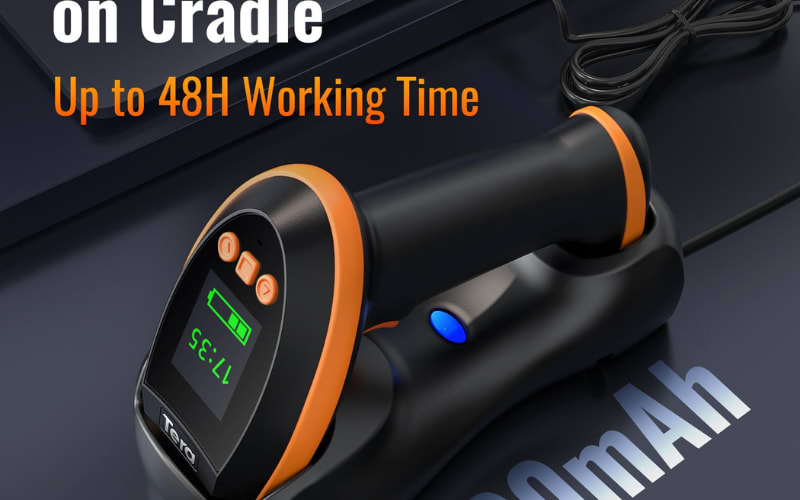
A USB 2D barcode scanner is a plug and play reader that connects by USB to a computer or POS. It captures both 1D and 2D barcodes in one device, including QR code, Data Matrix, and PDF417, as well as classic UPC and Code 128. Instead of a laser line, it uses an imager sensor to take a picture of the code, which enables omnidirectional scanning, screen scanning, and higher tolerance to damaged labels.
For daily work this means fewer rescans and faster lines. A USB connection delivers stable power and data with no pairing steps or battery worries, so setup is as simple as plugging the cable into Windows, macOS, or Linux. You can choose handheld or desktop designs depending on checkout, warehouse, or healthcare workflows, and keep the same scanner for paper labels and phone displays.
Compared with a 1D-only model, a USB 2D barcode scanner offers broader barcode support, omnidirectional/screen scanning, and greater tolerance for damaged labels - benefits that can increase real-world throughput in many workflows.
How a USB 2D Barcode Scanner Works
A USB 2D barcode scanner shines a controlled LED pattern on the code, then the imager captures a high-contrast frame. The sensor measures light and dark modules across both axes so it can read QR, Data Matrix, PDF417, and classic linear symbols in a single pass.
Inside the device, image processing cleans glare and blur, finds the quiet zone, and locks the symbol. A decoder identifies the symbology, corrects errors, and outputs clean text or bytes. This pipeline is why 2D imagers deliver omnidirectional reading, screen scanning, and better tolerance of worn labels.
Over the cable the data flows through USB HID keyboard mode by default, so it types into any focused field on Windows, macOS, or Linux with no driver. Many models also offer USB virtual COM for POS apps that expect a serial stream. You switch modes by scanning setup barcodes in the manual.
Power comes from USB, so performance stays stable all day without relying on internal batteries; wireless use runs on the scanner's rechargeable battery. The scanner confirms success with beep, LED, or vibration, which speeds repetitive work at checkout and intake.
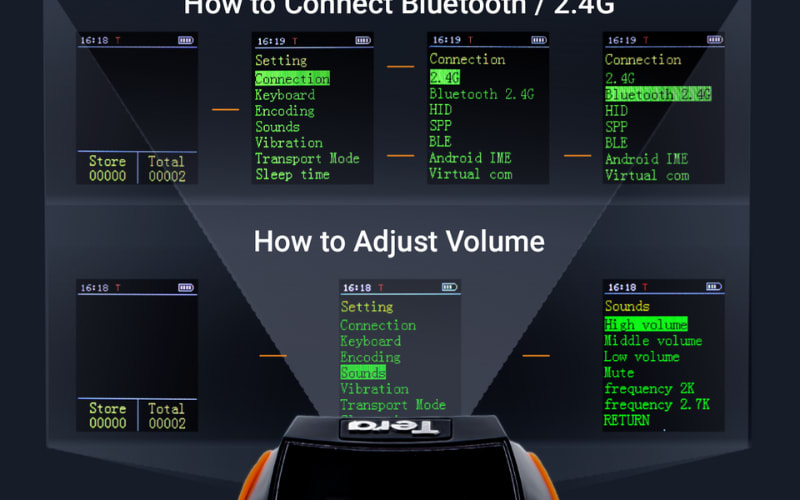
Configuration is simple. You can enable or disable specific symbologies, set prefix or suffix, choose character encoding, and tune beeper volume by scanning programming codes. These options let the same USB 2D barcode scanner fit retail counters, warehouse stations, and healthcare carts without extra software.
Types and Form Factors of USB 2D Barcode Scanners
Choosing the right USB 2D barcode scanner starts with understanding the different types and form factors available, as each is designed to suit specific workflows and environments. By knowing how each option works in real-world scenarios, businesses can match the right scanner to their operational needs.
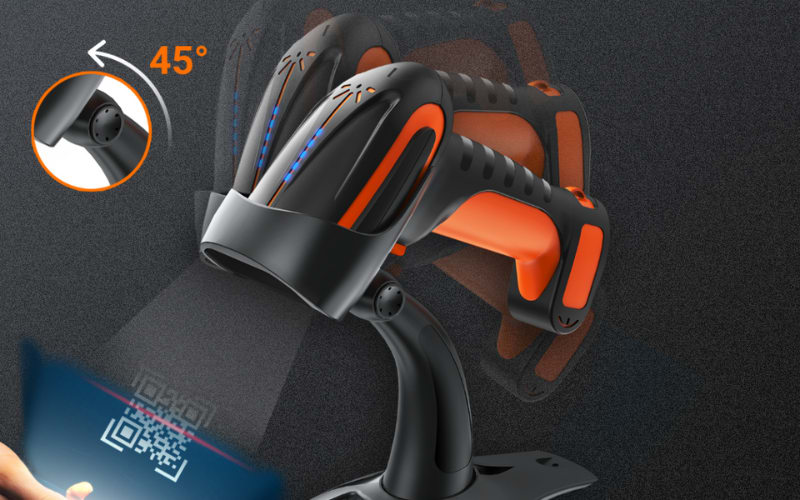
Handheld USB 2D Barcode Scanners are the most common choice in retail and warehouse settings. Their plug-and-play connection means staff can connect directly to a POS system or computer without extra setup. In a retail checkout lane, cashiers can scan printed labels or digital QR codes on customer phones in seconds, while in warehouse picking, workers can move freely and capture data accurately, even from damaged or low-contrast codes.
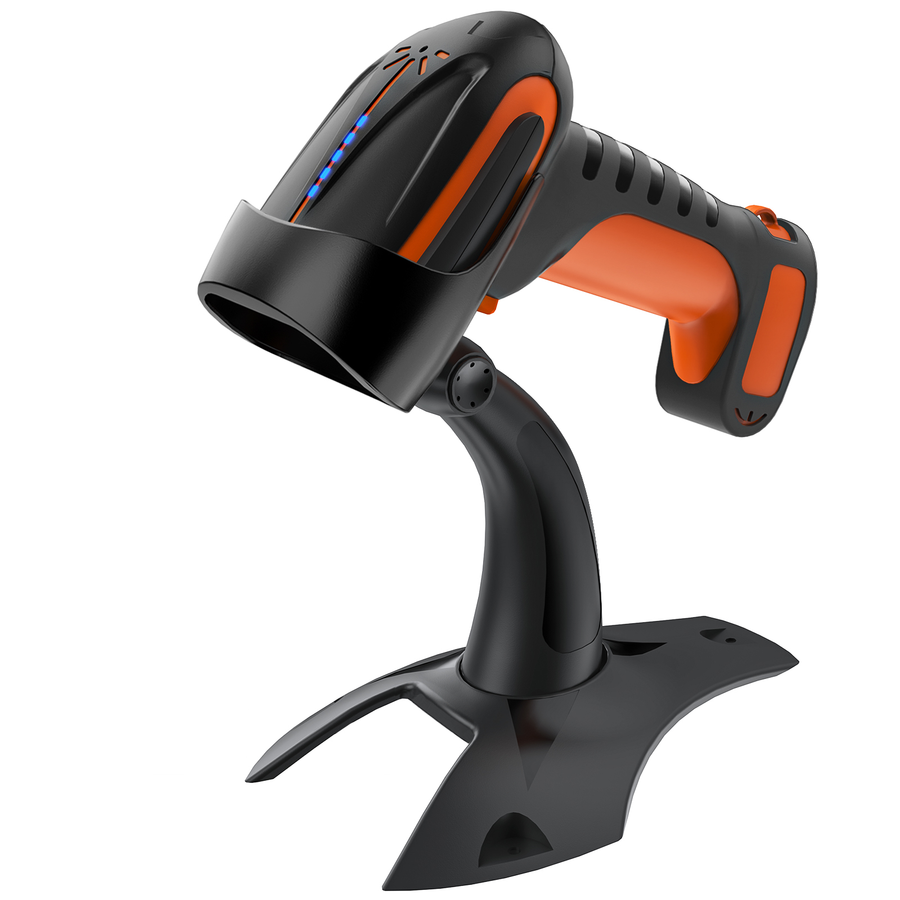
Desktop USB 2D Barcode Scanners sit on a counter or workstation for hands-free operation. They are ideal in supermarkets, pharmacies, and ticket counters where products or tickets are passed over the scanner’s window. The fixed position ensures consistent scanning speed and reduces operator fatigue during high-volume transactions, making them perfect for environments that demand rapid, repetitive scans.
Fixed-Mount USB 2D Barcode Scanners are integrated into kiosks, production lines, or automated systems. In ticketing gates, for example, these scanners instantly read boarding passes or event tickets without manual handling. In manufacturing, they can be embedded into conveyor belts to scan product codes automatically, ensuring smooth tracking in real time.
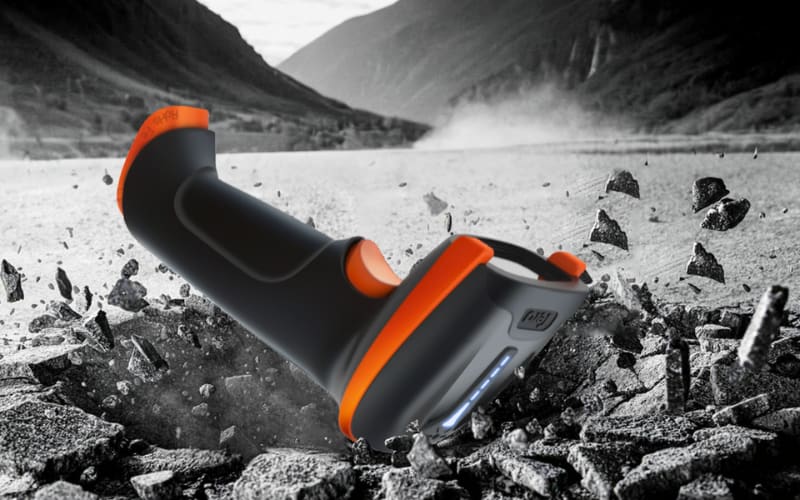
Rugged and Industrial USB 2D Barcode Scanners are built for harsh conditions, such as cold storage, dusty warehouses, or outdoor logistics. Their reinforced housing and sealed design protect against drops, moisture, and debris. Logistics teams use them to scan shipping labels in rain or snow, while manufacturing plants rely on them for durable, uninterrupted operation in demanding environments.
Specialized Form Factors like presentation scanners and compact mini scanners add flexibility. Presentation scanners are often used in cafes or convenience stores, allowing staff to scan loyalty cards or mobile payment QR codes instantly. Mini scanners, small enough to fit in a pocket, can connect via USB for temporary workstations or pop-up retail events, offering portability without sacrificing scanning performance.
No matter the type, a USB 2D barcode scanner offers the combined advantages of stable, wired connectivity and advanced 2D imaging. This means faster, more accurate reads across printed and digital codes, making them an essential tool for industries ranging from retail checkout to warehouse inventory, healthcare, and ticket verification.
Practical Applications of a USB 2D Barcode Scanner
In a busy retail checkout line, a USB 2D barcode scanner enables cashiers to instantly capture both traditional 1D product barcodes and 2D codes such as mobile payment QR codes. Its plug-and-play USB connection removes the need for complicated setup, so the device is ready for immediate use. This ensures rapid customer transactions, reduces queue times, and improves overall service efficiency.
Inside a warehouse environment, staff use a USB 2D barcode scanner for fast order picking, inventory verification, and shipment tracking. Even if labels are scratched, faded, wrinkled, or printed on uneven surfaces, the advanced imaging technology accurately reads both 1D and 2D codes. This guarantees correct order fulfillment, real-time stock updates, and minimizes costly shipping errors.
In healthcare settings, a USB 2D barcode scanner helps medical staff track medication packages, verify patient wristbands, and log laboratory samples. The ability to scan from both paper labels and digital screens reduces manual entry errors and ensures accurate, up-to-date medical records—critical for patient safety and regulatory compliance.
At large-scale events, ticketing teams rely on a USB 2D barcode scanner to validate both printed passes and e-tickets displayed on smartphones. Fast, precise scanning shortens queues, prevents duplicate entries, and creates a smoother experience for attendees while improving security for organizers.
Across all these industries, from retail POS and warehouse logistics to healthcare tracking and event ticketing, the USB 2D barcode scanner delivers speed, accuracy, and seamless integration through a single USB connection. Its reliability in high-volume, fast-paced environments makes it an indispensable tool for businesses that demand consistent, error-free data capture.
How to Choose the Right USB 2D Barcode Scanner for Your Business
Selecting the right USB 2D barcode scanner is crucial for improving scanning accuracy, speeding up workflows, and ensuring seamless integration with your existing systems. A well-chosen scanner can reduce errors, boost productivity, and fit the specific demands of your industry—whether in retail, warehouse logistics, healthcare, or ticketing.
1. Identify Your Barcode Types and Use Scenarios
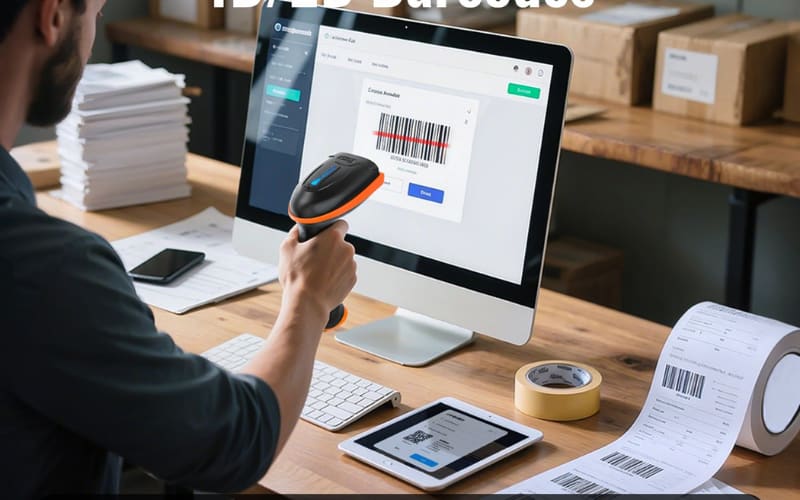
A USB 2D barcode scanner can read both 1D and 2D codes, including QR codes, Data Matrix, and PDF417. First, confirm that the model supports the exact barcode symbologies you use in your business. For example, retail environments often require rapid scanning of UPC and EAN codes at checkout, while healthcare may rely on PDF417 or Data Matrix for patient and inventory tracking.
2. Match the Scanner to Your Operating Environment
The environment greatly impacts the choice of scanner.
- Industrial or warehouse: Choose models with IP ratings appropriate to the environment (e.g., IP54 for dust/splash, IP65/66 for water jets) and a separate, stated drop specification (e.g., 1.8 m to concrete) for shock resistance.
- Retail or office: Opt for ergonomic handheld or desktop models that offer comfort during long scanning sessions without needing extreme ruggedness.
3. Prioritize Connection Type for Workflow Efficiency
USB wired scanners offer stable, plug-and-play connectivity, making them ideal for fixed workstations or POS systems. If mobility is important, consider models with hybrid options—USB plus wireless (Bluetooth or 2.4GHz)—so you can switch between corded stability and cordless flexibility without sacrificing performance.
4. Evaluate Scanning Performance and Speed
Look for an imager-based USB 2D barcode scanner with a high frame rate (typically up to ~60 frames per second) and a wide scanning angle. These features ensure fast, accurate decoding from both paper labels and digital screens, even under low light or glare. In ticketing or mobile payment scenarios, screen scanning ability is essential.
5. Check Durability and Ergonomics
A scanner’s durability is vital in high-volume or harsh environments. For handheld use, select a lightweight, ergonomic grip that reduces fatigue during continuous scanning. Desktop models should have adjustable stands for comfortable, hands-free operation.
6. Consider Budget Without Sacrificing Quality
Define your budget, but balance it with essential features. Entry-level USB 2D barcode scanners can be cost-effective for small businesses, while premium models offer advanced durability, faster scanning, and extended compatibility for larger enterprises.
7. Ensure Compatibility and Easy Integration
Verify that the scanner works seamlessly with your operating systems—Windows, macOS, Linux—and integrates with your POS or inventory management software. Most modern USB 2D barcode scanners are plug-and-play, requiring no special drivers. Still, check compatibility before purchase to avoid setup delays.
8. Plan for Customization and Future Expansion
If you need to adapt scanner functions for specialized workflows, choose a model that offers a Software Development Kit (SDK). This allows custom programming for integration with proprietary software, ensuring long-term flexibility as your operations grow.
9. Test Before Full Deployment
After connecting the scanner via USB, run trial scans on different barcode types and materials—product labels, mobile screens, damaged codes—to confirm it meets your performance requirements. This simple step prevents costly mismatches and ensures readiness for real-world use.
The best USB 2D barcode scanner combines wide barcode compatibility, fast and accurate scanning, ergonomic design, and stable USB connectivity. Brands like Tera deliver models that meet these criteria, offering rugged reliability for warehouses, intuitive plug-and-play operation for retail, and advanced decoding performance for healthcare and ticketing. By aligning your choice with your business needs, you’ll maximize efficiency, reduce downtime, and get the most out of your investment.
Best USB 2D Barcode Scanner Brands and Tera Model Comparison
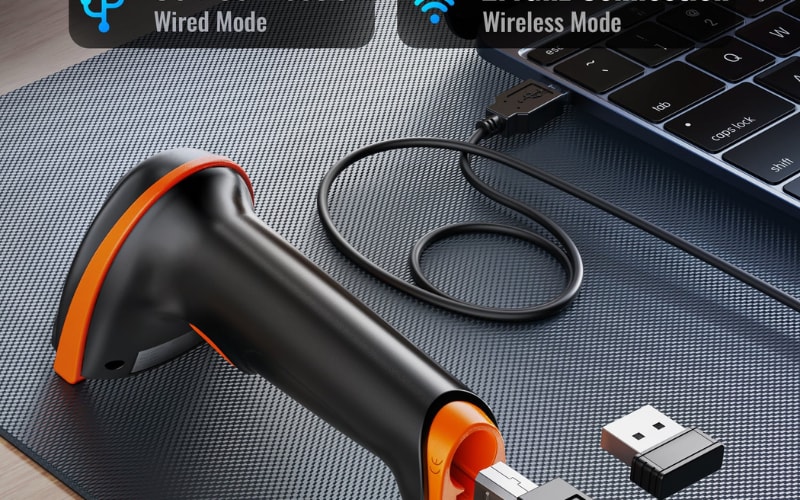
When selecting a USB 2D barcode scanner, brand reputation, model performance, and suitability for specific industries are critical factors. Leading names like Zebra, Honeywell, Datalogic, and Tera dominate the market, each offering scanners designed for retail, warehouse, logistics, healthcare, and industrial applications.
Zebra is known for rugged, high-speed scanners ideal for industrial use, while Honeywell focuses on versatile and reliable code readers across retail and healthcare. Datalogic specializes in precision and ergonomics, excelling in point-of-sale environments. Tera stands out for delivering high-accuracy scanning, robust designs, and plug-and-play compatibility at competitive prices—making them a strong choice for businesses seeking a balance of performance, durability, and cost-effectiveness.
Whether you need a corded USB barcode scanner for a fixed POS system or a wireless 2D barcode scanner for mobile operations, understanding model-specific strengths is essential. Below is a direct comparison of three popular Tera models, helping you match scanner capabilities with your operational needs.
Tera USB 2D Barcode Scanner Model Comparison
|
Model |
Key Strengths |
Ideal Use Cases |
Battery & Power |
Durability |
Connectivity |
Special Features |
|
Tera D5100 |
Compact, ergonomic, plug-and-play setup |
Retail checkout, warehouse picking, ticket validation |
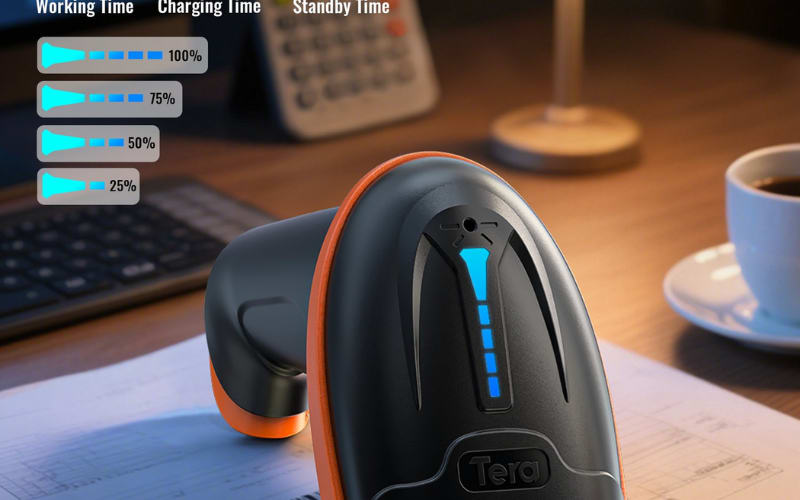
2000mAh battery, battery level indicator |
IP54 dustproof, anti-shock silicone |
USB wired, 2.4GHz wireless |
Adds/hides digits, multi-language support |
|
Tera 8100 |
Heavy-duty build, reads damaged/reflective barcodes |
Manufacturing lines, large warehouses, logistics hubs |
2500mAh battery, up to 35h continuous use |
IP66 dustproof & drop-resistant |
USB wired, Bluetooth, 2.4GHz wireless |
45° adjustable bracket, vibration/sound alerts |
|
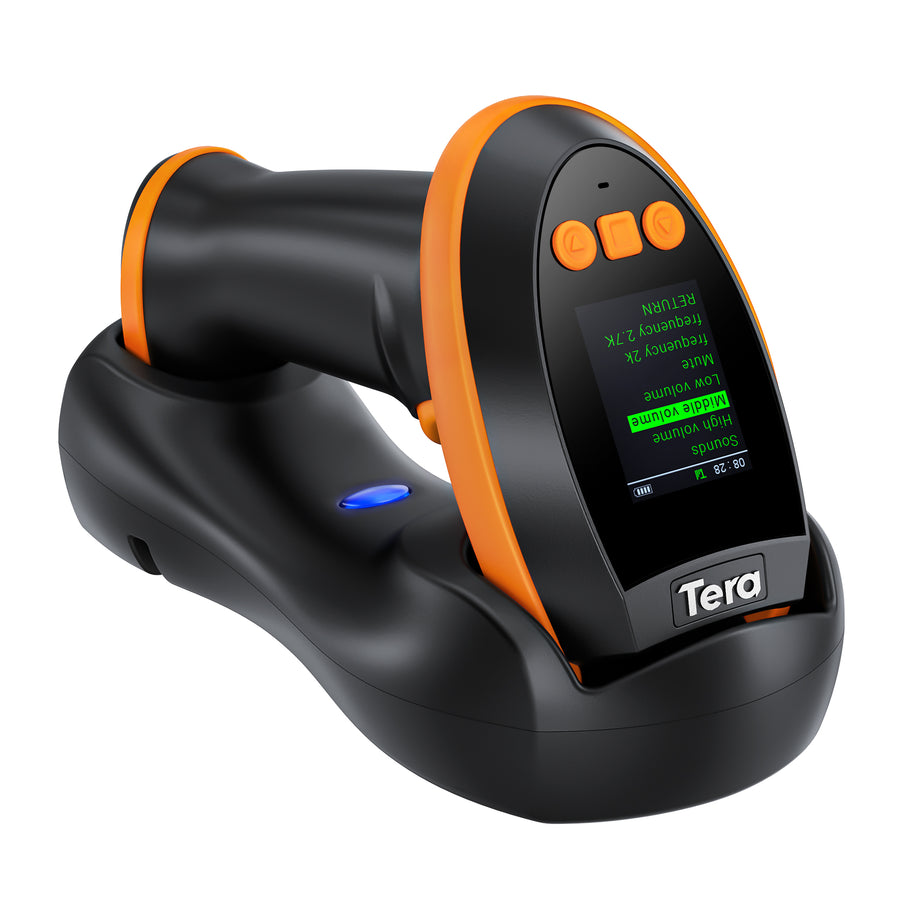
Tera HW0009 |
On-device display for settings & status |
Healthcare asset tracking, government ID verification, ticketing operations |
2500mAh battery, charging cradle |
Rugged design for mixed environments |
USB wired, Bluetooth, 2.4GHz wireless |
High-density barcode reading, date/time stamp, 4-level volume control |
How to choose:
- Select D5100 if you need an affordable, lightweight solution for high-volume scanning in retail or mid-sized warehouses.
- Pick 8100 if your work involves industrial environments with dust, drops, or damaged barcodes.
- Choose HW0009 if you require advanced customization, on-screen settings, and the ability to scan challenging materials like reflective or silver labels.
By comparing brands and specific Tera models, you can confidently select a USB 2D barcode scanner that aligns with your industry needs, maximizes accuracy, and boosts workflow efficiency.
USB 2D Barcode Scanner: Usage and Maintenance Tips
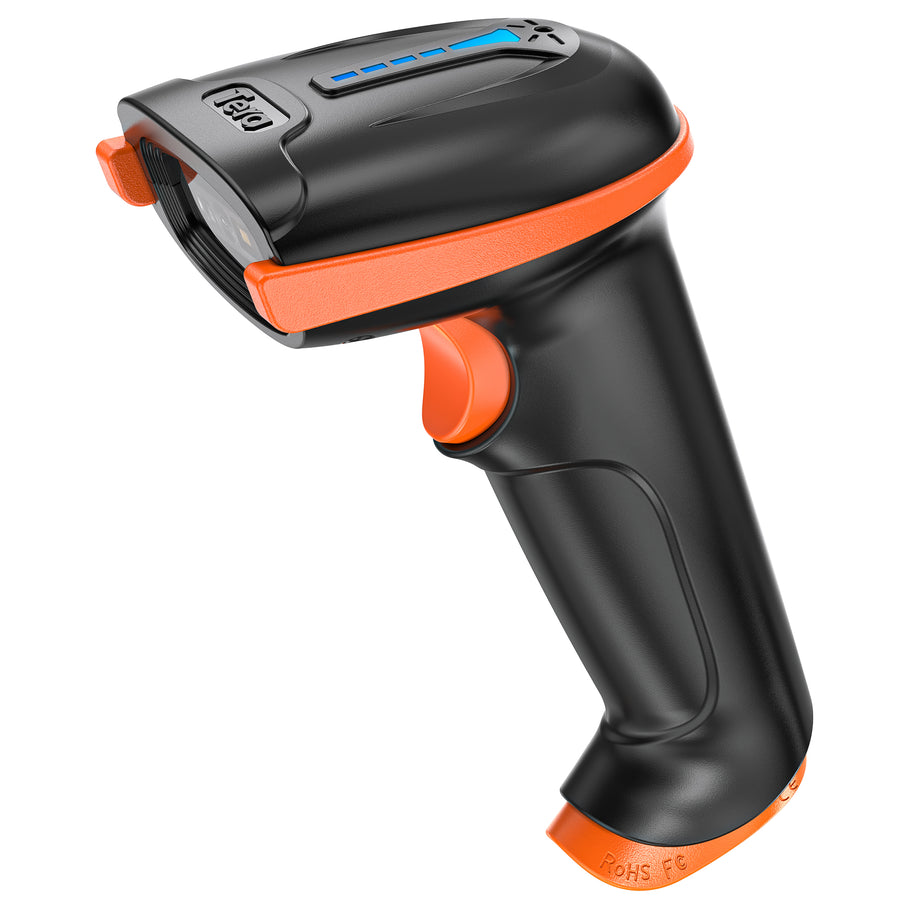
To keep your USB 2D barcode scanner operating at peak efficiency in retail, warehouse, or industrial environments, it’s important to follow the right usage and maintenance practices. These tips will help you get started quickly, extend your device’s lifespan, and reduce the chance of malfunctions.
1. Quick Plug-and-Play Setup
Most modern USB 2D barcode scanners feature plug-and-play functionality. Simply connect the USB cable to your computer or POS system, and the operating system—such as Windows, macOS, or some Android devices—will automatically detect and install the driver. No additional software is required. Once connected, the scanner usually signals readiness with a beep or indicator light.
For advanced functions, you can scan configuration barcodes from the user manual to switch modes, such as HID Keyboard Mode (direct data entry) or USB-COM Mode (serial communication), ensuring compatibility with various software environments.
2. Personalized Configuration and Mode Switching
High-end models (like those from Tera) allow you to customize output by adding prefixes/suffixes, adjusting data formats, or prioritizing 1D or 2D barcode reading. This flexibility is valuable for industry-specific needs such as bulk warehouse shipping, medical sample registration, or high-speed retail checkout.
3. Screen Scanning and Complex Barcode Reading
A quality USB 2D barcode scanner with advanced imaging technology can accurately read QR codes, Data Matrix, PDF417, and other 2D formats from smartphones, tablets, or computer screens. Even under glare or low-contrast conditions, scanning remains reliable, which is especially useful for mobile payments, e-ticketing, and digital warehouse operations.
4. Common Troubleshooting Steps
If the scanner isn’t recognized, try switching to another USB port, checking for system updates, or confirming a secure connection. For highly customized or locked-down POS systems, refer to the manufacturer’s manual for specific drivers or tools. If scanning errors occur, gently clean the scanner window with a microfiber cloth to remove dust or fingerprints.
5. Daily Maintenance Best Practices
- Clean the scanning window and USB port regularly to maintain optical performance
- Avoid prolonged exposure to extreme heat, humidity, or dusty environments
- Use dustproof and shockproof covers for industrial or warehouse use
- Disconnect the USB cable and store the device properly when not in use
- Update firmware periodically for improved performance and compatibility
By following these usage and maintenance tips, your USB 2D barcode scanner will deliver consistent, high-speed, and accurate performance. Whether it’s fast POS checkout, batch warehouse processing, or precise healthcare barcode tracking, these practices will keep your scanning operations smooth and reliable.

Power Your Workflow with a USB 2D Barcode Scanner from Tera
From retail checkouts to warehouse picking, healthcare tracking, and event ticketing, a USB 2D barcode scanner can dramatically improve speed, accuracy, and efficiency. Tera delivers plug-and-play convenience, industry-leading scan performance, and durable designs that work flawlessly in any environment.
Choose Tera today and experience scanning without limits.



