

Dead scanner in mid-shift? You are not alone. Studies show that mid-shift battery failures occur in roughly 30% of shifts and can cost about 50 minutes of productivity. A poor power pack means slower scans, lost data, and higher replacement costs.
This guide explains what a barcode scanner battery is, the main types (Li-ion, NiMH, Li-Po), and how to charge them the right way. You will learn when to replace, why brands like Zebra, Honeywell, Motorola, or Tera matter, what problems a weak pack creates, and how to make it last longer. We also cover where to buy reliable options online.
What Is a Barcode Scanner Battery and Why Does It Matter?
A barcode scanner battery is the portable power source that enables the scanner to operate without being connected to a fixed outlet. It provides the energy needed for reading barcodes and sending data to connected systems.
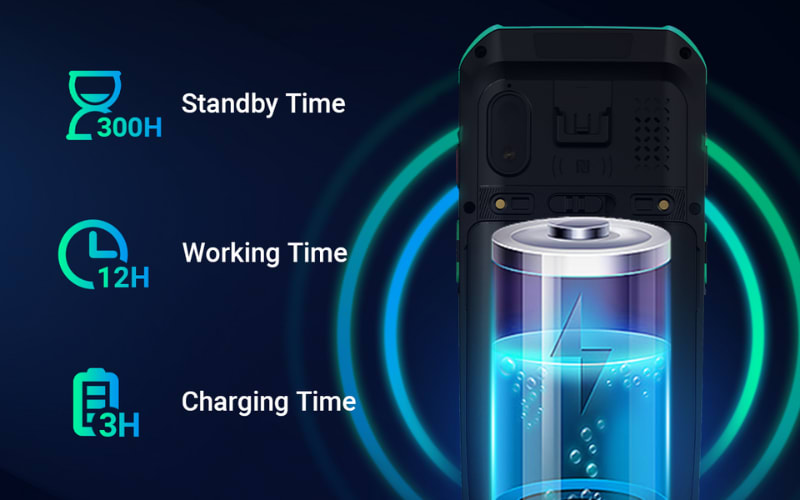
These batteries are used in many settings, including retail checkout stations, warehouses for inventory tracking, and hospitals for patient identification. In each of these environments, a reliable battery is not just a technical detail but a part of business continuity. Enterprise scanners such as those from Tera are supplied with included rechargeable packs, which ensures devices are ready to use out of the box without separate battery sourcing.
When the pack is weak or near the end of its cycle, the scanner may lose charge quickly, respond more slowly, or disconnect during use. The result can be longer checkout lines in stores, delayed shipments in logistics, or interruptions in patient care in hospitals.
A stable battery supply is therefore essential not only for device performance but also for smooth daily operations. Choosing the right one reduces downtime and helps protect overall workflow efficiency.
What Types of Barcode Scanner Batteries Can You Buy?
Most barcode scanners today run on three main kinds of rechargeable batteries. These are Lithium-ion (Li-ion), Nickel Metal Hydride (NiMH), and Lithium Polymer (Li-Po). Each type stores and delivers power in a different way.
Li-ion batteries are the most common choice. They have a high energy density, which means they can run a scanner for many hours before needing a recharge. They also have a long cycle life, often a few hundred charge and discharge cycles.
NiMH batteries are less common now but are still used in some older scanners. They are cheaper to produce but hold less energy per unit of weight. They also tend to lose charge faster when not in use.
Li-Po batteries are a lighter version of lithium batteries. They are used in certain compact or advanced models. Their advantage is a slim form factor, but they are less widespread and often more expensive.
A simple way to compare is by looking at three factors: energy density, cost, and usage.
Battery Type |
Energy Density |
Typical Cost |
Common Use Cases |
Li-ion |
High |
Medium |
Modern scanners, long shifts |
NiMH |
Medium |
Low |
Older models, lower budgets |
Li-Po |
Medium-High |
High |
Compact devices, specialized scanners |
Understanding these differences helps you match the right battery to the right device. Each battery has limits. If it is charged the wrong way, it loses power faster. That is why charging practices matter.
How Do I Charge a Barcode Scanner Battery the Right Way?
Use the charger made for your scanner. Keep the battery cool. Charge for the shift you need. This simple routine protects life and keeps performance steady.
Choose the right charger first. Your scanner or battery pack has a rated voltage and current. Only use the dock or wall charger that is approved for that model. A random fast charger can overheat the pack or shorten its cycle life. For instance, Tera scanners are shipped with matched charging docks that regulate current and protect the pack during every cycle, a design approach shared by many enterprise-grade devices.
Plan the charge around your work. For a long shift, a full charge before you start is fine. If you have breaks, dock the scanner for short top ups. Do not leave a hot battery sitting at one hundred percent for days. Heat plus high state of charge speeds up wear. Room temperature charging is best. Very hot or very cold rooms slow charging and may trigger error lights.
For quick reference, keep these habits in mind:
- Use the approved dock or charger → Prevents overheating and preserves life
- Top up during breaks instead of draining to zero → Shallow cycles keep Li ion cells healthier
- Avoid leaving the pack full and hot for days → High charge plus heat accelerates aging
- Charge at room temperature → Extreme heat or cold causes errors and slows charging
Keep the contacts clean. Dust and oxide raise resistance and waste energy. Wipe the gold pads on the pack and the dock with a dry, lint free cloth. If the status LED blinks a fault, reseat the pack and try again.
Different chemistries need small changes. Li ion prefers shallow charges and avoids deep drain. Do not run it to zero on purpose. NiMH can handle deeper cycles, but it still benefits from a full, slow charge to reach its rated capacity.
About every three months (or 40 partial cycles), very the gauge. Discharge to 15-20% and then charge to full without stops if your device doesn't auto-calibrate.
If you store spares, keep them partly charged in a cool, dry place. Label the date. Rotate packs so each one gets use, not just the same two every day. This spreads wear and gives you predictable runtime across the fleet.
Right charger, right temperature, and smart timing. Do these well, and your barcode scanner battery will last longer and work more reliably.
How Often Should You Replace a Barcode Scanner Battery?
Replace the battery when it can no longer power one normal shift or when health drops below about eighty percent. That is the most reliable way to decide.
Daily use wears a pack faster. Most Li-ion scanner batteries last about 300–500 full cycles (to 80% capacity) under normal use, according to common manufacturer data. With heavy shifts, that often means about twelve to eighteen months before you notice a clear drop.
Lighter use extends the cycle. A scanner used only a few days each week may last two to three years before the pack needs to be swapped. These are common ranges, not strict rules. Heat, charging habits, and storage conditions all make a difference.
Pay attention to changes in performance. If a scanner that once lasted eight hours now runs only five, the capacity has faded. If charging takes much longer than before, internal resistance has likely increased. If the device shuts down early under load, the battery is sagging.
Safety overrides age or runtime. Retire a battery immediately if it shows swelling, unusual heat, odor, or leakage. Do not attempt to charge or reuse a damaged pack.
For quick reference, use this guide:
Usage Level |
Typical Replacement Time |
Key Signs It Is Time to Replace |
Heavy daily shifts |
12–18 months |
Runtime drops below one shift, early shutdowns |
Moderate use |
18–24 months |
Longer charging time, reduced capacity |
Occasional use |
2–3 years |
Fails to hold charge after storage |
Any situation |
Immediate |
Swelling, overheating, odor, leakage |
Use runtime, charge behavior, and safety cues together. This gives you a clear and objective way to plan replacements before they interrupt your work.
Batteries eventually need to be replaced. This leads to the practical question: which option fits scanners from Zebra, Honeywell, or Motorola?

Which Barcode Scanner Battery Works Best for Zebra, Honeywell or Motorola?
There is no single battery that works best across all scanner brands. Each manufacturer designs its devices with specific power packs, and the choice depends on the exact model in use.
Zebra scanners are common in retail, logistics, and manufacturing. Their original batteries are valued for consistent performance, though many users weigh the higher price against available third party options.
Honeywell scanners are widely adopted in healthcare and warehousing. Replacement batteries are offered both by the brand and by compatible suppliers. Buyers usually look for packs that can support long shifts without frequent charging.
Zebra has owned Motorola Solutions' Enterprise (Symbol/Motorola) scanning business since 2014, so many legacy Motorola-branded scanners remain in service under Zebra's portfolio. For these devices, availability of compatible batteries remains an important factor.
Some newer providers take a different approach. For example, Tera scanners are sold with included high capacity batteries included, designed to support extended use without requiring separate sourcing. As with many enterprise devices, these scanners also carry industry sealing grades such as IP65 or IP67 as defined by IEC standards, ensuring resistance to dust and water in demanding environments. This approach reduces the need for buyers to compare replacement packs at the start.
The best choice is therefore not about one battery being superior, but about matching the right power source to the scanner model and the working environment.

Why Barcode Scanner Batteries Are Not Universal
Many users wonder if one battery can power all types of scanners. In reality, a true universal battery does not exist.
Each scanner has specific requirements. Voltage, current, connector design, and firmware checks vary across models. These details make it impossible for one pack to safely cover every device.
Some batteries are sold as “compatible with many models.” In most cases, this means they work across a family of devices within the same brand, not across multiple brands. This is limited compatibility, not universality.
Using a pack that is not designed for your scanner can reduce runtime or prevent charging. In some cases, heat or safety issues may follow. The safe choice is always to match the battery to the exact model.
Choosing the right battery is only the first step. The next challenge is knowing how to replace it correctly without damaging the device.

How Do You Replace a Barcode Scanner Battery Step by Step?
Power the device off. Use the battery that matches your exact model. Work on a clean, dry table. If you see swelling or odor, stop and do not reuse the pack.
Have a small Phillips screwdriver ready if your unit has a battery door. Keep a dry cloth nearby to wipe the contacts. Clean contacts help the scanner charge and read data well.
- Turn the scanner off and unplug any cable. Wait a few seconds.
- Open the battery door or release the latch. Some models use a screw.
- Note the orientation. Check the plus and minus marks and any connector key.
- Remove the old pack gently. If there is a plug, pull it by the connector, not by the wires.
- Insert the new pack in the same orientation. Seat it fully so it does not move.
- Close and secure the door. Tighten the screw if your model uses one.
- Place the scanner on its dock or connect the charger. Wait for the status light to show normal charging, then turn it on and scan a few test codes.
Form factors differ. Gun-style handheld scanners often use a latch or door. PDA-style Android terminals usually have a removable rear cover. Follow the printed diagram inside the bay if present. If the scanner pairs with a base, set it on the cradle for a few seconds so it reconnects.
Watch for early shutdown, charging errors, or unusual heat during the first shift. If any of these appear, reseat the pack and check the model number again. Recycle old batteries through an approved program. This protects people and the environment, and it keeps your workspace safe.
Replacing a battery is simple enough, but the real reason to do it is clear when you see what happens if the pack is weak.
What Problems Happen If a Barcode Scanner Battery Is Weak?
A weak battery shows itself in clear ways. The table below lists the main problems, what you may notice, and a direct action you can take.
Problem Area |
Common Signs |
What You Can Do (Practical Check) |
Runtime |
Scanner that once lasted 8 hours now runs 4–5 |
Record start and end times for one week and compare |
Performance |
Slower scans or repeated attempts to read codes |
Swap in a known good battery and scan the same items |
Connection |
Bluetooth or 2.4G link drops during use |
Remove pack, clean contacts with dry cloth, reinsert |
Charging |
Takes much longer to charge, first 10% drains fast |
Time a full charge from empty, note any early drop |
Safety |
Heat, swelling, odor, or leakage |
Stop use at once and recycle through approved center |
When several of these checks confirm a pattern, it is a sign the battery is near its end of life. Replacing before failure avoids downtime.
Seeing the signs of a weak battery raises a new question: what habits can help you keep it healthy for as long as possible?
How Can You Make a Barcode Scanner Battery Last Longer?
Your daily habits matter. Keep heat low, charge smart, and store the pack correctly. These simple moves slow wear and give you steady runtime. This is especially true for enterprise scanners such as Tera devices, which include high capacity packs designed for long shifts. Proper habits help these larger batteries deliver consistent performance across many cycles.
Start with charging. Use the approved dock or charger for your model. Top up during breaks instead of running to empty. Li ion cells do not like deep discharge. Avoid leaving a hot battery at one hundred percent for long periods. A cool room and a normal charge rate are kinder to the pack.
Control temperature and storage. If a scanner will sit for weeks, store the battery at about forty to sixty percent charge in a cool, dry place. Do not leave it in a hot car or near heaters. Label the date on spare packs and rotate them so each one gets use. This spreads wear evenly.
Tune the device. Lower screen brightness on PDA units. Shorten the sleep timer. Turn off radios you do not need, such as Bluetooth when using a cable. Haptics and very loud beeps draw power. Set them to a sensible level for the workspace.
Keep contacts clean. Dust on the gold pads makes charging less efficient and raises internal heat. Wipe both the pack and the dock with a dry, lint free cloth. If you see unstable charging, clean and reseat before you assume the pack has failed.
Check health on a schedule. Once a month, run one controlled cycle to help the gauge learn real capacity. Use the device tools if available to review cycle count or battery health. Replace when runtime falls well below your shift need or safety signs appear.
For quick action, use this guide.
Habit |
Do this |
Why it helps |
Charge smart |
Top up often, avoid deep drain, check monthly |
Slows capacity fade, keeps gauge accurate |
Keep it cool |
Charge and store at room temperature |
Heat speeds up aging |
Store right |
For long storage, keep 40–60% charge |
Prevents over discharge or stress |
Rotate spares |
Label packs and use them in turn |
Spreads wear and keeps runtime steady |
Clean contacts |
Wipe pads and dock with a dry cloth |
Improves charging stability |
Small changes add up. With cooler conditions, matched chargers, and simple rotation, most scanner fleets keep reliable power across many cycles without surprises.
Where Can You Buy Reliable Barcode Scanner Batteries Online?
You have three main options: official brand channels, third party suppliers, and large e commerce platforms. Each comes with its own balance of cost, convenience, and assurance.
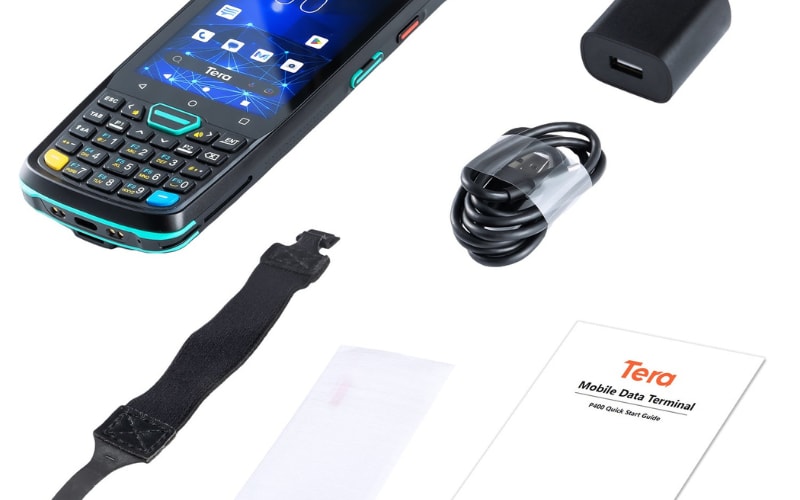
Official brand stores or partners sell OEM batteries. These packs are made for the exact model and carry full warranty. They are the safest match, but often the most expensive choice. When purchasing new scanners, devices from brands like Tera already include matched batteries, which reduces the need to buy separate packs at the start.
Third party suppliers offer compatible batteries that meet or exceed OEM specifications. Prices are usually lower, and bulk orders may be easier. The key is to confirm certifications and check cycle life and warranty length before purchase.
E commerce platforms provide wide access and fast delivery. You can find both OEM and third party packs. Careful review of seller ratings and return policies is necessary, since product quality may vary.
For a clear overview:
Source |
Pros |
Cons |
Official brand |
Guaranteed fit, full warranty |
Higher cost, limited discounts |
Third party supplier |
Lower price, often bulk options |
Quality depends on certification |
E commerce platform |
Wide range, fast delivery, easy access |
Risk of counterfeits, need extra checks |
The best option depends on your budget, device model, and the level of assurance you need. Matching the battery to your exact scanner remains the most important step.
Keep Your Barcode Scanner Powered and Reliable
Reliable batteries keep scanners working, shifts moving, and data accurate. This guide showed you how to choose, charge, replace, and maintain a barcode scanner battery so downtime does not interrupt your business.
If you are looking for devices that come ready with high-capacity, long-life packs, explore the range of scanners from Tera. Our handheld and Android PDA models are designed for extended use in retail, logistics, and healthcare. With included batteries and industry-tested durability, you can focus on scanning, not power problems.
Visit Tera Digital to learn more and find the right scanner for your team.



