

Why does your scanner read fast in one spot but fail just a few centimeters away?
Many teams find that slow checkout, tired warehouse staff, and missed scans are not “bad luck” but a depth of field problem. In this guide, you’ll see what barcode scanner depth of field really means, how it differs from camera DOF and DPI, how to read DOF specs on a datasheet, how much DOF you need by use case, and how to choose an Android barcode scanner or Android mobile computer that fits your real working distance. Throughout the article, we’ll use Tera devices as practical examples, so you can turn specs into clear choices.
What Is Depth of Field in a Barcode Scanner?
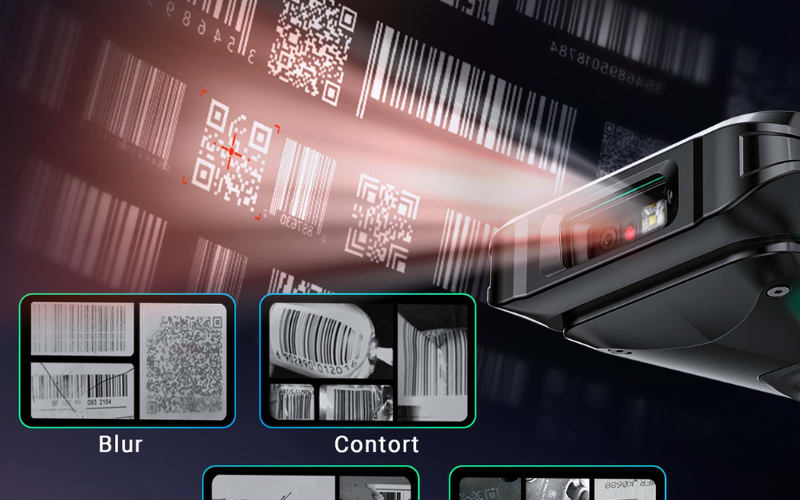
Depth of field in a barcode scanner is the distance range where the scanner can read a barcode clearly. If the code is inside this range, it decodes; if it is too close or too far, the scan will fail.
You can think of DOF as a near point and a far point. At the near distance, the scanner first starts to read the code. At the far distance, it reads the code for the last time. For example, if a scanner reads a barcode from 10 cm to 40 cm, then its barcode scanner depth of field for that code is 10–40 cm.
Many things can change this range, such as barcode size, print quality, code density, and the scan engine type. A small, dense 2D code often has a shorter DOF, while a larger 1D code can allow a longer reading distance. But the simple idea is this: how close and how far you can be from the barcode and still get a good scan.
How Is Barcode Scanner Depth of Field Different From Camera Depth of Field?
Camera depth of field is about how your photo looks. Scanner depth of field is about where your barcode can be read.
When you use a camera, you care about the image for your eyes. When you use a barcode scanner, you care about the code for the decoder. The table below shows the main differences between camera depth of field and barcode scanner depth of field (scanner DOF) in a simple way.
Point |
Camera Depth of Field |
Barcode Scanner Depth of Field |
Main goal |
Make the photo look good to the human eye |
Make the barcode easy to read for the scanner |
What DOF means |
How much of the scene in front of the lens looks sharp |
Distance range where the scanner can decode the barcode |
What you adjust |
Aperture (f-stop), focus point, background blur |
Working distance, reading distance, barcode size, print quality |
What you look at |
Subject, background, sharp vs blurry areas |
Can the device scan or not at a given distance |
Typical user question |
“Is the face sharp and is the background soft?” |
“From how close and how far can this scanner read the code?” |
Term you may also see |
Depth of field and sometimes depth of focus |
Scanner depth of field, DOF, scan range, reading distance |
You may also see the term “depth of focus” in camera and imaging texts. Depth of focus talks about the image near the sensor plane, not about the object in front. For most barcode and Android scanner users, the key idea is still scanner depth of field in front of the device. So you can remember one simple line: camera depth of field serves your eyes, scanner depth of field serves the decoder that reads your barcode.
You now know how scanner DOF differs from camera DOF, so let’s see why scanner depth of field really matters in your daily barcode work.
Why Does Scanner Depth of Field Matter for Android Barcode Scanners and Mobile Computers?
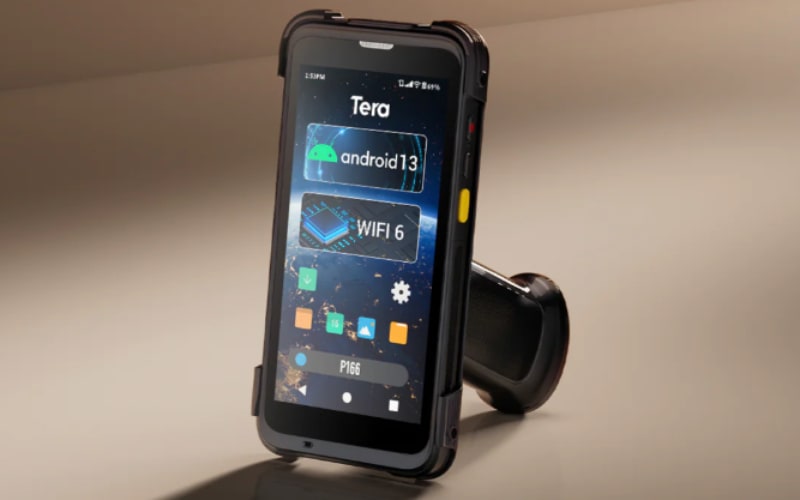
Scanner depth of field matters because it controls how easy and how fast you can scan. If the depth of field is too short, you must move your hand again and again to find the “right spot.” If it is too narrow, you can only scan at a few fixed distances. Simple jobs then start to feel slow and tiring on any Android barcode scanner or Android mobile computer.
You may see this in real life:
- At checkout, a cashier holds many items in front of a handheld scanner. If the DOF is very short, every item must sit in almost the same tiny zone, or the scan will fail.
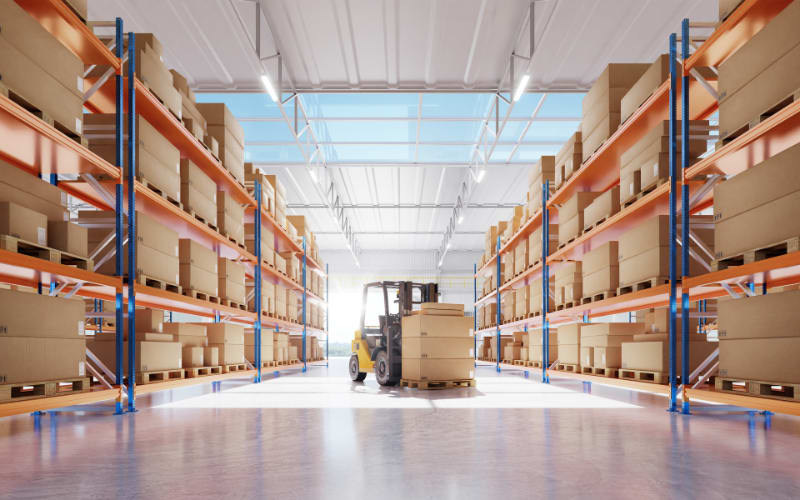
- In a warehouse, a worker uses a barcode scanner Android device to read labels near the chest, high on a shelf, and low on a box. If the DOF is narrow, they must bend, stretch, and change body position just to stay inside the reading zone.
So the rule is simple: if the depth of field is too short, your hands work harder; if the depth of field is too narrow, your whole workflow slows down. A suitable DOF lets people scan without thinking much about exact distance. This can reduce extra motion, cut down re-scans, and keep scan speed more stable. That is why scanner depth of field is not just a number on a spec sheet, but a key spec to check when you choose any Android barcode scanner or Android mobile computer for your team.
So if depth of field can make scanning easy or hard, what actually controls it inside a barcode scanner?
What Factors Decide the Depth of Field of a Barcode Scanner?
The depth of field of a barcode scanner is not set by just one thing. It is decided by the barcode you scan, the optics and imaging inside the device, the scan engine type, and the environment where you use it. Together these things control how close and how far you can scan.
The barcode itself. Even with the same scanner, a different barcode can change the depth of field. A small code with very thin lines (high density) is harder to see, so the useful DOF is often shorter. A larger barcode with strong black-and-white contrast and good print quality is easier to read and can allow a longer working distance.
The optics and imaging system. Inside the scanner there is a lens and a sensor, like a tiny camera. Lens design, focus distance, and lens opening (aperture or f-number) help decide how much of the scene is sharp enough. Sensor resolution also matters, because it sets how fine the details of the barcode image can be.
The scanner technology type. Different scan engines “see” barcodes in different ways. A laser scanner reads one moving line across a 1D code, while a CCD scanner or linear imager captures a narrow image strip. A 2D imager takes a small picture and then decodes 1D and 2D codes, including many screen barcodes, so its depth of field pattern is not the same as a simple laser scanner.
The environment where you scan. Real-world light and surfaces also change the depth of field you feel. In very low light the sensor gets a weak signal, so the scanner may only read in a shorter distance range. Strong glare from glass, glossy packaging, or phone screens can hide parts of the code at some distances and make the scan range smaller.
All these factors work together to decide the depth of field of a barcode scanner. This is why a barcode scanner or Android mobile computer can feel easy to use in one place and very “picky” about distance in another, even when the hardware is the same.
Now that you know what controls depth of field, let’s see how to read those depth of field numbers in a real barcode scanner datasheet.
How Can You Read Depth of Field Specs on a Barcode Scanner Datasheet?
You read depth of field specs by looking at the barcode type, its size in mil, and the near and far distances in the table. Most barcode scanner datasheets show depth of field as a small chart. In that chart you will see the symbology (for example Code 39 or UPC), the density (like 3 mil, 5 mil, 13 mil), and the near and far distances in millimeters.
Here is a simple example of how a depth of field table might look:
Symbology |
Density (mil) |
Near (mm) |
Far (mm) |
Code 39 |
3 mil |
50 |
100 |
Code 39 |
5 mil |
40 |
180 |
UPC-A |
13 mil |
30 |
300 |
First, look at the symbology and density. “3 mil Code 39” means a very small, dense 1D barcode. “13 mil UPC-A” means a larger retail code. Then read the near and far distances. For 3 mil Code 39, the scanner starts to read at 50 mm and stops reading at 100 mm, so the depth of field for that barcode is 50–100 mm. For 13 mil UPC-A, the range is 30–300 mm, so the scan range is much wider.
When you read depth of field specs, do not only chase the biggest distance number. Think about the barcodes you really use and where you scan them. Are your codes small or large? Are you scanning close at the checkout, or farther away in a warehouse with an Android barcode scanner or mobile computer? Match the mil value and the near/far distances in the datasheet to your real working distance. The best depth of field is the one that fits your own barcodes and your own scan distance, not just the longest number in the table.
How Much Scanner Depth of Field Do You Need in Common Barcode and Android Use Cases?
Use the table below as a quick reference. Find the use case that looks closest to your work, then check the typical distance and scanner depth of field you should look for in an Android barcode scanner or Android mobile computer.
Use Case |
Typical Scan Distance |
Common Barcodes |
Suggested Depth of Field Focus |
Retail checkout / pharmacy |
10–30 cm |
Medium 1D (UPC, EAN) on boxes, bottles |
Short, easy DOF that fully covers 10–30 cm so items scan anywhere in front of the window. |
Warehouse picking & inventory |
30–80 cm (arm’s length) |
Box labels, shelf labels (1D / 2D) |
Medium DOF across 30–80 cm so workers can scan without constant small steps in and out. |
High racks & long-range pallet labels |
1–4 m from floor or lift |
Pallet labels, location tags |
Long-range engine with long DOF in the meter range for safe, stand-off scanning. |
Small labels, electronics, DPM on parts |
5–20 cm |
Tiny 1D/2D labels, DPM on metal/plastic |
Precise close-range DOF and ability to read very small code elements; long reach is secondary. |
Simple takeaway:
- Checkout → DOF around 10–30 cm
- Warehouse → DOF around 30–80 cm
- High racks → long-range DOF in meters
- Small parts / DPM → tight, stable DOF at 5–20 cm
When you compare any Android barcode scanner or Android mobile computer, start from your main use case and distance band, then check that the scanner depth of field specs in the datasheet cover that range for the barcodes you use most.
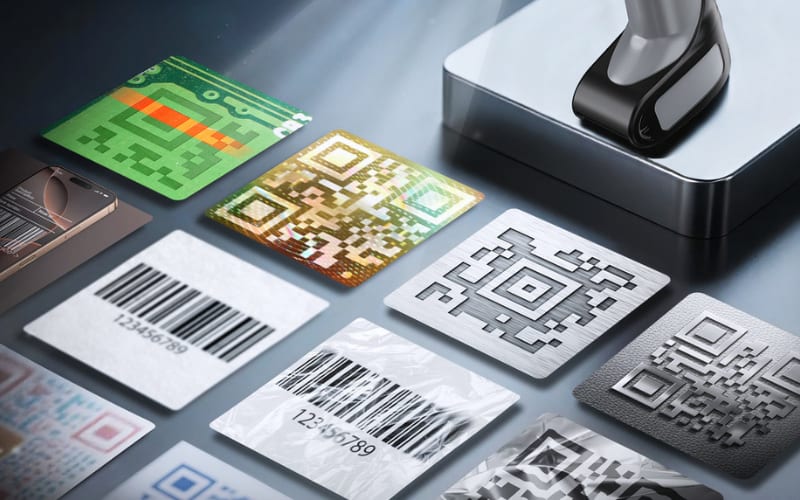
Why Can Your Barcode Scanner Read Some Codes Only at Certain Distances?
Your barcode scanner only reads in a limited depth of field. If the code is too close or too far, it sits outside this working range, so the device cannot decode it.
When the code is too close and will not read: If you almost touch the barcode with the scanner and nothing happens, you are probably inside the near limit of the depth of field. The image is too out of focus. To fix this, move the barcode a few centimeters farther away, keep it in front of the center of the window, and try again.
When the code is too far away and will not read: If you stand back, see the aiming light on the code, but it still does not scan, you may be beyond the far limit or the code is too small or low contrast. Walk a bit closer and let the code fill more of the aiming box. If the area is very dark, add more light and test again.
When screen barcodes are hard to scan: Phone and tablet codes can fail because of glare, wrong brightness, or angle, plus normal depth of field limits. Try this: tilt the phone slightly to remove reflections, set the brightness to a medium level, and move a little closer or farther. Most screen barcodes will read once you find the right angle and distance inside the scanner’s depth of field.
How Do You Choose an Android Barcode Scanner or Mobile Computer Based on Depth of Field?
You choose by matching scanner depth of field to your real job, your typical distance, and your main barcode type, then checking the datasheet. A simple four-step checklist is often enough.
1. Set your main use case: First, decide where the Android barcode scanner or Android mobile computer will work most of the time: retail checkout, warehouse picking, manufacturing, field service, or cold storage. Each area has its own scan style and typical distance. You can use the previous “how much depth of field you need” section as a quick map.
2. Set your normal scan distance band: Next, think about where the barcode usually sits in front of you: close range (about 5–30 cm), medium range (about 30–80 cm), or long range (about 1–4 m). Choose the band where you will scan most labels during a normal day, not the rare edge case.
3. Set your barcode type: Then look at what you scan most often: 1D barcodes (such as UPC, EAN, Code 128), 2D codes (QR, Data Matrix), screen barcodes on phones and tablets, or very small / DPM codes on components. Small, dense, or low-contrast codes usually need a stable, precise depth of field at close range, while larger 1D labels can work with a wider scan range.
4. Match the depth of field specs in the datasheet: Open the barcode scanner Android datasheet and find the depth of field table. Locate your common symbology and size (for example a 10–13 mil 1D code or a typical QR code) and check the near and far distances. Choose a device whose depth of field clearly covers your real distance band for the barcodes you use most. A larger DOF is not always better: for tiny labels or DPM marks, a shorter but very clean close-range DOF can be more useful than extreme long-range reach.
In practice, this means you might pick an Android PDA like Tera P166GC for mixed 1D/2D and screen codes in retail or warehouse work, where a medium working distance and pistol grip help all-day scanning; or choose a more compact warehouse terminal like Tera P400 when you focus on arm’s-length box and shelf labels in logistics. The key is the same for any brand or model: start from your scene, distance band, and barcode type, then let the depth of field specs confirm whether a scanner really fits your job.
How Is Scanner Depth of Field Different From DPI and Image Resolution?
Scanner depth of field is the distance range where a scanner can still read a barcode, while DPI and image resolution describe how detailed an image is in dots or pixels for documents and photos, not how far a barcode scanner can read.
- DOF: how close and how far the barcode can be and still decode.
- DPI / resolution / bit depth: how fine the image grid is and how many gray or color levels it can show.
For barcode scanners, the key spec is usually minimum code width / minimum element size – the smallest bar or module the scanner can reliably read – rather than a DPI value.
How Does Depth of Field Compare Between Flatbed Scanners, 3D Scanners, and Barcode Scanners?
Flatbed scanners have almost no usable depth of field because the page sits on the glass, 3D scanners work within a fixed stand-off range, and barcode scanners have a larger depth of field so they can read codes at varying distances in front of the user.
- Flatbed scanner: document is pressed on the glass; distance is fixed, DOF is tiny.
- 3D / dental scanner: needs a certain stand-off distance; outside its DOF range, 3D data degrades.
- Barcode / Android barcode scanner: handheld; DOF is a core spec that defines the real working range in retail, warehouse, and manufacturing.
FAQs About Scanner Depth of Field
Does scanner depth of field change between 1D and 2D barcodes?
Yes. On the same device, small, dense 2D codes often have a shorter usable depth of field than large 1D labels, because the scanner must resolve finer details.
Can software settings change the depth of field of a barcode scanner?
Software cannot change the lens or sensor, but it can change how strict the decoder is. Some profiles (for example “high density” or “power saving”) may make the practical DOF feel a bit wider or narrower in real use.
How can I quickly test the depth of field of my own scanner?
Hold a typical barcode in front of the scanner, move slowly from very close to far away, and note the first point where it starts to read and the last point where it still reads. The space between those two points is your real-world DOF for that code.
Does scanner depth of field get worse over time?
It can if the window is scratched, dirty, or fogged, or if the internal optics are damaged. Cleaning the window and checking for physical damage is a simple way to restore the original DOF on a healthy device.
Is a wider depth of field always better for Android barcode scanners?
Not always. A very wide DOF is great for mixed and long-range work, but close, precise jobs with tiny labels or DPM codes often benefit more from a shorter, very sharp close-range DOF tuned for small elements.
Does conveyor-belt or moving scanning change how depth of field feels?
Yes. When items move fast, the useful DOF is effectively smaller, because the code spends less time inside the “sweet spot.” In these cases, you want a scan engine optimized for motion plus enough DOF around the working distance.
Choose the Right Depth of Field With Tera
If scanner depth of field matches your real working distance, scanning feels easy and natural; if it doesn’t, every scan feels like work.
When you look at a Tera Android barcode scanner or Android mobile computer, start with your scene and distance, then check the DOF range in the specs. If you’re unsure, you can share your use case and barcode type with Tera, and our team can suggest models whose depth of field truly fits your job.



