

Scanner always dying mid-shift? Devices scattered, half-charged, or hard to track? Many teams using Android barcode scanners and mobile computers face the same problem: charging is slow, messy, and easy to forget. A simple charging cradle setup can fix most of these issues by giving every device a clear home and a steady power routine.
In this guide, you’ll learn what a charging cradle is, why Android barcode scanners and mobile computers rely on it, how to choose the right cradle, how to build a zero-downtime workflow, and which Tera devices support cradle-based charging. Everything is designed to help you keep your scanners organized, fully charged, and ready for work.
What Is a Charging Cradle? (And How It Works)
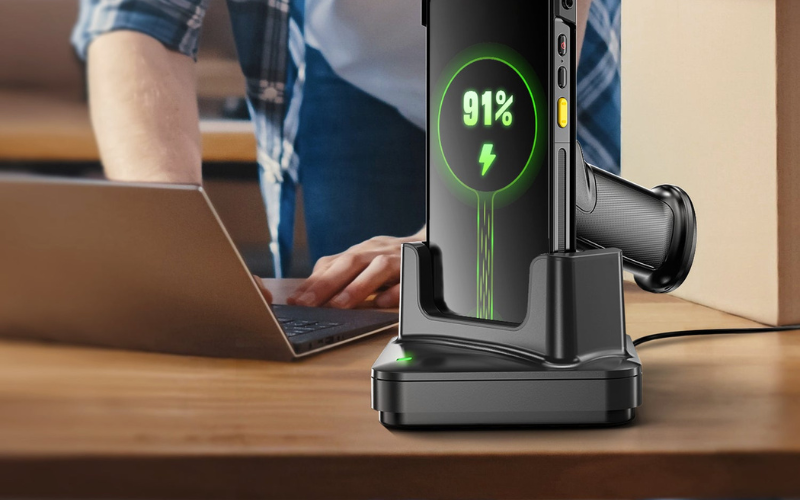
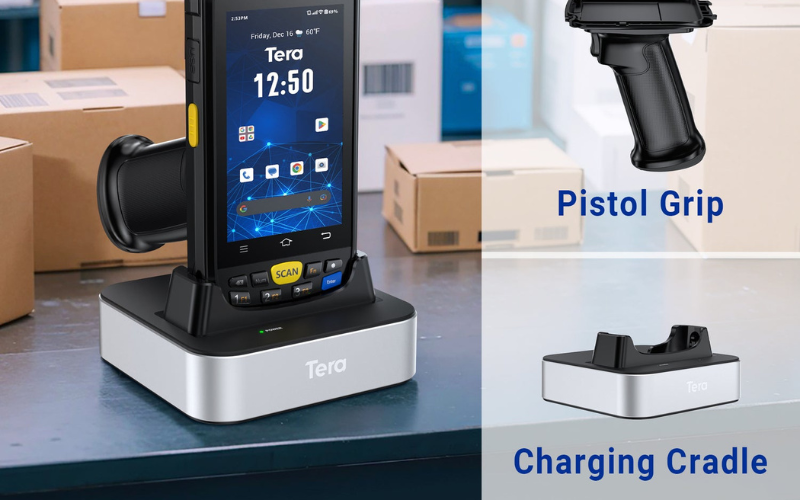
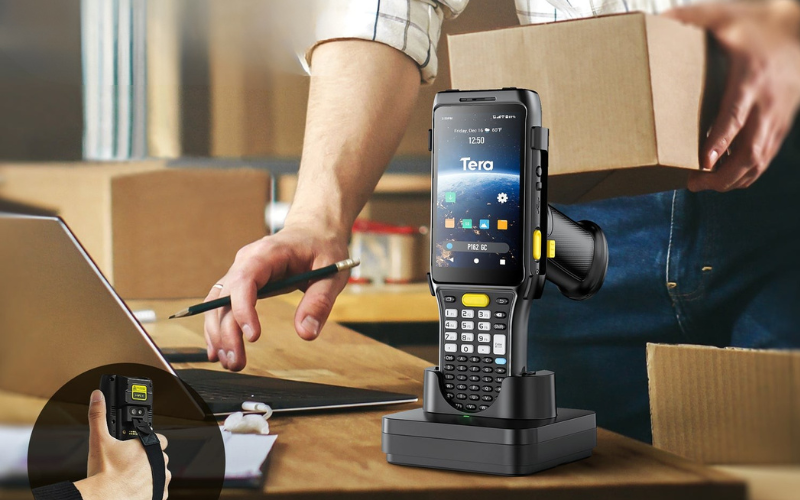
A charging cradle is a powered dock that holds and charges your barcode scanner or mobile computer with a steady base, a power input, and built in charging contacts. It gives your device a clear place to rest, keeps your workspace neat, and starts charging the moment the device sits in the cradle.
Here is how it works in simple steps. Power comes from the wall adapter into the cradle. The cradle then passes that power through its charging contacts, which can be pogo pins, magnetic pads, or a small USB C plug. When you place your device into the cradle’s pocket, the contacts line up and the battery begins to charge.
This setup lets you put the device down quickly without hunting for cables. It also helps your team know exactly where each scanner or mobile computer stays when it is not in use.
Now that the cradle itself makes sense, you might wonder: Why do Android barcode scanners and mobile computers need one in the first place? That is exactly what we explore next.

Why Android Barcode Scanners & Mobile Computers Need Charging Cradles
These devices need charging cradles because they work long hours, use a lot of power, and must stay ready for the next shift. A cradle makes sure the device starts charged and cuts down on downtime.
High use drains battery fast. An android barcode scanner or mobile computer may scan all day, and a dead battery can delay orders or slow a team. A cradle gives stable, predictable power.
A cradle also makes device management simple. It acts as the home base where your team picks up a device and returns it later. This routine reduces lost or misplaced scanners and keeps the docking station area clear.
Charging cradles help protect the hardware too. Plugging and unplugging cables wears out USB ports, while pogo pins or magnetic contacts stay steady and reduce damage over time. It is a cleaner charging solution for daily use.
Different industries rely on cradles in different ways. Warehouses often use multi slot cradles for large teams. Retail checkout uses single slot cradles to keep one scanner always ready. Manufacturing teams place rugged cradles on worktables so each device stays visible and charged.
Workplaces are not all the same, and cradles are not either. Let’s take a look at the main types so you can match them to your own day to day setup.
Common Types of Charging Cradles for Barcode Scanners
Charging cradles come in a few main types, and each one matches a different way you use your barcode scanner or mobile computer. Once you know these types, it is easier to choose the cradle that fits your team and workspace.
Single-Slot And Multi-Slot Cradles
A single-slot charging cradle holds and charges one device at a time. It suits a single user, a POS lane, or a small back office where space is tight. You park one android barcode scanner or mobile computer there and keep it ready.
A multi-slot charging cradle holds several devices in one base. Common sizes are a 4-slot cradle or a 6-bay charger. These are common in warehouses and logistics sites where many people share scanners across shifts.
Quick Comparison
Cradle Type |
Devices Per Cradle |
Space Needed |
Best For Team Size |
|---|---|---|---|
Single-slot charging cradle |
1 |
Very small footprint |
One user or one station |
4-slot cradle |
Up to 4 |
Medium worktop space |
Small shared team |
6-bay charger |
Up to 6 |
Larger worktop space |
Bigger warehouse teams |
If your team often fights over chargers or leaves devices in random places, a multi-slot cradle can make daily work smoother. If you run one checkout lane with one scanner, a single-slot cradle is usually enough.
Desktop, Wall-Mount, And Vehicle Or Forklift Cradles
A desktop charging dock sits on a counter, desk, or shelf. It is common in retail POS, offices, and reception areas. Staff can grab the scanner and put it back in one simple move.
A wall-mount cradle attaches to a wall or rack. This helps when your workbench is crowded or floor space is limited. Devices stay off the table but are still easy to see and reach.
A vehicle or forklift cradle is built for trucks, vans, or forklifts. This kind of vehicle charging cradle holds a mobile computer while the vehicle is moving, so the device can charge during trips between stops or across the warehouse.
Quick Comparison
Cradle Style |
Typical Location |
Main Benefit |
|---|---|---|
Desktop charging dock |
Desk, counter, shelf |
Easy reach at fixed workstations |
Wall-mount cradle |
Wall, rack, pillar |
Saves desk space, keeps devices tidy |
Forklift or vehicle cradle |
Truck, van, forklift cab |
Charges on the move, always nearby |
When you think about these three, ask yourself where you want your scanners to “live” when nobody is holding them. The answer often points to the right cradle style.
Pogo-Pin Or Magnetic Cradles And USB-C Based Cradles
Some cradles use pogo pins or magnetic contacts. You set the device into the cradle, and the pins or magnets touch contacts on the device. This makes a quick drop-in motion and reduces wear, because there is no need to plug and unplug a port many times a day.
Other cradles use a USB-C charging dock inside the base. The device slides onto a fixed USB-C plug. This feels familiar, because USB-C is a common connector, but it still needs a careful motion so the port does not bend.
Quick Comparison
Charging Interface |
How You Place The Device |
Main Strengths |
Points To Watch |
|---|---|---|---|
Pogo-pin charging cradle |
Drop in until pins touch contacts |
Very quick, less wear on ports |
Needs clean contacts for best results |
Magnetic charging cradle |
Drop in, magnets pull into place |
Easy alignment, good for busy work areas |
Can pick up metal dust in harsh sites |
USB-C charging dock |
Slide port onto USB-C connector |
Uses a standard connector, easy to understand |
More port stress with daily plugging |
There is no single best option for every site. If your team wants speed and low wear, pogo-pin or magnetic designs often fit well. If you prefer a standard connector and clear cables, a USB-C based cradle can also work when used with care.
Each cradle type has its place, but choosing one still depends on a few key details. It’s time to look at those details and see what matters most when selecting a cradle.
How to Choose the Right Charging Cradle for Android Barcode Scanners and Mobile Computers
Choosing a charging cradle is easier when you follow a few clear steps. You only need to check your device, your work style, and how your team may grow in the future.
Step 1: Check Compatibility With Your Device
Always start by making sure the cradle is compatible with your exact device model. Look at the full name of your android barcode scanner or mobile computer, not just the series. A compatible charging cradle is designed for that shape, weight, and connector layout.
Check three simple things:
First, the connector type. See whether your device uses pogo pins, magnetic contacts, or a USB C port on the bottom or side.
Second, the housing and base shape. The cradle should match the way the device sits, so it does not wobble or block any keys or ports.
Third, the official device information. When possible, check the product page or a compatibility chart to confirm that the cradle is listed for your model. This avoids trial and error and helps you pick a cradle for your specific brand and model.
Step 2: Match The Cradle To Your Work Environment
Next, think about how and where you use your scanners every day. Your environment often decides whether you need a single-slot or multi-slot cradle, and how the cradle should be mounted.
If you only use one device at a checkout lane or service desk, a single-slot charging cradle on the desk is usually enough. It acts as a small barcode scanner charging station for that one spot.
If you run a warehouse or backroom where several people share devices, a multi-slot charging cradle may work better. A 4-slot or 6-slot cradle can keep a small fleet of scanners or mobile computers charged in one place and can support a basic warehouse charging solution.
Also think about how you want to mount the cradle. A desktop cradle fits a counter or table. A wall-mount version suits tight work areas. A vehicle cradle can hold a mobile computer in a forklift or van so it can charge while moving.
Step 3: Review Power, Safety, And Ruggedness
After that, check the power and safety details, especially for tough work sites. The cradle should match the power rules in your building and protect both people and devices.
Look at the input voltage and any safety labels or certifications. This helps make sure the cradle can run safely on your local power and is designed for safe charging over long periods.
If you use scanners in factories, warehouses, cold rooms, or outdoor areas, pay attention to durability. An industrial charging cradle or rugged charging dock may offer stronger housings, better stability on rough surfaces, and protection against dust or moisture. This can be important if the cradle sits near loading docks, production lines, or high-traffic paths.
Step 4: Plan For Future Growth
Finally, think about how your device count and sites may grow over the next few years. Choosing a more flexible cradle family now can save cost and effort later.
If your team is small today but may expand, it can help to standardize on a cradle line that offers single-slot, 4-slot, and 6-slot options. You can start with a few cradles and add more as you hire more people or add more devices. This creates a scalable charging solution instead of a mix of different docks.
If you manage several locations, using the same cradle model across sites can also make multi-site device charging easier. Staff can move between sites without learning new setups, and spare parts and power supplies become simpler to manage.
Quick Selection Guide
Factor |
What To Check |
Best For |
|---|---|---|
Compatibility |
Device model name, connector type, base shape |
Every user and every device |
Environment |
Single-slot or multi-slot, desk, wall, or vehicle |
Warehouse, retail, field service |
Safety |
Voltage, certifications, durability in real use |
Industrial or long-hour operations |
Scalability |
Cradle family options and expansion possibilities |
Growing teams and multi-site setups |
If you walk through these four steps, you can choose a charging cradle that fits your android barcode scanner or mobile computer today and will still make sense as your work changes over time.
You now have the hardware figured out. Next, let’s look at the charging habits and setups that keep your scanners running without downtime.
Best Practices: Build a “Zero-Downtime” Charging Workflow
A zero-downtime workflow means your scanners stay charged, easy to find, and ready for the next shift. You can reach this goal with a few simple habits that fit into your daily work routine.

Design Charging Stations for Each Shift or Area
Set up clear charging stations so everyone knows exactly where devices go. Place the cradles in fixed spots, such as a packing table, a receiving bench, or a POS lane. Color tags or number labels help each team return the right device to the right cradle, which keeps your charging station tidy and easy to use.
Set Clear Rules for Device Handover and Charging
Make simple rules for how devices move between shifts. At the start of a shift, each person picks up the same scanner from the same cradle. At the end of the shift, they return it to that cradle so the next team has a shift-ready barcode scanner waiting for them.
Monitor Battery Health and Usage Patterns
Keep an eye on battery health so you know if devices run low before a shift ends. You can note how often a scanner hits low power during busy hours or how quickly batteries drain across different teams. This helps you adjust the number of devices or cradles and maintain strong barcode scanner uptime for zero downtime.
Combine Charging Cradles With Spare Batteries (If Supported)
Use spare batteries to support long or high-demand shifts. If your mobile computer or cradle can charge a spare battery, keep one ready in the slot so workers can swap quickly. This can help teams stay productive without waiting for a device to recharge, and it supports a smooth battery charging workflow in busy areas.
These habits work best when your devices are built for cradle use. Next, let’s look at the Tera scanners that support this setup.
Tera Android Barcode Scanners & Mobile Computers With Charging Cradles
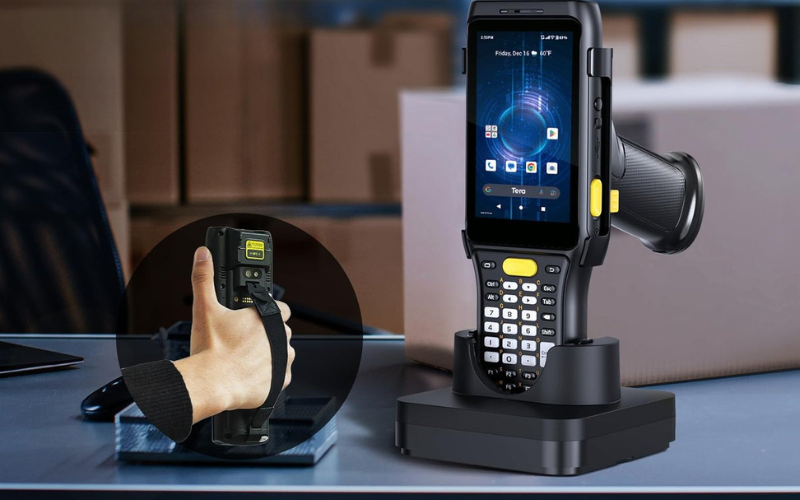
These Tera Android barcode scanners and mobile computers are built for long work hours and are easy to manage when paired with a charging cradle. Here are three key models that support a simple, organized, and ready-to-use charging setup.
Tera P160 – Android 10 Barcode Scanner With Charging Cradle
The Tera P160 is an Android 10 handheld barcode scanner made for industrial and outdoor work.
It runs on a 2.0 GHz MediaTek Cortex-A53 octa-core processor, with 3 GB RAM + 32 GB ROM and support for up to 128 GB of microSD expansion. The device features the Zebra SE4710 2D scan engine, giving fast and accurate reads for both 1D and 2D barcodes, even at high speeds or in mixed lighting.
The 4200 mAh battery provides up to 12 hours of continuous use and long standby time. With IP65 sealing, multiple 6.56 ft / 2.0 m drop resistance, and an operating range from -4°F to 122°F, the P160 fits warehouse, logistics, and field environments well.
When paired with its charging cradle, the P160 becomes easier to manage:
- You can drop it into the cradle at the end of a shift and start the next day with a full battery.
- Each station can keep one device and one cradle as a clear home base.
- Teams can return devices to the same spot, reducing lost scanners and keeping work areas organized.
Tera P166 – Android 13 Rugged Mobile Computer With Charging Cradle
The Tera P166 is a rugged mobile computer running Android 13, made for warehouse, logistics, and field operations.
It uses the Qualcomm Snapdragon 450 octa-core 1.8 GHz processor, with 3 GB + 32 GB or 4 GB + 64 GB storage options and microSD support. A 5.5-inch HD display, 13 MP autofocus camera, NFC, and optional UHF sled give it strong flexibility for complex workflows.
The Zebra SE4710 scan engine reads damaged, low-quality, and dense barcodes with speed and accuracy. With an IP65 rating, multiple 5.91 ft / 1.8 m drops, and up to 7.87 ft / 2.4 m drops with a rubber boot, it handles tough industrial environments well.
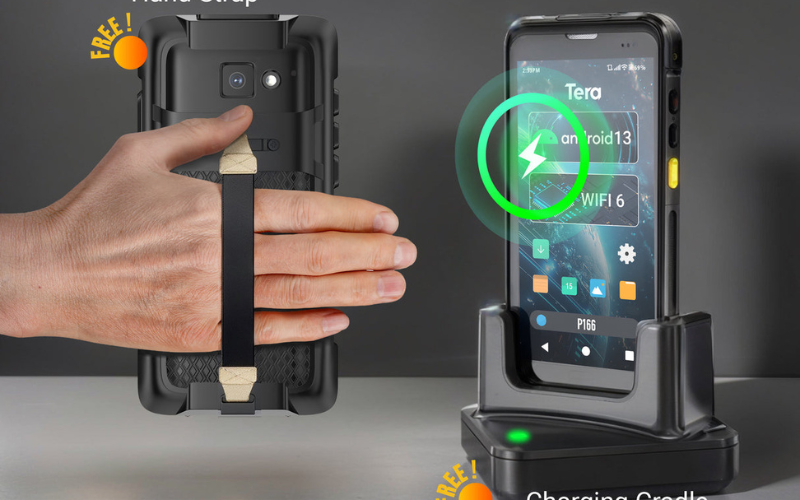
In power and charging, the P166 includes a 4300 mAh battery and a free charging cradle:
- The battery runs for 12+ hours of continuous use on busy shifts.
- The charging cradle keeps the device ready at a fixed docking point.
- In larger warehouses, you can use multi-slot mobile computer charging cradles, such as “10 devices across 2 five-slot cradles,” to create a simple receiving-area charging setup.
Tera P161 – Android 11 Barcode Scanner With Hot-Swap Battery and Cradle
The Tera P161 is an Android 11 barcode scanner built for environments where keypad entry, scanning distance, and battery uptime matter.
Powered by the Qualcomm Snapdragon 662 octa-core 2.0 GHz CPU, it offers 3 GB RAM + 32 GB ROM with microSD expansion. The Zebra SE4750MR 2D scan engine supports extended scanning ranges, making it useful for shelf scanning, tall racks, and mixed warehouse lighting.
A core advantage of the P161 is its battery system:
- 6700 mAh removable main battery
- 100 mAh backup battery for hot-swapping
- Over 12 hours of continuous use and long standby time
- Comes with a charging cradle for easy daily charging
The P161 is built to IP65 standards and withstands multiple 4.9 ft / 1.5 m drops, suitable for retail backrooms, warehouses, and industrial work sites. A numeric keypad allows input even when gloves or moisture make touchscreens less reliable.
Paired with a charging cradle, the P161 supports a stable power routine:
- Swap batteries without shutting down thanks to the backup cell.
- Keep both devices and spare batteries charging in one place.
- Use labels or numbered cradles to track which scanner belongs to each worker or zone.
FAQ – Charging Cradles for Android Barcode Scanners
Do I Really Need a Charging Cradle for My Android Barcode Scanner?
No, you do not always need a charging cradle, but most teams benefit a lot from using one. A cradle gives your scanner a fixed “home,” makes daily charging easier, and helps avoid dead devices at the start of a shift. For shared android barcode scanners, it also keeps your charging routine clear and repeatable.
Can One Charging Cradle Work With Multiple Barcode Scanner Models?
Yes, one charging cradle can work with several models, but only if they share the same shape and connector layout. Many cradles are designed around a specific device family, including contact position and housing. Always check the list of supported models before you mix different scanners on the same cradle.
What’s the Difference Between a Charging Cradle and a Simple USB Charger?
A charging cradle holds and charges your scanner, while a simple USB charger only sends power through a cable. With a cradle, you just drop the device in, which reduces wear on ports and keeps your desk or counter more organized. A cable needs daily plugging and unplugging, which takes more time and can stress the connector over months of use.
How Long Does It Take to Fully Charge a Tera Android Barcode Scanner in a Cradle?
Most Tera Android barcode scanners reach a full charge in a few hours when docked correctly in the cradle. The exact time depends on the battery size and charging speed of each model, such as P160, P166, or P161. In normal use, the device can charge fully between shifts or overnight without special steps from your team.
Can I Use the Scanner While It Is in the Charging Cradle?
Yes, you can use the scanner while it is in the cradle for some basic tasks. You can often read the screen, check messages, or run simple apps while it charges. If the device supports auto-scan or presentation mode, it may also scan barcodes from the cradle like a small fixed scanner.
What’s the Best Charging Routine to Extend Battery Life?
The best routine is to return the scanner to its charging cradle whenever you finish a task or a shift, instead of waiting for the battery to hit zero. Try not to leave devices fully drained for long periods, and avoid storing them in very hot places. A steady, gentle charge pattern and a cool, dry storage area help keep battery health and uptime strong over the long term.
Ready To Build Your Charging Cradle Setup?
If you want your Android barcode scanners and mobile computers to stay ready, a good charging cradle plan is the easiest place to start.
Your next step can be very simple: Check Tera’s Android barcode scanner and mobile computer models that ship with matching charging cradles, then see which one fits your warehouse, retail, or field team.
If you are not sure what to choose, share your device count and work style with Tera’s team so you can get a clear, practical cradle setup for your site.



