

Ever had a “rugged” scanner die after a small spill or a week in the warehouse?
Many teams pick barcode scanners and Android mobile computers by price or brand name, not by the right IP rating, and end up with downtime, repairs and rushed replacements. This guide shows you what an IP rating really means, how to read the IP code, what IP42 / IP54 / IP65 / IP67 / IP68 actually protect against, and which levels fit retail, normal warehouses, very dusty/wet indoor areas, cold storage, food plants and outdoor yards. You’ll also get a simple step-by-step checklist and see how to use it to compare Tera and other rugged devices with confidence.
What Is an IP Rating for Barcode Scanners and Android Mobile Computers and Why Does It Matter?
An IP rating is a short code that shows how well a device is sealed against dust and water. For barcode scanners and Android mobile computers, it tells you if the device is a good fit for the real world in your shop, warehouse, factory or yard.
You will see the IP rating on spec sheets written as IP followed by two numbers, such as IP54 or IP67. This code is based on the Ingress Protection (IP) standard, which uses lab tests to check how much dust and water a device can handle before it fails.
These devices rarely sit in a clean office all day. You move them through aisles, loading docks, stock rooms, production lines, cold rooms and sometimes outdoor yards. In these places, there can be dust in the air, dirt on the floor, small spills, cleaning spray, rain or even ice water.
If dust or water gets inside, the device can stop scanning or lose data. It may even shut down right when you need it most. This can slow picking, delay shipments and force you to spend time and money on repair or replacement.
When you understand what an IP rating is, you can use it as a quick “fit for environment” check. A lower IP rating may be fine for light indoor use in a store. A higher IP rating is usually safer for tougher jobs in warehouses, factories, cold storage or outdoor yards.
Knowing the IP rating helps you choose barcode scanners and mobile computers that match your real work, instead of guessing based on looks or price alone.
How Do You Read and Understand the IP Rating Code for Real Dust and Water Risks?
You can read any IP rating by breaking it into two numbers. The first digit is for solids and dust. The second digit is for water.
Every IP code follows this same pattern:
- “IP” + first digit = solid and dust protection
- “IP” + second digit = water protection
For example:
- IP54 → 5 = dust level, 4 = water level
- IP67 → 6 = dust level, 7 = water level
First digit: protection from solids and dust (0–6)
First digit |
What it means in simple words |
Example of protection |
0 |
No protection from solid objects |
No barrier |
1 |
Stops very large objects |
A hand cannot get in |
2 |
Stops large fingers |
A finger cannot touch live parts |
3 |
Stops medium tools and thick wires |
A screwdriver or thick tool cannot get inside |
4 |
Stops most small objects and wires |
Thin wires or small parts cannot pass through |
5 |
Dust protected: some dust may enter, but not enough to harm in normal use |
Good for dusty areas in normal work |
6 |
Dust tight: dust cannot enter in normal conditions |
Best for very dusty places like high-dust warehouses |
Second digit: protection from water (0–9K)
Second digit |
What it means in simple words |
Example of water contact |
0 |
No protection from water |
Any water can cause trouble |
1 |
Protected from water dripping straight down |
Light drips from above |
2 |
Protected from dripping water at a small angle |
Drips when the device is slightly tilted |
3 |
Protected from light sprays of water |
Light spray up to about 60° from above |
4 |
Protected from splashes from any direction |
Splashes and light spray from all sides |
5 |
Protected from low-pressure water jets |
A light hose or stronger cleaning spray |
6 |
Protected from strong water jets |
Stronger hose spray or powerful jets |
7 |
Protected from short-time immersion in shallow water |
Under water up to about 1 m for a short time |
8 |
Protected from deeper or longer immersion, as the maker defines |
Longer or deeper immersion under test rules |
9K |
Protected from very high-pressure, often hot water jets |
Special high-pressure wash-down in test setups |
When you see a code like IP65, you can now read it as “dust tight (6) and protected from low-pressure water jets (5)”. For barcode scanners and mobile computers, this is often a solid level for busy warehouses and many indoor industrial sites.
What Do IP42, IP54, IP65, IP67 and IP68 Really Mean – and How Do These Ratings Compare?
IP42, IP54, IP65, IP67 and IP68 are common ratings that show how strongly a device is protected from dust and water, from basic indoor use up to short-time immersion.
You can think of them as steps on a ladder, where each step adds more protection than the one below it.
Simple comparison of common IP ratings
IP rating |
Dust protection (first digit) |
Water protection (second digit) |
Plain meaning in one line |
IP42 |
Limited protection from solid objects larger than about 1 mm |
Protected from light splashes or dripping water from certain angles |
Basic indoor protection for light dust and small splashes |
IP54 |
Some dust may enter, but not enough to stop the device in normal use |
Protected from splashes or gentle spray from any direction |
Everyday dust + splash protection, not for heavy water |
IP65 |
Dust tight; dust cannot get inside in harmful amounts |
Protected from low-pressure water jets, like stronger spray or a light hose |
Dust tight + strong spray protection, but not for sitting under water |
IP67 |
Dust tight in normal conditions |
Protected from temporary immersion in water, usually up to about 1 meter in standard tests |
Dust tight + short immersion in shallow water |
IP68 |
Dust tight in normal everyday use |
Protected for deeper or longer immersion, under test rules set by the manufacturer |
Dust tight + deeper/longer immersion in controlled tests |
In simple terms, IP42 and IP54 are basic indoor levels for cleaner spaces and light splashes.
IP65 is a strong step up, because it blocks dust and handles stronger spray or light hose cleaning.
IP67 and IP68 sit at the top of this group and add protection for short time under water, with IP68 tested for more depth or more time than IP67.
For barcode scanners and Android mobile computers, you can use this ladder like this:
- start with IP42–IP54 for shops and light indoor work,
- move to IP54–IP65 for normal warehouses and factories,
- and consider IP65–IP67 (or IP68 in special cases) for very dusty, wet, cold or outdoor environments.
How Can You Quickly Tell If an IP Rating Is Dust Proof, Splash Proof or Truly Waterproof?
Most IP ratings can be sorted into three easy groups:
- Mainly dust proof
- Dust proof and splash / spray proof
- Dust proof and waterproof for short time under water
This view helps you see quickly what the rating is really saying about protection.
Simple groups for IP protection
Protection type |
Dust digit (first number) |
Water digit (second number) |
Typical full IP ratings |
Plain meaning |
Mainly dust proof |
5 or 6 (IP5X, IP6X) |
0 to 3 (little or no water protection) |
IP50, IP51, IP52, IP53 |
Keeps most dust out; only light or no help against water |
Dust proof and splash / spray proof |
5 or 6 (IP5X, IP6X) |
4 to 6 (splashes, rain, water jets) |
IP54, IP55, IP65, IP66 |
Dust safe and can handle splashes, rain or water jets |
Dust proof and waterproof for short time under water |
6 (IP6X, dust tight) |
7 or 8 (immersion for a set depth and time) |
IP67, IP68 |
Dust tight and tested for short or deeper immersion in water |
Dust proof ratings focus on the first digit. When the first digit is 5 or 6, the device has strong protection from dust and other small solid objects. At level 5, some dust may still enter but not enough to cause harm in normal use. At level 6, the device is called dust tight, which means dust is kept out in normal conditions.
Splash and spray proof ratings come from water digits 4, 5 and 6. These ratings mean the device can handle water on the outside: light splashes, rain, or water jets from a hose. For example, IP54 can handle splashes, while IP65 and IP66 can cope with stronger spray or low-pressure jets. Devices in this group are not meant to sit under water.
Waterproof for short time under water is usually water digit 7 or 8. Ratings like IP67 and IP68 are tested for immersion, which means the device can go under water for a set depth and time without water leaking in, under test rules. These ratings still have limits, but they sit clearly above splash-proof levels for water protection.
You can keep these three groups in mind as a quick mental map when you see any IP code. In the next sections you will connect these groups to real-world work environments.

What IP Rating Do Android Barcode Scanners Need in Shops and Indoor Retail?
In most shops and indoor retail stores, an IP rating around IP42–IP54 is usually enough for Android barcode scanners.
Typical risks in these areas are:
- Light dust from shelves, paper and packaging
- Small drink spills near the checkout
- Light cleaning spray on counters and devices
- Short drops from the counter to the floor
An IP42–IP54 scanner gives:
- Basic protection against small solid objects
- Protection from light splashes and gentle spray
- Enough sealing for normal POS and back-room work
Some spots are closer to wet or harsh use, for example:
- Flower or plant sections with constant moisture
- Fresh food or seafood counters with water and ice
- Prep zones with frequent strong cleaning
If your scanner will stay mainly in these wetter zones, it is safer to treat them as a higher-risk environment and use the step-by-step checklist to see if you should move closer to IP54–IP65.
For a typical indoor store with a small stock room, an Android scanner in the low to mid 50s IP range is a balanced choice. For example, a compact handheld around IP65, such as Tera’s P172 Android mobile computer, can serve busier back-room and light warehouse tasks while still fitting into a retail workflow.

What IP Rating Do Barcode Scanners and Android Mobile Computers Need in Normal Warehouses and Factories?
In normal indoor warehouses and factories, an IP rating around IP54–IP65 is usually a practical choice for scanners and Android mobile computers.
Typical risks in these areas are:
- More dust from cardboard boxes, pallets and packing
- Small spills on the floor or workbench
- Light to medium cleaning with spray and cloth
- Frequent handling and short drops from carts or racks
What IP54–IP65 gives you:
- IP54 helps keep most dust out and handles splashes or gentle spray
- IP65 is dust tight and protects against low-pressure water jets, useful where cleaning is stronger or dust is heavier
You normally do not need full immersion levels like IP67 here, because devices are not meant to sit under water. Most shelf work, picking, put-away and standard production tasks are covered by IP54 as a baseline, with IP65 as a safer option in busier or dirtier zones.
A handheld around IP65, such as Tera’s P166GC Android mobile computer, combines dust-tight sealing with warehouse-grade drop specs and can fit well into everyday warehouse and factory workflows.
What IP Rating Is Best for Very Dusty, Dirty or Often Wet Indoor Work Areas?
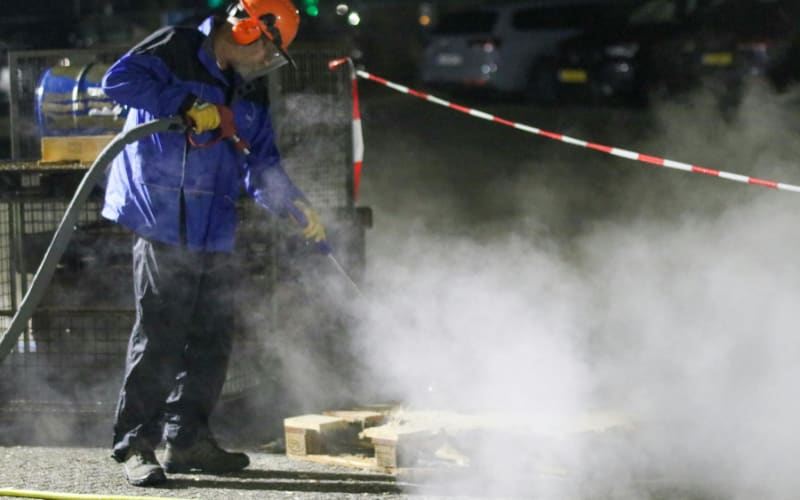
In very dusty, dirty or often wet indoor work areas, scanners usually need a higher IP rating, often in the IP65–IP66 range.
These are still indoor, normal-temperature spaces, but with tougher conditions, such as:
- High-dust storage for cement, grain, wood or metal
- Indoor recycling or repair zones with fine particles in the air
- Work areas where floors are often wet or muddy
- Places that see frequent hose or spray cleaning
Why IP65–IP66 matters here:
- A first digit of 6 means the device is dust tight, which helps protect it from fine dust creeping into gaps
- Water digits 5 or 6 mean the device can handle low-pressure or stronger water jets, not just light splashes
You still may not need full “under-water” protection like IP67 for every device, because the risk is dust + spray + wet floors, not deep water. But compared with a normal warehouse, it is usually smart to move up from IP54 to at least IP65, and sometimes IP66, in these harsh indoor areas.
An Android handheld with IP65 sealing and rugged glass, such as Tera’s P166GC, can be used in this kind of dusty, often wet environment where repeated light hose cleaning is part of daily work.
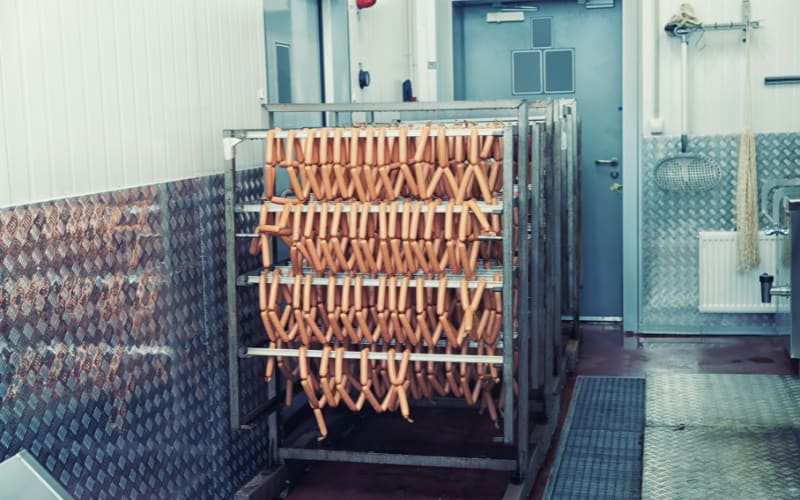
What IP Rating Do You Need for Cold Storage, Food Plants and Outdoor Yards?
In cold storage, food plants and outdoor yards, scanners and mobile computers often need higher IP ratings, typically in the IP65–IP67 range.
These places are not just dusty — they are very wet, very cold or open to weather and strong wash-down.
Common risk patterns include:
- Cold storage and cold chain: condensation when moving between warm and cold areas, ice or cold water on floors, shallow puddles near doors
- Food plants and wash-down zones: foam, cleaners, disinfectants and strong water jets used again and again
- Outdoor docks and yards: heavy rain, wind, standing water and mud, with devices used in storms or after rain
Why IP65–IP67 is common here:
- IP65–IP66 handles heavy spray, rain and repeated cleaning on the surface
- IP67 adds protection for short-time immersion in shallow water, useful if a device can fall into a puddle or sit in pooled water
For these severe conditions, many teams choose IP65 or IP66 as a base, and consider IP67 where puddles, drains or deep water are real risks.
A handheld Android mobile computer with IP67 sealing, wide operating temperature and a solid drop rating, such as Tera’s P400, is an example of a device that can be deployed in cold rooms, wet processing areas or outdoor loading yards and docks.
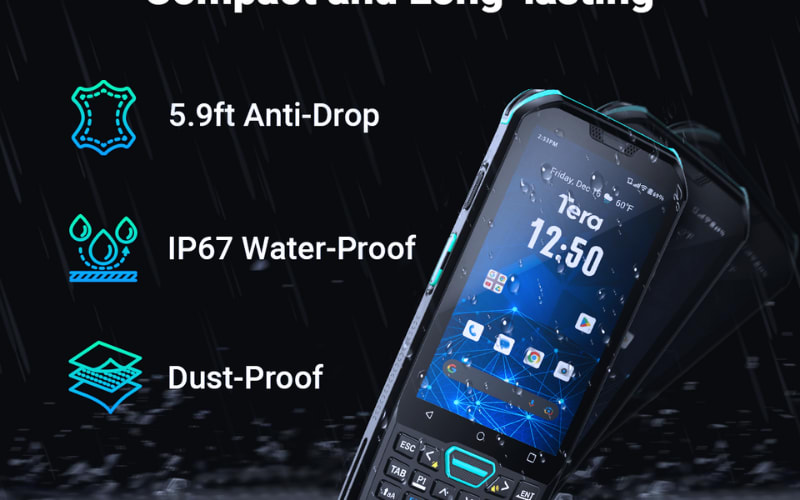
Does a Higher IP Rating Always Mean a Tougher Android Barcode Scanner or Mobile Computer?
A higher IP rating does not always mean a device is tougher or will last longer. It only means the device has stronger protection against dust and water getting inside the housing.
An IP rating measures ingress protection. It tells you how well the outside shell stops dust and water from entering. This is very important, but it is only one part of real-world durability.
There are many things an IP rating does not tell you, such as:
- How far the device can fall in a drop test before it breaks.
- What temperature range it can handle while still working well.
- How well it resists cleaners, alcohol, oil or disinfectants on the surface.
- How it handles long-term vibration, daily knocks and general wear.
For example, a scanner with IP67 but only a low drop rating may fail sooner in a busy warehouse than a scanner with IP65 but a much higher tested drop height. The first has better water protection, but not better overall toughness.
The right way to read IP is to treat it as one important piece of the durability puzzle, not the whole picture. You want enough IP protection for your dust and water risks, and then you also need to look at other rugged features before you buy.
Which Rugged Features Besides IP Rating Should You Check Before You Buy a Barcode Scanner or Mobile Computer?
Besides IP rating, the rugged features that matter most are the drop test rating, operating temperature range, vibration and shock resistance, and resistance to cleaners and chemicals. If you choose scanners or mobile computers for a warehouse, cold storage, food plant or outdoor yard, you should check these points as carefully as you check the IP code.
Here are some of the most important ones.
Drop test: how far it can fall and still work
A drop test tells you from what height the device can fall onto a hard surface and keep working. In real life, scanners slip from hands, fall off carts, or get knocked off shelves. A device with a good drop rating is less likely to crack or fail after these everyday accidents, even if the IP rating is the same as another model.
Operating temperature: how cold or hot it can work
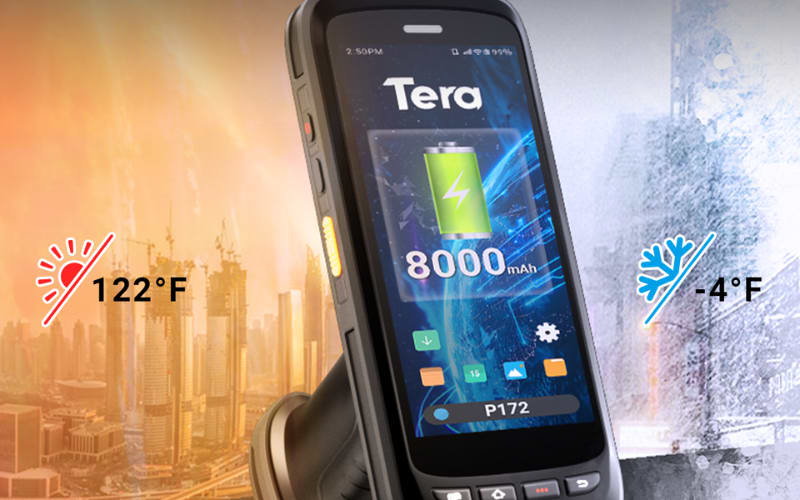
The operating temperature range shows the lowest and highest temperatures where the device can run normally. This matters in freezer rooms, cold docks, hot warehouses or outdoor yards in summer. If the place is too cold or too hot for the rated range, the screen may slow down, the battery may drain fast, or the device may stop working until it warms up or cools down.
Vibration and shock: how it handles shaking and bumps
Vibration and shock resistance describe how well the device can handle shaking and small hits over time. Think about scanners mounted on forklifts, riding on pallet jacks, or sitting next to busy conveyor lines and machines. Long-term vibration can slowly loosen internal parts, so a device designed and tested for shock and vibration will usually stay stable longer in these setups.
Resistance to cleaners, alcohol and other chemicals
Chemical resistance tells you how well the outer shell, keys and screen stand up to cleaning products, alcohol wipes, disinfectants and oils. In food plants, cold storage, healthcare and many warehouses, devices are wiped down or sprayed many times a day. Without good chemical resistance, plastics can turn soft, crack or fade, and labels can peel, even if the IP rating is high.
Together, these rugged features show how a scanner or mobile computer will behave in daily use, not just in a lab water test. In the next part, you can combine these ideas with a simple step-by-step process to choose an IP rating that fits your own work environment.
How Can You Choose the Right IP Rating Step by Step for Your Android Barcode Scanner or Mobile Computer?
You can choose the right IP rating by following a simple checklist about your environment, dust, water and risk of immersion.
Once you know your answers, you can match them to common ratings like IP42, IP54, IP65, IP67 or IP68 instead of guessing.
Step 1: Decide where the device will live most of the time
First, choose the main place where your scanner or mobile computer will spend its day:
- Shops and indoor retail (checkout, small stock room)
- Normal warehouses and factories (shelves, picking, standard lines)
- Very dusty, dirty or often wet indoor areas (high-dust storage, recycling, indoor yards)
- Cold storage, food plants or outdoor yards (freezer docks, wash-down zones, loading docks)
Pick the one that best matches your real work.
Try to think about where the device is actually used, not just where it is stored.
Step 2: Judge the dust level
Next, think about how much dust or small particles are in the air and on surfaces:
- Light dust: mostly from paper, boxes and normal traffic
- Medium dust: from regular packing, some powders, light debris near machines
- Heavy or fine dust: from cement, grain, wood, metal, plastic, recycling or cutting
If dust is heavy or very fine, you usually want the first digit of the IP rating to be 6 (dust tight) instead of 5 or lower.
Step 3: Judge how often the device meets water, splashes or spray
Now look at water and cleaning in your workplace:
- Almost no water: maybe a damp cloth once in a while
- Small splashes and light spray: drinks, light cleaning spray, small spills
- Frequent spray or hose cleaning: regular hose-down of floors or equipment
- Heavy wash-down or strong rain: strong jets, foam cleaning, outdoor storms
The more often and more strongly water hits the device, the higher the second digit in the IP rating should be.
Step 4: Decide if there is a real risk of going under water
Finally, ask if the device might go under water, even for a short time:
- In many shops and normal warehouses, this risk is very low.
- In cold storage docks, food plant wash-down zones, outdoor docks or deep puddles, it is much higher.
If there is a real chance the device can sit in a puddle, fall into a drain, or be fully covered by water, you should consider an IP rating with water digit 7 or 8 (such as IP67 or IP68) instead of just splash and spray levels.
Match your answers to a simple IP range
Now you can connect your answers to a simple set of target IP ranges:
Main environment type |
Typical IP range to consider |
Shops and indoor retail with almost no water |
IP42–IP54 |
Normal warehouses and factories with some dust and small spills |
IP54–IP65 |
Very dusty, dirty or often wet indoor areas |
IP65–IP66 |
Cold storage, food plant wash-down zones or outdoor yards with heavy rain or puddles |
IP65–IP67 (IP68 only if deeper or longer immersion is likely) |
You do not always need the highest level in each row. Most of the time, you can pick the lowest IP level that safely covers your dust and water risks, so you do not overpay for protection you never use.
This step-by-step check helps you narrow down the right IP rating for your Android barcode scanner or mobile computer based on your real environment and water risk. After you have a target IP range, you can read any spec sheet — from Tera or from another manufacturer — and then compare IP rating, drop test, temperature range and battery life, so the device fits both your work conditions and your daily workload.
Ready to Pick a Scanner That Matches Your IP Needs?
You now know what IP level you need — the next step is to pick a device that fits it.
To move forward, you can:
- List your target IP range from this guide (for example IP54–IP65 or IP65–IP67)
- Check 3 key specs on each device: IP rating, drop height and temperature range
- Remove any models that do not meet your real dust and water risks
If you want ready-made options to compare, you can start with Tera’s Android line — for example P172 (IP65) for retail and light warehouse work, P166GC (IP65) for dusty or often wet indoor areas, and P400 (IP67) for cold storage, food plants and outdoor yards. Use them as a benchmark, or put them next to other brands on your shortlist, and choose the scanner or mobile computer that best matches your IP rating checklist and your daily workflow.
FAQs
Is there any IP rating that is 100% waterproof?
No IP rating guarantees “100% waterproof” in all conditions. Ratings like IP67 and IP68 only certify performance under specific test depths and times; misuse, damage or extreme conditions can still cause leaks.
Is IP65 enough for heavy rain outdoors?
Yes, IP65 is generally fine for heavy rain, because it protects against low-pressure water jets from any direction. For harsh storms, driving rain or exposure near high-pressure spray, IP66 or IP67 is a safer choice.
For water resistance, how does IP65 compare to IP68?
IP68 offers a higher level of water protection than IP65. IP65 handles low-pressure water jets on the surface; IP68 is tested for deeper or longer immersion in water, as defined by the manufacturer.
Is IP65 always better protection than IP44?
Yes. IP65 gives higher protection than IP44: both are splash-proof, but IP65 is dust-tight (first digit 6 vs 4) and resists low-pressure water jets, while IP44 only protects against splashes from any direction.
Can you upgrade a product’s IP rating after you buy it?
You generally cannot upgrade the official IP rating yourself. Adding covers or sealant may improve protection, but it does not change the certified rating and can even cause other issues (like overheating).



