

Ever wondered why your barcode scanner beeps every time you scan? That tiny sound does more than you think—it confirms accuracy, speeds up work, and keeps every scan on track. Yet in warehouses, stores, or offices, the beep can sometimes be too loud, too soft, or easy to miss, slowing down the flow of work.
This guide breaks down everything about scanner sounds—what they mean, why they matter, and how to adjust or replace them. You’ll learn how loud a barcode scanner should be, and when to switch to light or vibration alerts. In just a few minutes, you’ll know how to make your scanner smarter, quieter, and perfectly tuned to your workspace.
What Is a Scanner Sound and Why Does It Beep?
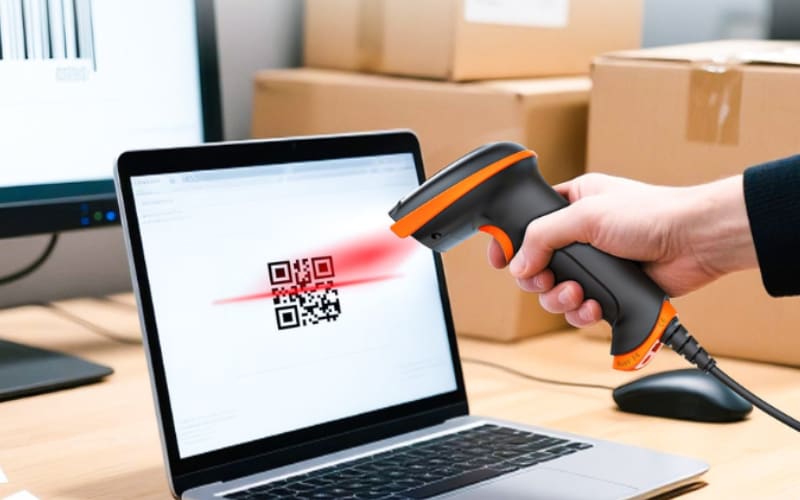
A scanner sound is the short “beep” you hear when a barcode is read successfully. It comes from a small buzzer or speaker inside the scanner and confirms that the data was captured and sent correctly. This quick sound acts as a signal between you and the device, telling both that the scan worked without needing to check the screen.
Many scanners beep when a code is read, but some models use light or vibration feedback instead. When the light reads the black and white lines, the internal decoder processes the information, then triggers the buzzer to make that brief tone. The beep is an instant form of feedback—simple, fast, and reliable.
Different scanners use slightly different tones—some higher, others softer—but they all serve the same purpose: to confirm a successful scan. Think of it like the “ding” from a microwave or the click of a keyboard key. The scanner’s beep keeps work flowing smoothly in stores, warehouses, and other fast-paced environments, making it one of the smallest but most useful sounds in daily operations.
What Does the Beep of a Barcode Scanner Mean?
Not every beep means the same thing. Barcode scanners use different tones to tell you what is happening. Once you know what each sound means, you can understand your scanner without even looking at the screen. The beep becomes a simple language you can hear.
A single short beep almost always means “good read.” It tells you the barcode was scanned and the data was accepted. A double beep or a longer tone often means the opposite—the code was not read or the connection failed. Some scanners play a rising tone when they reconnect or finish a setup, and a falling tone if an error appears. You will start to notice these small patterns once you pay attention.
Here’s how it usually works:
Beep Type |
Common Meaning |
Example Use |
1 short beep |
Successful scan (Good read) |
Retail checkout, inventory pick |
2 quick beeps |
Scan failed or unreadable code |
Damaged label, poor light |
3 short beeps |
Connection issue |
Scanner lost link to base or Bluetooth |
Long steady beep |
Error or configuration alert |
Wrong mode or setup step |
These sounds may differ slightly across brands like Zebra, Honeywell, Tera, or Datalogic, but their purpose stays the same—to give users quick and clear audio feedback. Tera scanners follow the same feedback logic, making it easy for users to understand the signal right away. Learning to recognize these tones saves time and helps prevent mistakes during scanning.
Each sound carries a clear meaning, but sometimes you may want to control or change how loud or frequent those beeps are. So, can you turn off or adjust the scanner sound?
Can You Turn Off or Change the Scanner Sound?
Yes, most barcode scanners let you change or turn off the beep sound. You can adjust the volume or tone to match your work environment—louder for warehouses, softer or silent for offices and hospitals. This flexibility keeps scanning comfortable anywhere.
For most scanners, the setting can be changed by scanning setup barcodes found in the user manual. Each one controls a different level, such as “Beep Off” or “Volume Low.” The change takes only seconds and stays saved even after restarting.
On Tera scanners, users can manage sound settings directly through the Tera Scanner Utility app. It allows quick adjustment of tone and volume without extra tools. Keeping at least a soft beep in noisy places helps prevent missed scans, while in quiet areas, switching to vibration or light feedback maintains smooth and silent workflow.
Changing the volume is one thing, but how loud should that beep really be for clear and comfortable use? Let’s look at the ideal sound level for scanners in different places.
How Loud Should a Scanner Beep Be?
The best scanner beep is clear enough to hear but never too sharp. Most barcode scanners sound best between 60 and 80 decibels (dB) — roughly the volume of a normal conversation or a small office printer. A sound in this range is noticeable without being disruptive, letting workers confirm scans quickly and comfortably.
In quiet environments such as offices, retail counters, or hospitals, a soft beep around 60 dB is usually sufficient to signal a successful scan without disturbing others. In noisier spaces like warehouses, production lines, or industrial workshops, a stronger tone—around 75 to 80 dB—is often preferred so the confirmation sound can stand out clearly over background noise.
For example, some industrial scanners such as the Tera 8100DPM Pro Wireless Barcode Scanner with Stand (2D) are designed to perform reliably in demanding environments like automotive manufacturing, aerospace, electronics, or medical device production. These settings often involve heavy machinery or metal surfaces, where a clear, steady beep helps confirm that each DPM (Direct Part Marking) barcode has been read accurately, even under tough conditions.
If you’d like to check how loud your scanner’s beep is, you can use a free sound-meter app on your phone. Hold it near the scanner as it beeps to measure the level. If the sound feels too strong, lower it slightly; if you tend to miss beeps during work, raise it a bit. The goal is comfort, not volume — keeping every scan audible, consistent, and easy to recognize in your daily workflow.
What Frequency Do Barcode Scanner Beeps Use?
Most barcode scanner beeps fall between 2 and 4 kilohertz (kHz). That’s a high-pitched sound, similar to a phone ring or a smoke alarm. Engineers choose this range because the human ear is most sensitive to it. You can notice it even when machines are running or people are talking nearby.
The reason scanners use high frequencies is simple: they cut through background noise. Low sounds get lost in air conditioning hum or warehouse traffic, but high tones stand out clearly. They also use less energy to produce, which helps the device save battery power and keep the feedback crisp. A short, sharp tone at 3 kHz is both easy to hear and quick to fade, so it confirms a scan without being harsh.
Devices like the Tera HW0002 2D Wireless Barcode Scanner use tones in this range for the same reason. Their sound is tuned to stay clear and consistent in industrial or warehouse environments while remaining soft enough for use in quieter retail spaces. You might not think about frequency when you scan an item, but it’s what makes that tiny beep so effective. The right tone helps every scan get noticed, even in the noisiest environments.
Now that you know how the tone is designed, why are these sounds so important in real work? Let’s explore how scanner beeps improve speed and accuracy in retail and warehouse settings.

Why Are Scanner Sounds Important for Retail and Warehouse Work?
Scanner sounds are not just noise—they help people work faster and with fewer mistakes. Each beep gives instant feedback, letting you know a barcode has been read without needing to stop and check a screen. That tiny sound saves seconds every scan, which quickly adds up in a busy day.
In retail stores, the beep helps cashiers keep a steady rhythm. Customers hear it too, so they know each item has been scanned and counted. A clear, consistent sound keeps the checkout line moving smoothly and reduces the chance of missed items. Devices such as the Tera HW0002 2D Wireless Barcode Scanner combine sound with light or vibration feedback, allowing staff to work quietly when needed while still confirming each successful scan with confidence.
In warehouses, the work is louder and faster. Operators scan hundreds of boxes while machines and forklifts run nearby. A strong, distinct beep—like that of the Tera 8100DPM Pro Wireless Barcode Scanner—cuts through background noise and helps workers stay focused. It confirms every read instantly and prevents double scanning, becoming a natural part of the workflow that keeps tasks efficient and synchronized.
Beyond speed, the beep creates a sense of progress. It’s a simple success signal that keeps operators alert and motivated. Hearing that quick tone again and again builds rhythm, reduces stress, and helps teams stay in sync—no matter how hectic the environment gets.
Sometimes, even flexible sound settings aren’t enough—what if you need total silence? Next, let’s see how light or vibration feedback can replace the scanner sound without losing accuracy.
Can Scanner Sounds Be Replaced with Light or Vibration?
Yes, scanners can use light or vibration instead of sound. In quiet places like hospitals, offices, or libraries, silent feedback keeps scanning smooth without adding noise.
Light signals use a small LED or screen flash—usually green or blue for success and red for error. They’re easy to see when you’re looking at the device, but not ideal if your eyes are elsewhere. Vibration feedback gives a gentle pulse you can feel, perfect for workers wearing gloves or when silence is required. It’s quiet, clear, and personal.
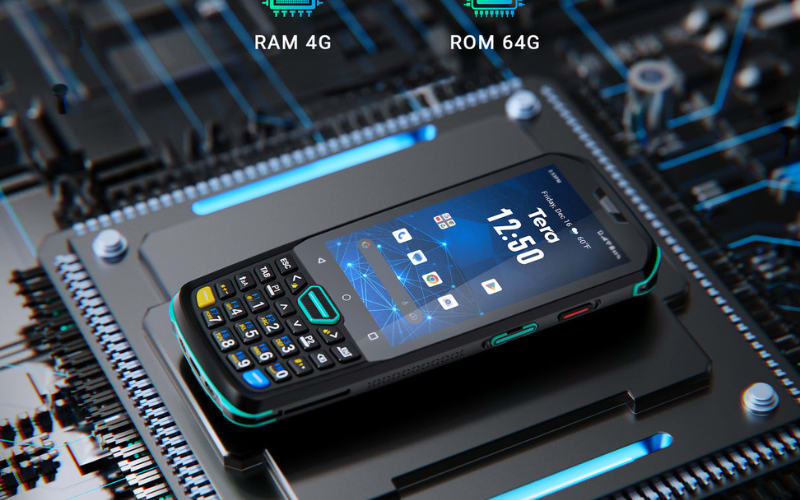
Modern scanners such as the Tera P166GC combine all three feedback types—sound, light, and vibration—so users can choose what works best. You can mute the sound but keep other signals active, or use them together in a noisy area. These flexible options make scanning faster, calmer, and more comfortable anywhere.
Light and vibration can replace the beep, but what happens if you remove the sound completely? Let’s look at how silence can affect accuracy and workflow.
What Happens If You Remove the Scanner Beep Entirely?
Working without sound may seem fine, but it changes how scanning feels. Without the beep, you lose quick feedback and must rely only on the screen, which can slow you down and increase small errors over time. In quiet settings, full silence is okay, but most workers keep at least one signal—light, vibration, or a soft tone—to stay confident that each scan is complete. Tera scanners support this flexibility, keeping LED or vibration alerts active even when the sound is off.
Silence can be peaceful, but some users prefer to bring the sound back their own way. Can you download or make a custom scanner beep? Let’s find out.

Can I Download a Scanner Sound or Make My Own?
Yes, some scanners let you use your own sound file. If you prefer a different tone, you can download a short beep from free libraries like OrangeFreeSounds or Mixkit, or make one yourself using a sound editor. Keep it short—less than one second—and clear enough to notice. On Tera Android scanners, users can upload custom tones through the Tera Scanner Utility or SDK. It’s a simple way to match your device’s sound to your work style without changing how it functions.
Custom tones are fun, but the bigger story is where scanner sound design is heading. Let’s explore the future of scanner sound and how it’s evolving with smart technology.
The Future of Scanner Sound Design
The beep you hear today may soon be much smarter. For years, scanners have used the same fixed tone to signal success. But as workplaces become more connected, scanner sounds are evolving—from simple alerts to adaptive feedback that reacts to the environment.
Future scanners may use AI to adjust volume automatically, raising it in noisy warehouses or lowering it in quiet offices. Multimodal feedback, combining sound, light, and vibration, will grow too, giving workers clear confirmation in any setting.
Tera is already exploring these directions through its Android platform, where flexible sound control and SDK tools allow smarter, customized feedback. In the future, a scanner beep won’t just confirm a read—it will be an intelligent cue that helps people and machines stay in sync.
Make Every Scan Sound Smarter with Tera
The right scanner sound turns routine work into smooth flow. With Tera barcode scanners, you can fine-tune every beep—loud or soft, sound or silent—to match your space and pace. From warehouses to offices, Tera’s intelligent feedback design keeps scans clear, fast, and comfortable. Visit tera-digital.com to explore scanners that sound as smart as they work.



