

Still losing time to slow, error-prone inventory scans? Many warehouses struggle with delays and rising costs when using outdated tools. According to Coherent Market Insights, the global barcode scanner market is valued at USD 8.49 billion in 2025 and is expected to grow at an 8.2% CAGR through 2032, showing strong demand for modern solutions.
In this guide, you’ll see what a warehouse scanner is, how it works, the latest market trends in 2025, and which options fit your business needs. We’ll also cover setup steps, cost ranges, and daily use cases. Whether you’re comparing Android barcode scanners or exploring trusted brands like Tera, Zebra, or Honeywell, this article gives you the insight to choose with confidence.
What Is a Warehouse Scanner?
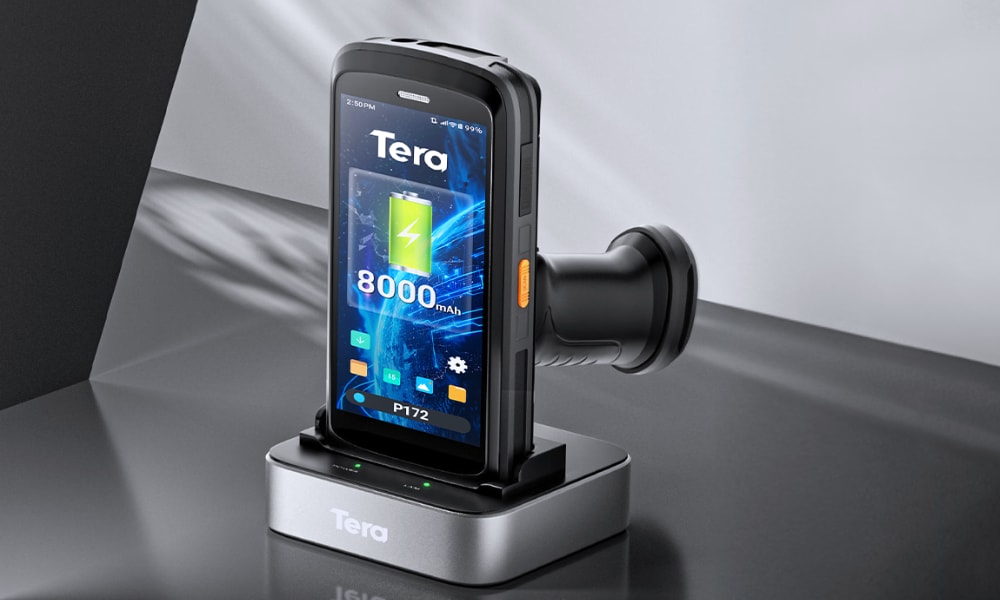
A warehouse scanner is a device that reads barcodes or RFID tags and sends the data to a warehouse management system (WMS). It helps track goods as they are received, stored, picked, and shipped, reducing errors and saving time. Scanners can be simple handheld readers or rugged Android mobile computers with wireless connections.
When you scan a code, the scanner captures the information and updates it in your system in real time. This lets you know exactly what items came in, where they are stored, and when they leave the warehouse. The process is quick and avoids the need for manual writing or typing, which often leads to mistakes.
In a normal day, workers use scanners to receive shipments, pick items for customer orders, count stock during inventory, and check goods before they ship out. Without scanners, these jobs usually take longer and can cause errors that hurt efficiency.
Different types of scanners serve different needs. A handheld barcode scanner is light and easy to use, making it popular in small or medium warehouses. On the other hand, rugged mobile computers with Android systems combine scanning, data entry, and Wi-Fi connectivity in one device, which is ideal for larger facilities or fast-paced operations.
In short, a warehouse scanner is not just a tool for reading barcodes. It is a bridge between the physical world of products and the digital systems that manage them.
A warehouse scanner is vital in turning physical labels into digital data, but how exactly does it work in practice?

How Does a Warehouse Scanner Work Step by Step?
A warehouse scanner works by capturing the code, decoding the data, and sending it into your warehouse system in real time. The process is simple when you see it in action, but each step is built on strong technology.
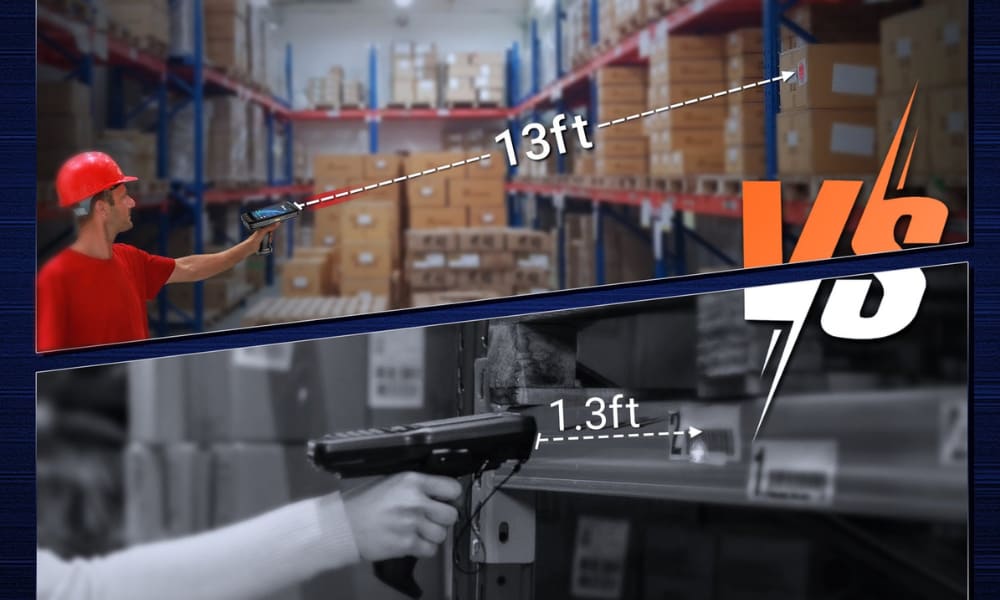
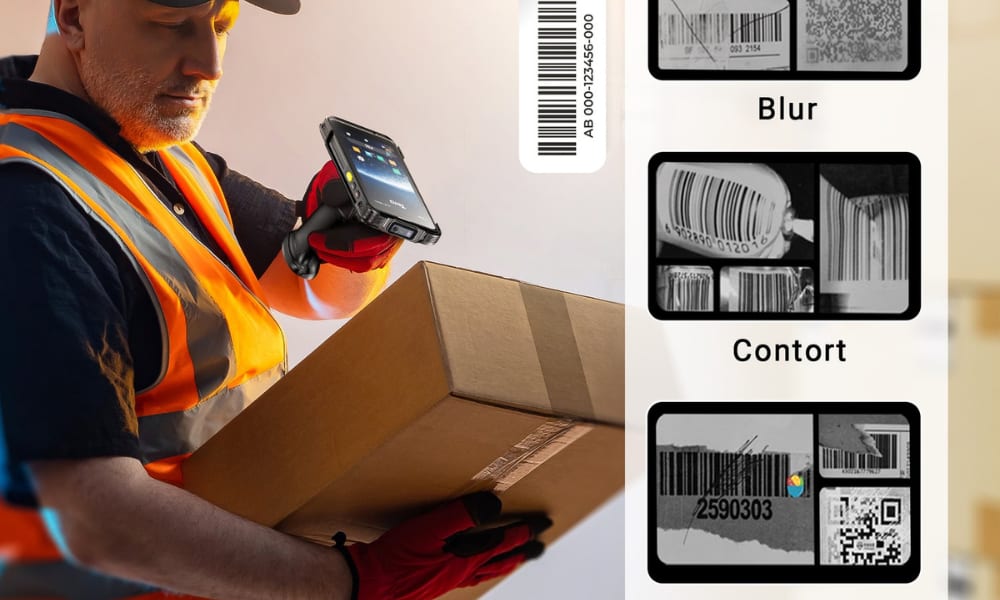
First, the scanner captures the barcode or RFID tag using a light beam or imaging sensor. Modern scan engines, such as the Zebra SE4710 used in Tera devices, can read codes even if they are blurred, scratched, or displayed on a screen. This means you do not lose time with poor-quality labels.
Next, the scanner decodes the captured image into digital data. The decoding software translates the black-and-white lines or pixel patterns into numbers and letters that your system can understand. This step happens in a split second.
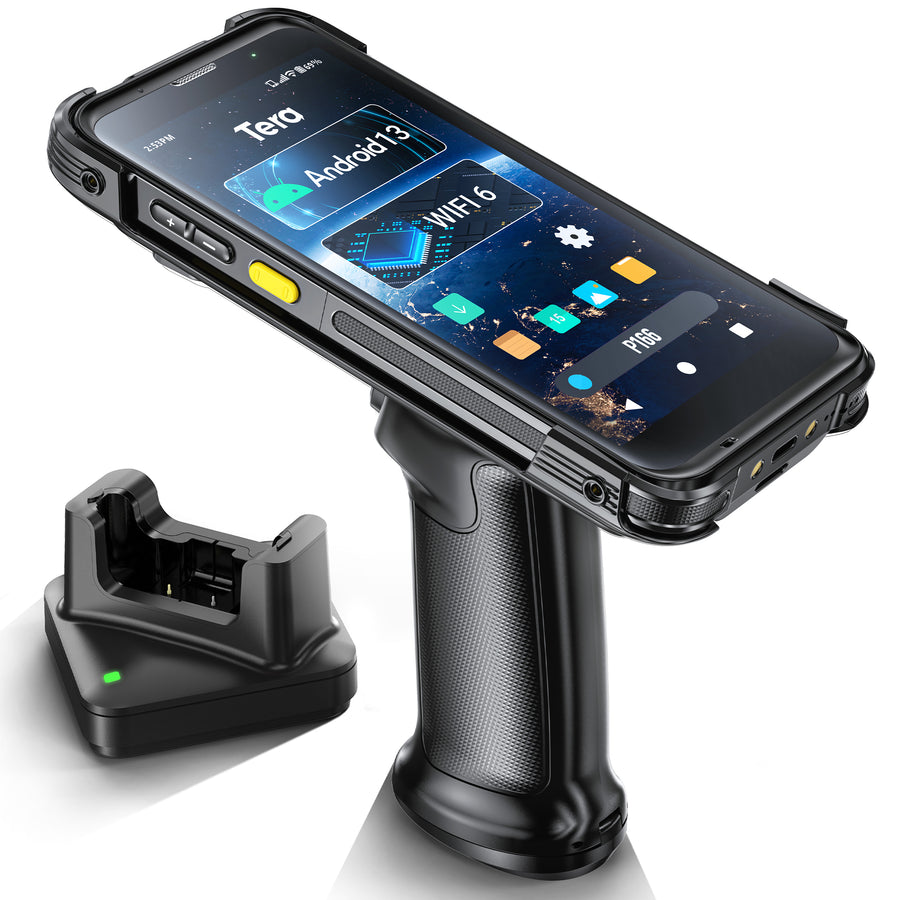
After decoding, the information is sent to your warehouse management system (WMS) through WiFi, Bluetooth, or NFC. With newer technology like Wi-Fi 6 ready, Gorilla Glass, available in devices such as Tera’s Android 13 PDA, the transfer is faster and can support many scanners working at the same time with less delay.
Finally, the data is recorded in your system, updating stock levels and item locations. This real-time update is what allows your warehouse to stay accurate without extra manual work.
In short, the workflow looks like this:
- Capture the code
- Decode the data
- Transmit to WMS
- Update records instantly
This clear cycle is what makes warehouse scanners such an effective link between the physical products you manage and the digital records you rely on.
You’ve seen the steps of how a scanner works, but why does this matter so much for daily warehouse work?
Why Are Warehouse Scanners Important for Daily Operations?
A warehouse scanner is important because it keeps your daily work fast, accurate, and up to date. Without it, even simple tasks like receiving or shipping can take longer and lead to costly mistakes.
The main benefits come down to three points: efficiency, accuracy, and real-time updates. Scanning items instead of typing or writing speeds up every task. Each scan creates a digital record, which lowers errors in counts and shipments. And when data flows into your warehouse management system (WMS) right away, you always see the real state of your stock.
In daily workflows, scanners remove pain points at every step:
- Receiving: confirm shipments match purchase orders
- Inventory counts: move through aisles quickly with correct numbers
- Picking orders: make sure the right items go into the right boxes
- Shipping: check each order is complete before it leaves
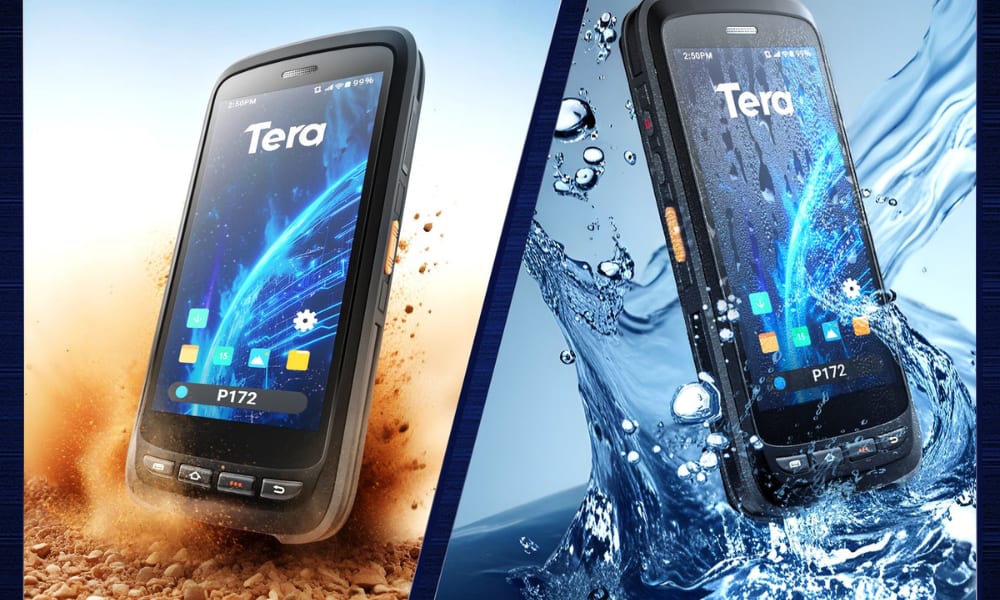
Modern technology makes scanners even more reliable. The Zebra SE4710 engine can read blurred or damaged codes, so poor labels do not slow you down. WiFi 6 allows many devices to work at once with less delay, which is critical in busy warehouses. And long-life batteries with IP67-rated designs keep scanners running all day, even in tough conditions.
In short, scanners matter because they are the backbone of warehouse operations, linking the physical flow of goods with the digital systems that manage them.
Since scanners play such a key role in warehouse work, the next step is to understand the different types available and how each one fits your daily needs.
What Types of Warehouse Scanners Are Available Today?
The main types of warehouse scanners today are handheld barcode scanners, mobile computers with Android systems, wearable scanners, fixed-mount units, forklift terminals, RFID handheld readers, legacy RF devices, and phone-based apps. Each type serves a different workflow, from small shops to large-scale warehouses.
Handheld Options
A handheld barcode scanner is the most common tool for small or mid-size warehouses. You point, scan, and upload the code into your system. It is simple, reliable, and a good fit for stations or carts.
A mobile computer (Android barcode scanner) goes further. It combines a scanner, a touch screen, and apps in one device. Your staff can walk the aisles, connect over Wi-Fi, and update your warehouse management system (WMS) without extra steps. These rugged Android PDAs are popular in larger warehouses where workers need mobility and all-day power.
A wearable scanner, such as a ring or glove, keeps both hands free. If you handle high-frequency picking, this type saves seconds on every move and boosts overall speed.
Stationary and Vehicle Options
A fixed-mount scanner sits at a pack station or conveyor. Goods move past the window, and the unit reads codes automatically. This is common in e-commerce or returns areas where flow is steady.
A forklift-mounted terminal brings a large screen and a tethered scanner into the driver’s seat. It lets operators confirm tasks and update pallets without leaving the vehicle. These devices are built for shock and power stability.
Advanced Technology Options
An RFID handheld reader (sometimes called an RF scanner for warehouse inventory) can capture tag IDs without direct sight. This makes it ideal for fast cycle counts, large pallet scans, or asset tracking.
Some sites still use legacy RF terminals that run simple text screens over telnet. They are basic but stable, and some operations keep them for proven workflows.
Finally, a phone with a barcode scanner app can do light-duty work. It is fine for backup or small shops, but for heavy shifts, purpose-built devices with a scan engine, rugged housing, and hot-swap batteries are far more reliable.
How to choose at a glance:
- For mobility with apps → Android mobile computer
- For fast picking → Wearable scanner
- For steady stations → Fixed-mount unit
- For vehicle work → Forklift terminal
- For large-scale inventory → RFID handheld
- For light duty → Phone app
With these categories in mind, you can match the scanner type to your workflow and scale, instead of forcing one tool to fit every job.
Now that you know the main types of warehouse scanners, the real question is which one fits your business best and what price range you should expect.
Which Warehouse Scanner Is Best for Your Business (and How Much Do They Cost?)
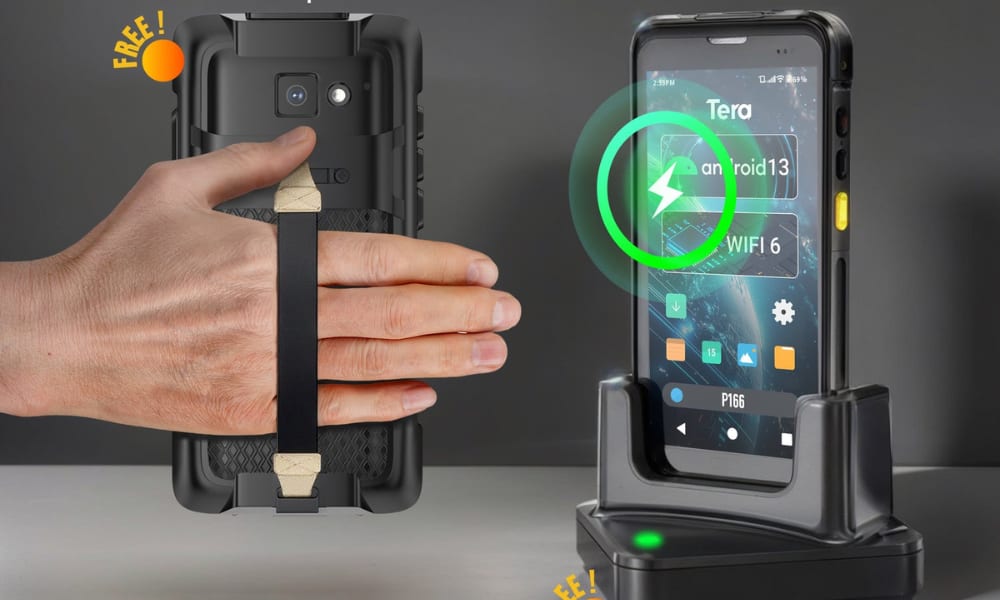
The best warehouse scanner depends on your workflow and budget. Basic handheld scanners cost around $50–$200, while advanced PDA-style handhelds are usually $200–$400. Android mobile computers are $500–$1,200, and RFID readers often start at $1,000+. The right choice is not about the highest price but about what fits your daily operations.
If you run a small warehouse or stockroom, a handheld barcode scanner is often enough. Popular models include the Tera P400 (Android 11, large battery) and the Honeywell Voyager 1250g. They are simple and quick to set up. However, many managers find that cheaper handhelds slow down or overheat during long 8–10 hour shifts, which can interrupt your workflow.
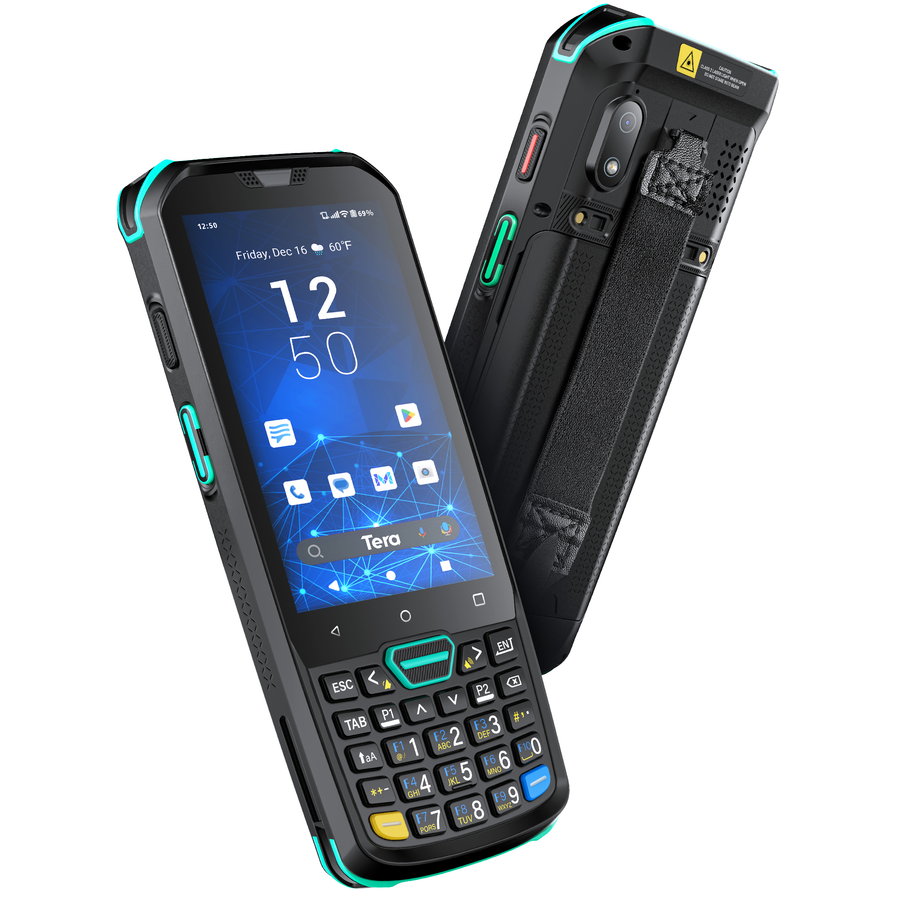
For mid-size to large warehouses, a mobile computer (Android barcode scanner) is usually the smarter choice. These devices combine scanning, apps, and Wi-Fi in one unit, supporting real-time WMS updates. They cost more, usually $500–$1,200, but they cover more tasks with one device.
Examples include the Tera P166GC (Android 13, Wi-Fi 6, Gorilla Glass), the Zebra TC52x, and the Honeywell Dolphin CT60. According to industry reports, Zebra holds over 50% of the global warehouse scanner market, showing how widely Android-based PDAs are adopted by large operations.
In high-frequency picking or packing operations, speed matters most. Wearable scanners let staff keep both hands free and scan while moving goods. Prices are mid-range, often $300–$800. Leading options include the Zebra RS5100 and the Datalogic HandScanner. If your warehouse handles hundreds of picks per worker per day, saving even two seconds per scan can add up to thousands of items processed faster each week.
For automated stations like conveyors or packing desks, a fixed-mount scanner works best. Items pass in front of the unit for instant capture. Prices are usually $300–$800. Well-known models include the Datalogic Magellan 3450VSi and the Honeywell Solaris 7980g. This type of scanner reduces the need for extra staff at busy stations, keeping your line moving smoothly.
For large-scale or advanced projects, an RFID handheld reader can capture many items at once without line of sight. These are the most expensive, starting at $1,000+. Typical examples are the Tera P150 (Android 12, IP67, removable battery) and the Zebra RFD8500. Market research shows RFID adoption is growing at over 9% CAGR, driven by warehouses that need faster cycle counts and complete asset visibility.
In the end, the best scanner is not the most expensive, but the one that matches your warehouse size, task load, and long-term goals.
Here’s a quick overview:
|
Scanner Type |
Typical Cost Range |
Best Use Case |
Example Models |
|
Handheld barcode scanner |
$200–$400 (entry-level) |
Small warehouses, light tasks |
Tera P400 (lower end), Honeywell Voyager 1250g (similar range) |
|
Android mobile computer |
$500–$700 (entry), $800–$1,200 (advanced) |
Mid to large warehouses, WMS integration |
Tera P166GC (entry), Tera P172 (mid), Zebra TC52x (upper), Honeywell CT60 (upper) |
|
Wearable scanner |
$300–$800 |
High-frequency picking and packing |
Zebra RS5100, Datalogic HandScanner |
|
Fixed-mount unit |
$300–$800 |
Conveyor and packing stations |
Datalogic Magellan 3450VSi, Honeywell Solaris 7980g |
|
RFID handheld reader |
$300–$500 (hybrid PDA), $1,000–$1,500+ (advanced RFID) |
Large-scale inventory, asset tracking |
Tera P150 (hybrid, lower end), Zebra RFD8500 (upper end) |
Choosing the right scanner often means investing in dedicated devices, but many warehouse managers still wonder: can a regular smartphone do the job instead?
Can I Use My Phone as a Warehouse Scanner?
Yes, you can use a smartphone as a warehouse scanner with the right app, but it is not as fast, durable, or reliable as a dedicated device.
Using your phone as a scanner has some clear advantages. It is low-cost, easy to set up, and works well for small shops or temporary inventory counts. Many apps allow your camera to read 1D and 2D barcodes, so you don’t need extra hardware for light-duty tasks.
However, there are important drawbacks. Phone cameras scan barcodes more slowly, especially if labels are blurred or damaged. Battery life is shorter than purpose-built PDAs, and most phones cannot handle 8–10 hours of continuous scanning. Durability is also a concern — consumer devices are not built for drops, dust, or wet warehouse environments. Integration with warehouse management systems (WMS) may be limited, requiring extra steps to upload data.
In practice, smartphones can work for light scanning or backup use, but for daily warehouse operations, dedicated devices are far more efficient. For example, an Android PDA like the Tera P166GC or Zebra TC52x includes a high-speed scan engine, rugged housing, Wi-Fi 6 connectivity, and batteries designed to last a full shift. These features allow workers to scan faster, avoid downtime, and keep data flowing in real time.
In short: a phone can act as a scanner in simple cases, but if your business relies on speed and accuracy, a professional warehouse scanner is the safer choice.
If you decide to use a dedicated warehouse scanner, the next step is knowing how to set it up and connect it with your system so it works smoothly from day one.
How Do You Set Up and Connect a Warehouse Scanner?
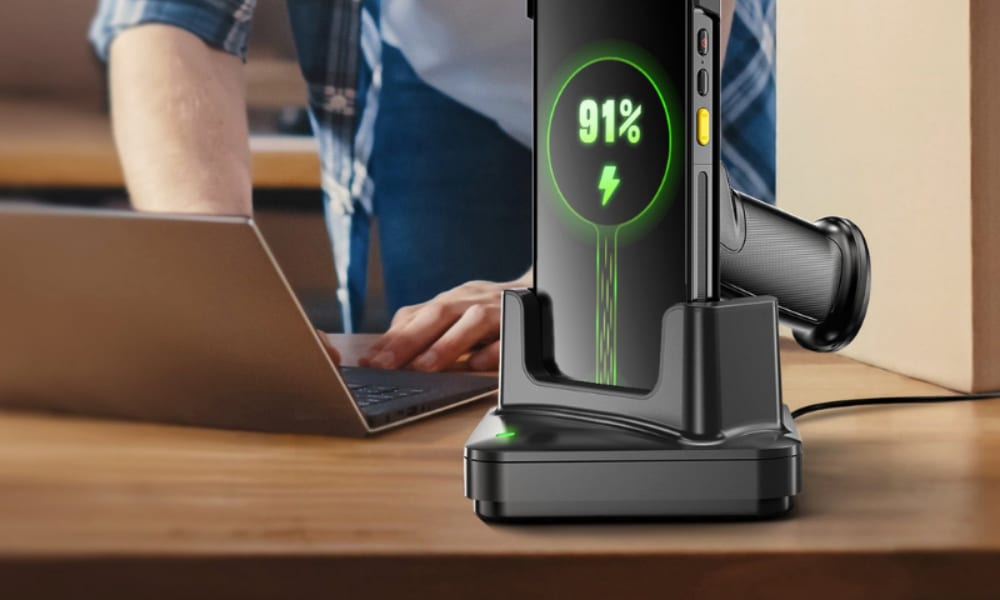
Most warehouse scanners connect through USB, Bluetooth, or Wi-Fi, and they work best when linked directly to your warehouse management system (WMS). The process is simple once you follow a few clear steps.
Step 1: Power on and charge
Before setup, make sure the device has enough battery. Many Android PDAs, like the Tera P400 or P172, are designed to last a full shift once fully charged.
Step 2: Install drivers or apps
Basic handhelds often work as plug-and-play, while Android mobile computers need the right WMS or ERP app installed. On devices like the Tera P166GC (Android 13) or the Zebra TC52x, this usually means downloading the software, logging in, and granting permissions.
Step 3: Connect to your system
- USB: Simple “plug in and scan” for desktops or POS systems.
- Bluetooth: Common when pairing scanners with tablets or smartphones.
- Wi-Fi: Best for enterprise PDAs. Devices with Wi-Fi 6, such as the Tera P166GC, allow multiple scanners to run at once with low latency.
Step 4: Sync with WMS or ERP
Make sure scanned data flows into your system, not just stored locally. Most Zebra, Honeywell, and Tera devices come with configuration barcodes — scanning these codes automatically sets the correct mode.
Common setup challenges
Some users face unstable connections in large warehouses. Wi-Fi 6 devices perform better in these cases. Others forget to adjust app permissions on Android 11/12/13, which can block data sync. Setting permissions correctly at the start avoids later delays.
In summary: setting up a warehouse scanner is straightforward, but planning the right connection method and software integration makes the difference between smooth operations and daily frustration.
What Are the Latest Trends in Warehouse Scanners?
The warehouse scanner market is expanding steadily, with global revenues expected to reach about $8.5 billion in 2025 and continue growing at a 6–9 percent CAGR through 2030. This shows that warehouse scanner market trends 2025 point to ongoing demand and long-term investment, not a short-term spike.
Android barcode scanner growth is reshaping the industry. As older Windows CE devices reach end of life, most companies are migrating to Android-based mobile computers. Android offers stronger security updates, better app support, and easier WMS integration. This shift means Android is now the dominant platform for new warehouse deployments.
Automation is moving scanners beyond handheld use. More warehouses are adding fixed-mount units on conveyors, vehicle-mounted terminals on forklifts, and machine vision systems for pack stations. This trend is tied to broader warehouse modernization goals — increasing throughput while reducing human error.
AI is starting to enhance scanning and data use. Instead of only reading barcodes, scanners combined with AI can detect damaged labels, guide workers through complex picks, and flag exceptions in real time. Early adopters are using AI-powered scanning to cut seconds from each task and improve accuracy.
For warehouse operators, these trends mean planning ahead: adopt Android-first devices, prepare for a mix of handheld and automated scanning, and look at simple AI features that bring measurable efficiency gains.
Ready to Choose the Right Warehouse Scanner?
Choosing a warehouse scanner is not just about hardware — it is about matching your workflow, budget, and future growth plans. From handheld models for small stockrooms to Android mobile computers for large facilities, the right device can save time, reduce errors, and prepare your team for automation and AI.
If you are considering your next step, explore solutions that follow these trends: Android-first systems, rugged designs, and Wi-Fi 6 connectivity. For example, Tera offers scanners like the P166GC or P172, built to integrate with modern WMS while staying cost-effective. These tools reflect the same market shifts we discussed — Android growth, automation readiness, and durability for daily warehouse use.
Now is the time to review your setup and plan upgrades that will keep your warehouse competitive.



